EasyManua.ls Logo

Bpt IPD/300LR US - Exportar Memoria; Importar Memoria; Textos Tecla (F3)

Bpt IPD/300LR US
32 pages
Print Icon
To Next Page IconTo Next Page
To Previous Page IconTo Previous Page
Loading...
26
SETUP MENU
Calls filter
Call divert
Entry panels selection
Setup access code
Set clock
Call output mode
Stand-by time
(F3) key texts
Export
all
memory
Exporting
Memory ...........
Overwrite memory
Yes
No
SETUP MENU
Call divert
Entry panels selection
Setup access code
Set clock
Call output mode
Stand-by time
(F3) key texts
Export all memory
Import
all
memory
16
17
A-Z DIR
--------------------------------------
(
F3) key label:
XXXX12345
(F3) KEY TEXTSItali
Add
Modify
Delete one
RECORD SELECT 1
SETUP MENU
Users management
C
alls filter
Call divert
Entry panels selection
S
etup access code
Set clock
Call output mode
S
tand-by time
(F3)
key
texts
15
(F3) Key texts
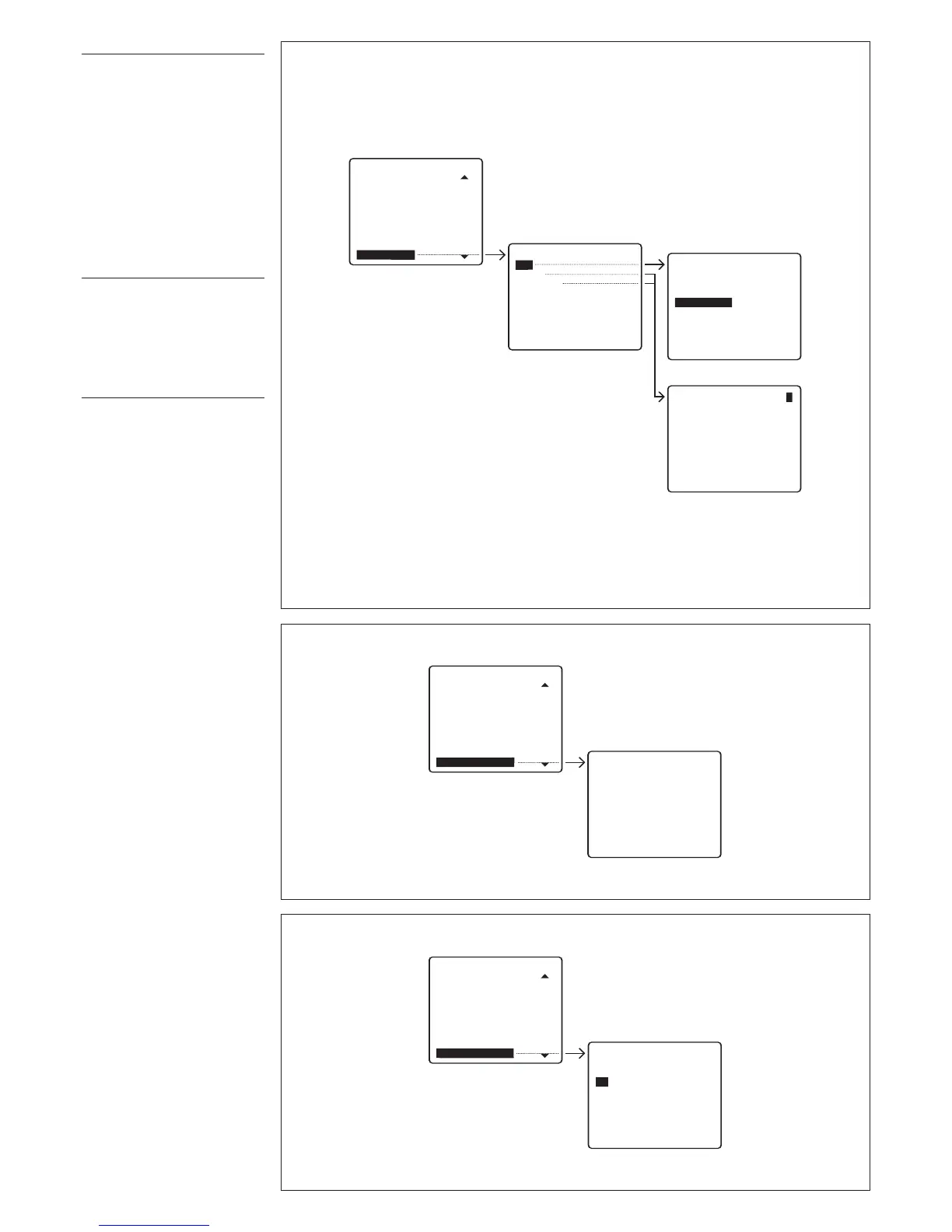
Permite introducir unos textos
p
ara efectuar la llamada sin utili-
zar las teclas alfabéticas (fig.
15).
Add
Teclear el texto que se desea
i
ntroducir (máx. 9 números o
letras).
M
odify/Delete one
Seleccionar el texto que se
desea modificar o tachar y pul-
sar
SEND para confirmar.
Export all memory
E
xportación de la memoria
IPD/300LR (fig. 16).
U
na vez activado el proceso de
exportación es posible interrum-
pirlo con la tecla
ESC
.
Import all memory
Importación de la memoria
IPD/300LR (fig. 17).
Para efectuar esta operación es
necesario predisponer el primer
conserje en exportar memoria.
Es pedida la confirmación antes
de sobrescribir la memoria del
dispositivo.

Table of Contents

Related product manuals