EasyManua.ls Logo

Bpt IPD/300LR US - Device Search Functionality

Bpt IPD/300LR US
32 pages
Print Icon
To Next Page IconTo Next Page
To Previous Page IconTo Previous Page
Loading...
11
Search devices
Yes
N
o
SETUP MENU
Setup access code
Set clock
Call output mode
Stand-by time
(F3) key texts
Export all memory
Import all memory
Memory deletion
Search
devices
19
Memory deletion
Yes
N
o
S
ETUP MENU
Entry panels selection
Setup access code
S
et clock
Call output mode
Stand-by time
(
F3) key texts
Export all memory
Import all memory
D
elete
a
ll
m
emory
18
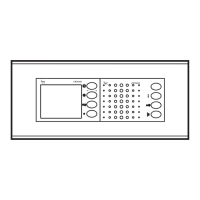
Delete all memory
Erases IPD/300LR memory (fig.
1
8).
You will be asked to confirm
before the device’s memory is
deleted.
S
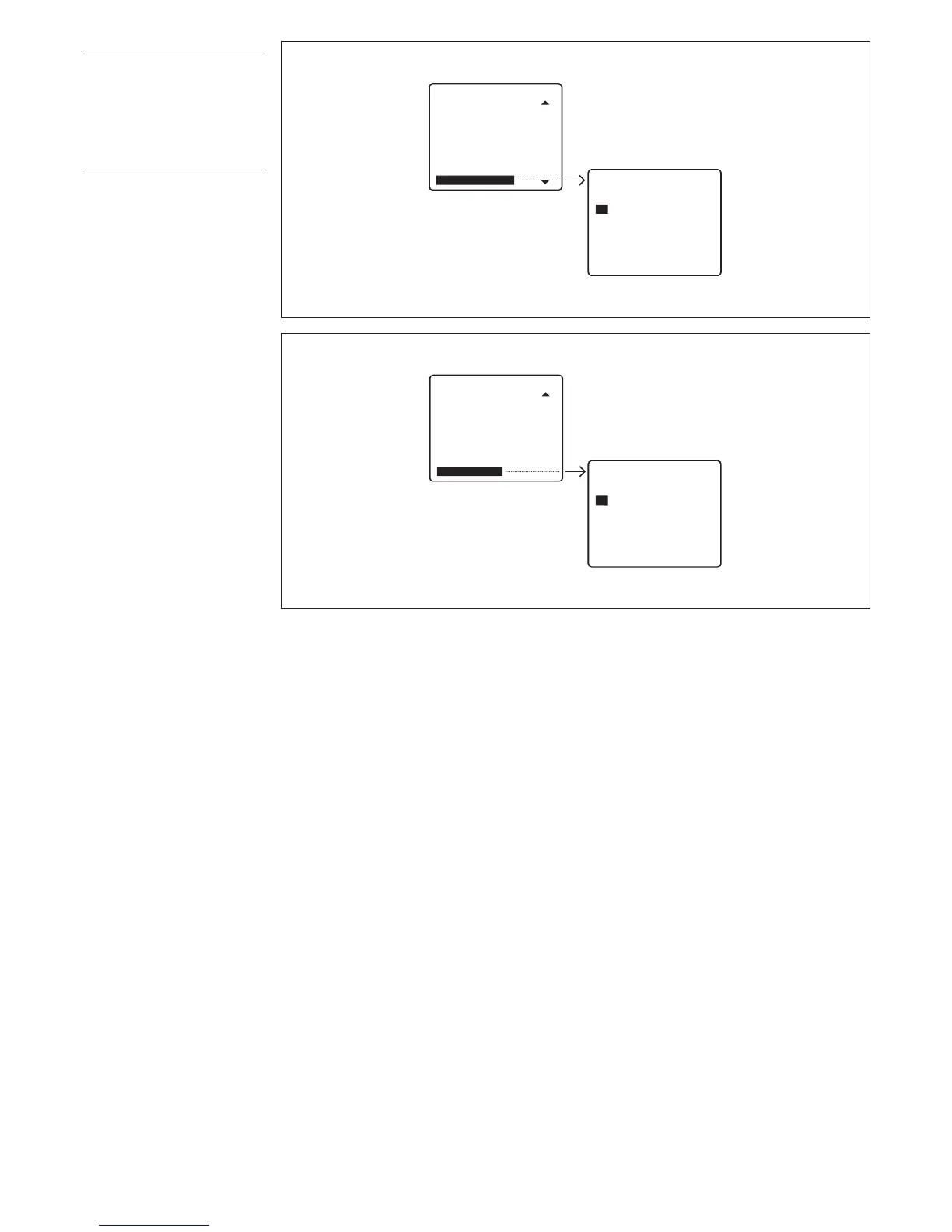
earch devices
I
mports ID codes and descrip-
tion of devices from system (fig.
19).
You will not need to use this func-
tion if you have a programmer
version 1.00 or higher as the
entry panels’ data are sent to the
s
witchboard during the installa-
tion’s setup.
Y
ou will be asked to confirm
before the list of devices is over-
written.

Table of Contents

Related product manuals