7
Call filter
In installations with more than
o
ne porter switchboard, this filter
lets you select the 300-series
entry panels and 300-series
blocks enabled to call a specific
switchboard.
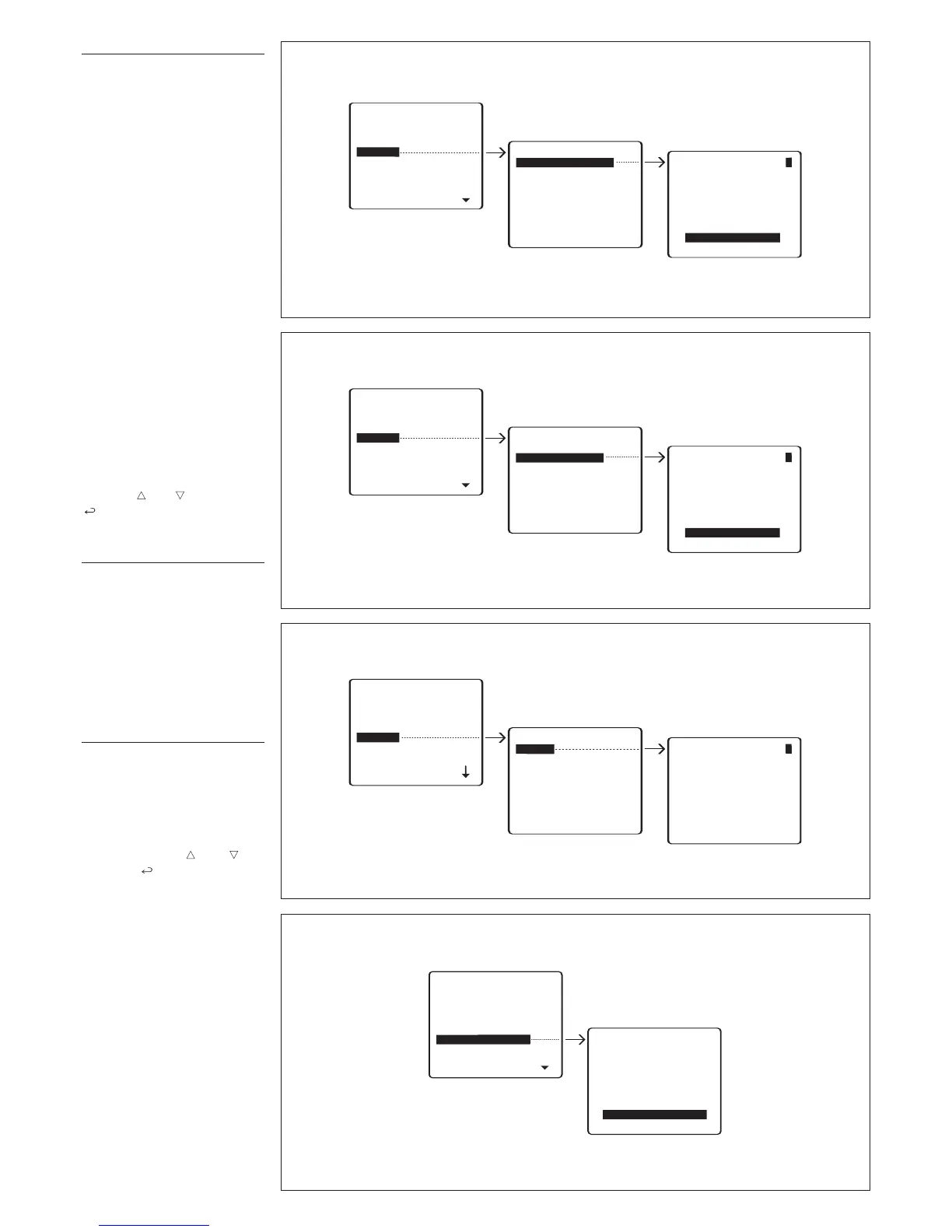
Calls from entry panel 300
(
selects 300-series entry pan-
els, panels in the main installa-
tion or in the block, enabled to
call the switchboard) (fig. 7).
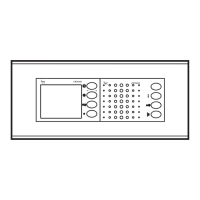
Calls from block 300 (selects
300-series block, with X2
r
eceivers and entry panels,
enabled to call the switch-
b
oard) (fig. 8).
The unit comes factory set for all
entry panels and all blocks to
call the porter switchboard(s)
inserted in the installation.
The first porter to answer the call
is put through to the caller,
bypassing all other porters.
To disable calls to the porter,
select the entry panel or block
with keys and and press the
key to change the setting (NO
CALLS).
Call divert
For systems with a multiple por-
ter switchboard it is possible to
select the porter for the transfer
of calls directed to a switchboard
that is turned off.
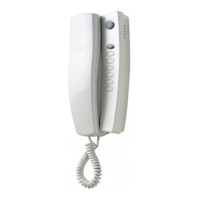
To porter (selection of the switch-
boar
d to which the call is to be
diverted) (fig. 9).
No divert.
Entry panels selection
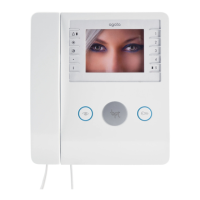
Setting entry panels by means of
self-connection (fig. 10).
Default setting: all entry panels
are enabled for self-connection.
To skip entry panels when scan-
ning, select the entry panel to be
skipped with keys and and
press the key to confirm dis-
abling of scanning.


 To Next Page