Remote activation via phone (only on battery-powered model)
By connecting a suitable telephone interface to the terminals you can carry out two types of activation
from your phone:
1. Remote activation of the timed Manual program: to activate this program the input (terminals
)
must be closed for at least 2 secs and not more than 5 secs. WARNING: timed manual mode can be disabled
in advance by closing the input (terminals
) for at least 2 secs and not more than 5 secs.
2. Remote activation of Manual program: to activate this program it is necessary to close and keep closed
the input (terminals
); reopening the input causes deactivation of the manual program and takes
the device back to its previous conditions.
Compiling the timed manual program remotely
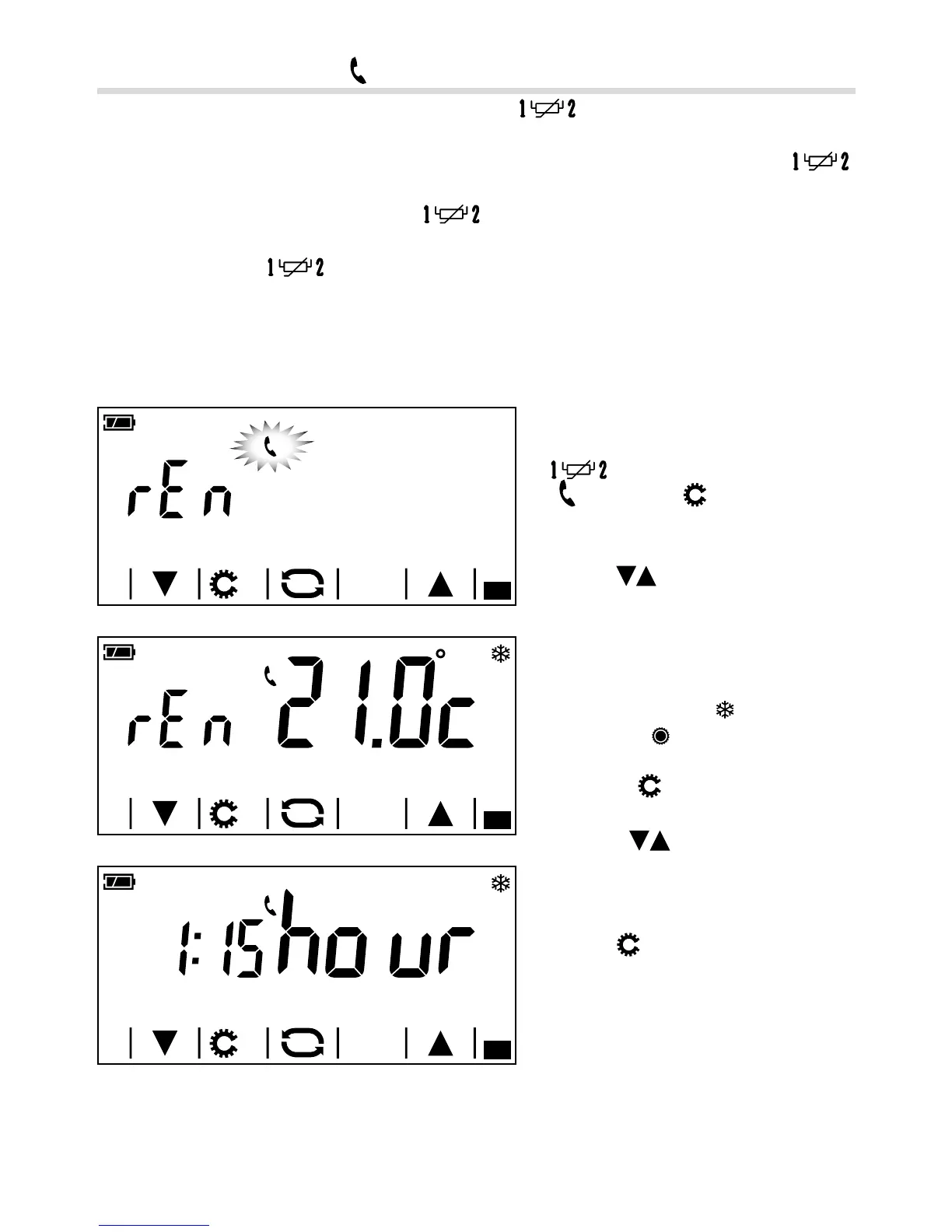
If you have chosen to connect to the terminals
a suitable telephone interface A
(
), pressing the button brings up the
screen in gure B.
Using the
arrows the reference temper-
ature for the two types of remote activation
can be set.
Note. A reference temperature must be set
for the Heating mode
and one for the
Cooling mode
.
Pressing the
button brings up the screen
in gure C.
Using the
arrows the duration (in
hours) of the timed manual program can
be set remotely.
Press the
button to move on to the next
parameter to be congured.



 To Next Page