Caution: high temperature.
Loading the filament
You can now load the filament into your Witbox 2 and print your first test piece.
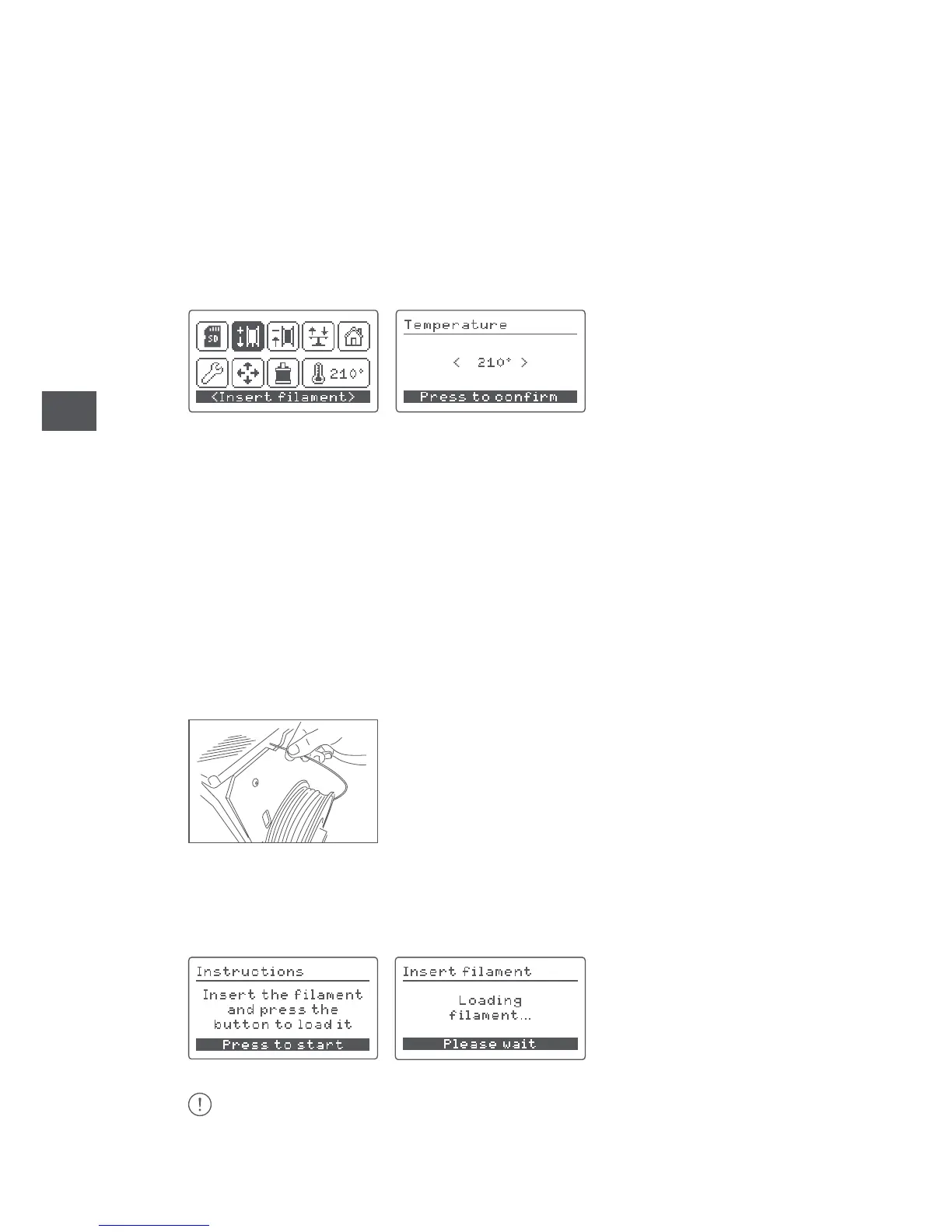
1. Go to Insert filament, select the temperature you want the extruder to reach
and follow the heating process.
2. Once the heating process is complete, load the filament through the cable
gland fitting, the plastic part covering the hole at the back of the printer. It is very
important to position the reel correctly with the loose end of filament on the right.
Using scissors, cut the end of the filament diagonally in order to make it easier to
insert it into the tube.
3. Feed the end of the filament through the guide tube until it touches the
extruder. Push it in firmly to make sure that the filament reaches the end of the
tube. Press the wheel.
4. After a few seconds, the melted material will appear in the nozzle of the
hot-end, which indicates that it has been loaded correctly.



 To Next Page