Replacing the PTFE tube on the Hot-End
1. Move the Z axis to 200 mm.
2. Unload the filament. This step is very important in preventing any issues.
3. In the main menu, press Temperature and select 50 ºC.
4. Once it reaches that temperature, turn off the printer by pressing the power
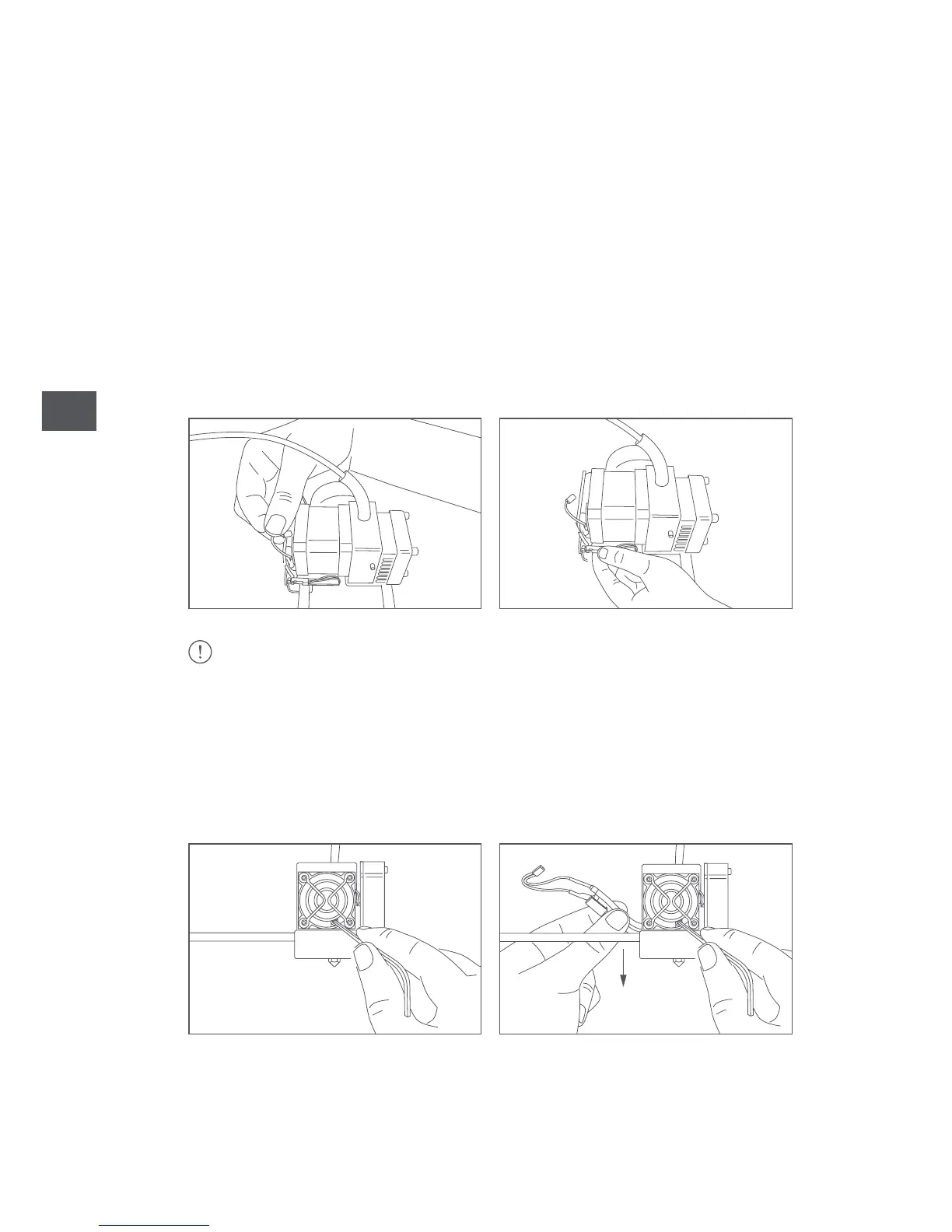
button at the back.
5. Disconnect the cables from the heat cartridge at the top and from the
thermistor on the left side.
6. Use one hand to hold the cables and, with the 2 mm Allen key, use the other
hand to loosen the set screw from the Hot-End hidden behind the fan, until you
can remove the Hot-End with a gentle pull. Take care not to remove the set
screw entirely.
Take care with the inductive sensor located at the rear of the extruder.



 To Next Page