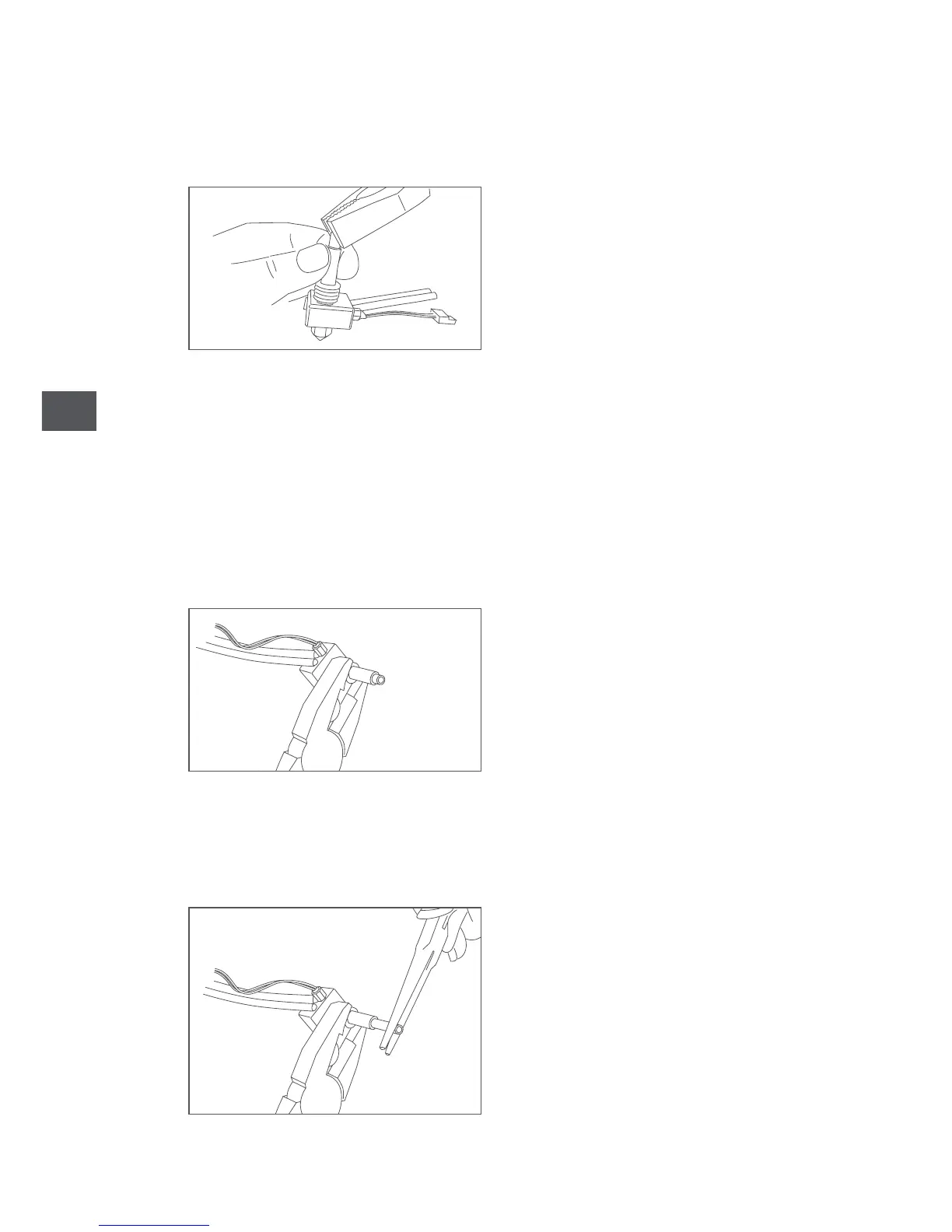
7. Hold the Hot-End in one hand and use pliers to remove the PTFE tube from
the top part.
If removing the tube proves to be very difficult, there could be some filament
trapped inside the hot-end. In this case, follow these steps below, otherwise you
can skip to step 11:
8. With the hot-end removed from the extruder, connect the cables that you
removed in step 6 and switch on the printer.
9. Grip the Hot-End using pliers as shown below. To prevent any damage, pay
close attention to where you should grip it.
10. In the main menu, go to Temperature and select 80 ºC and continue to grip
the hot-end while it heats up. Once it has reached this temperature, use another
set of pliers to carefully remove the PTFE tube.



 To Next Page