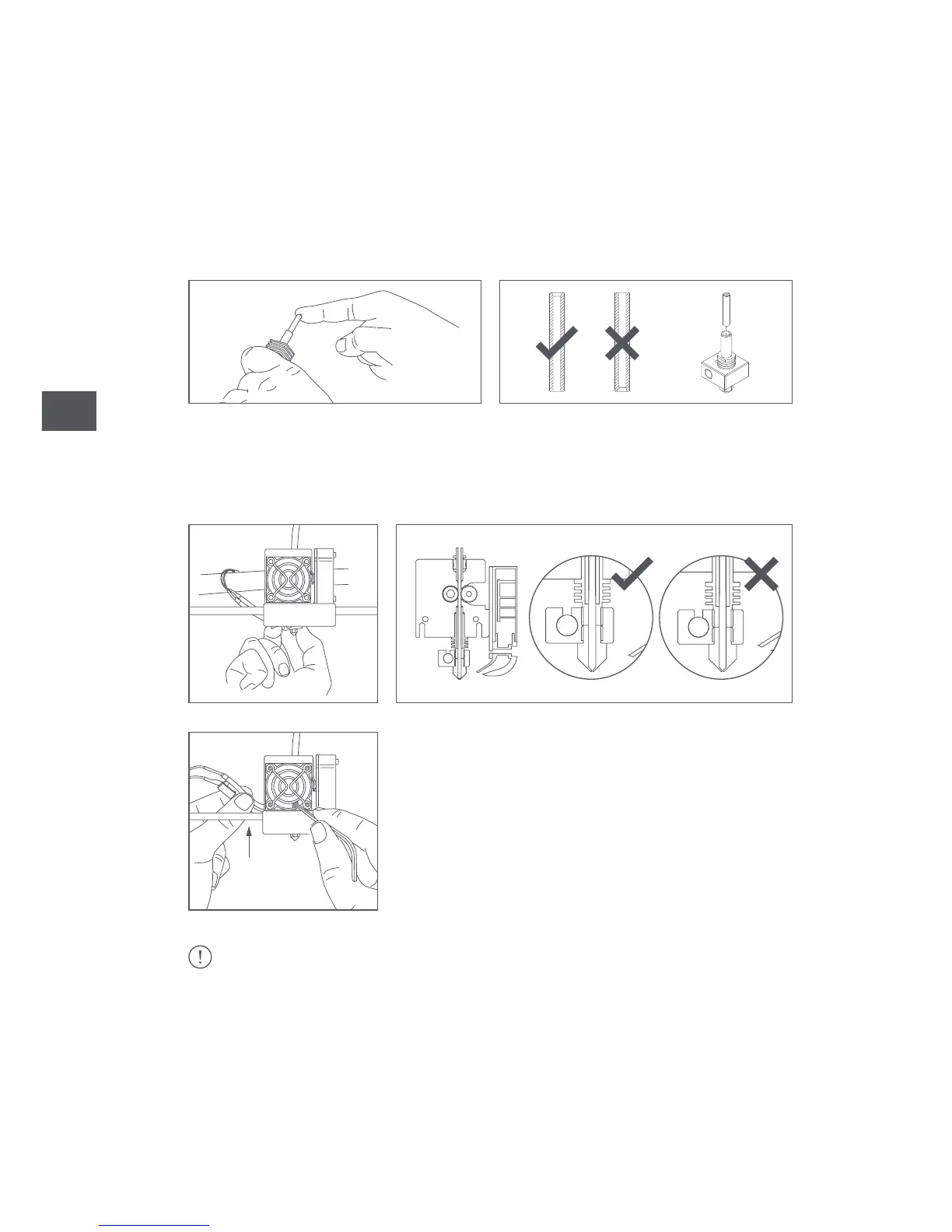
11. Make sure that no traces are left inside. If so, remove it with an Allen key.
12. Now insert the PTFE tube into the hot-end, making sure that it touches the
end. You will need to look carefully to see that one par is wider than the other. The
narrowest part should be inserted into the hot-end and the widest part should be
remain exposed.
13. Place the hot-end right inside with the cables facing the rear of the extruder
and firmly tighten the set screw to prevent it from slipping down.
If you have had to heat up the hot-end, you will need to select Temperature > OFF and
wait until it has cooled to 50 ºC in order to handle it with your hands and then switch off
the printer.



 To Next Page