BPP11 User Manual
15
Diagnostic Tool
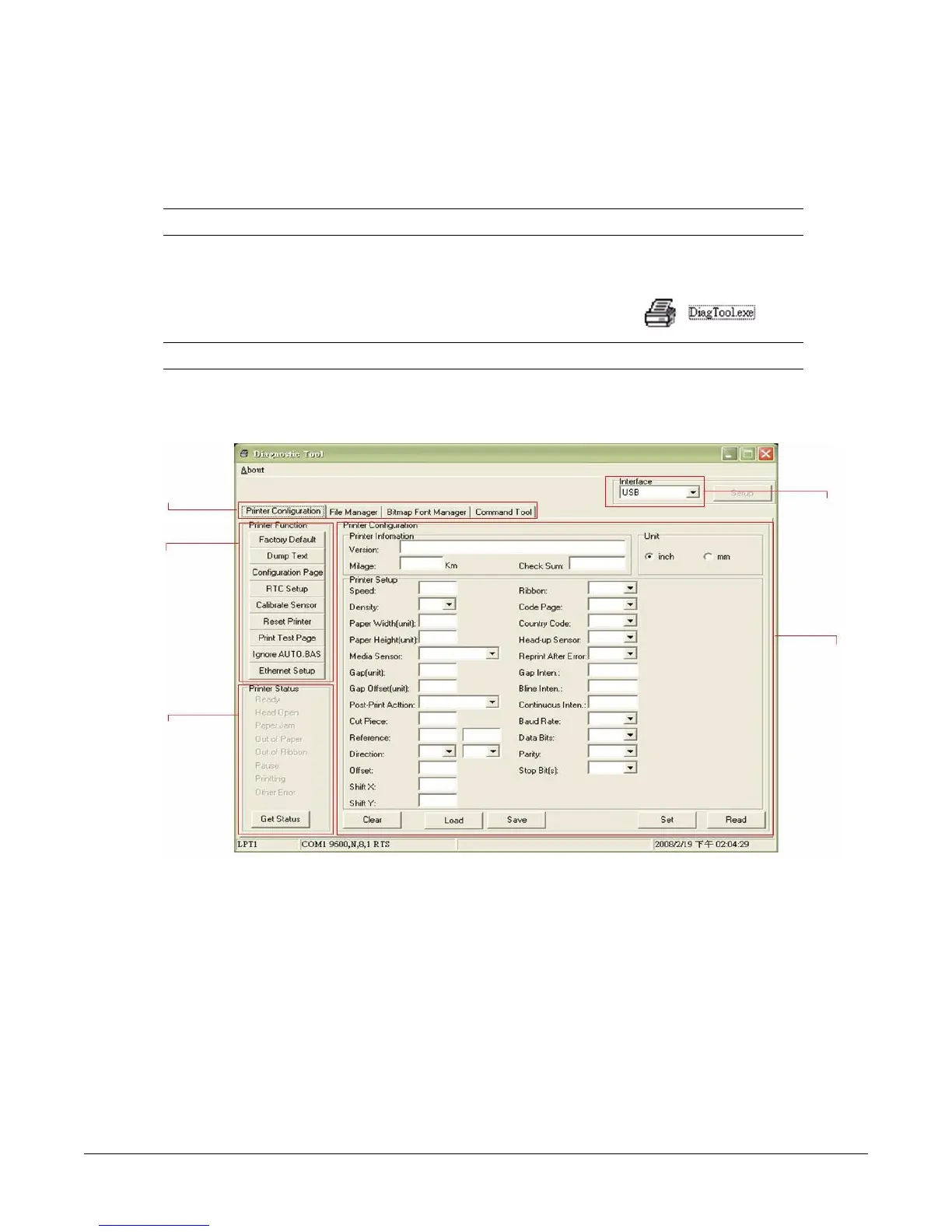
The Diagnostic Utility is a toolbox that lets users explore the printer's settings and status;
change printer settings; download graphics, fonts, and firmware; create printer bitmap fonts;
and to send additional commands to the printer. Using this convenient tool, you can explore
the printer status and settings and troubleshoot the printer.
Note: This utility works with printer firmware V6.00 and later versions.
Start the Diagnostic Tool
1. To start the software, double click the Diagnostic tool icon .
Note: The diagnostic tool is located at D:\DiagTool.
2. There are four features (Printer Configuration, File Manager, Bitmap Font Manager,
Command Tool) included in the Diagnostic utility.
Features Tab
Printer
Functios
Printer Status
Printer
Setup
Interface



 To Next Page