BBP™31 Sign & Label Printer
Tutorial
1
1 Tutorial
Before Starting
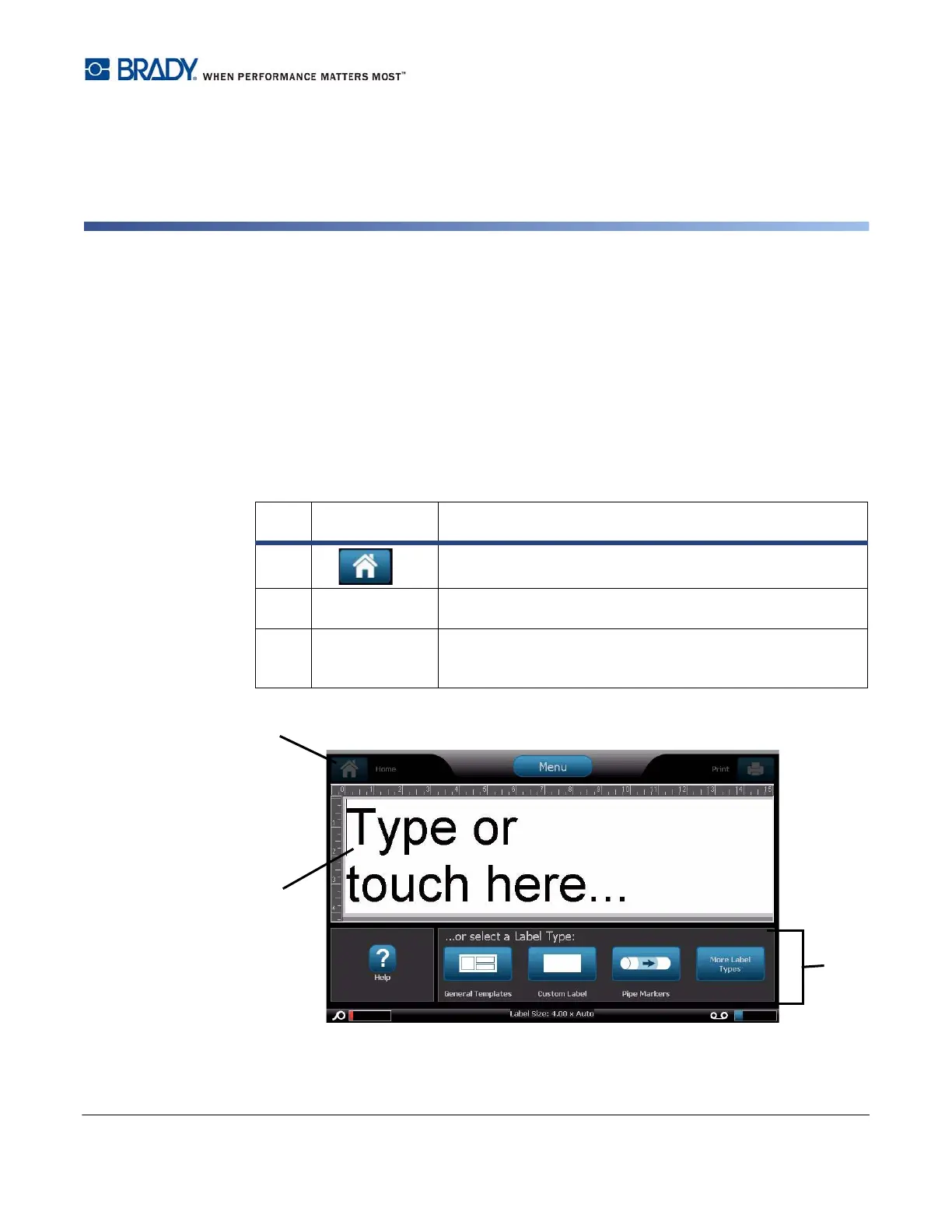
Before starting, you should understand the sections of the display screen that will be used
in these tutorials.
The Home page automatically displays when you first start the printer. The sections of the
Home page that you will be using for these lessons are:
Item
#
Icon Description
1
Home
: Returns you to the Home page from anywhere in the
application. Button is greyed out on the Home page.
2
Editor
Text or object entry area. Type, touch or select objects to
display and edit in this area.
3
Control Panel
Primary area for selecting all of your options for creating,
editing and working with labels and objects. The panel
changes depending on what option is selected.



 To Next Page