EasyManua.ls Logo

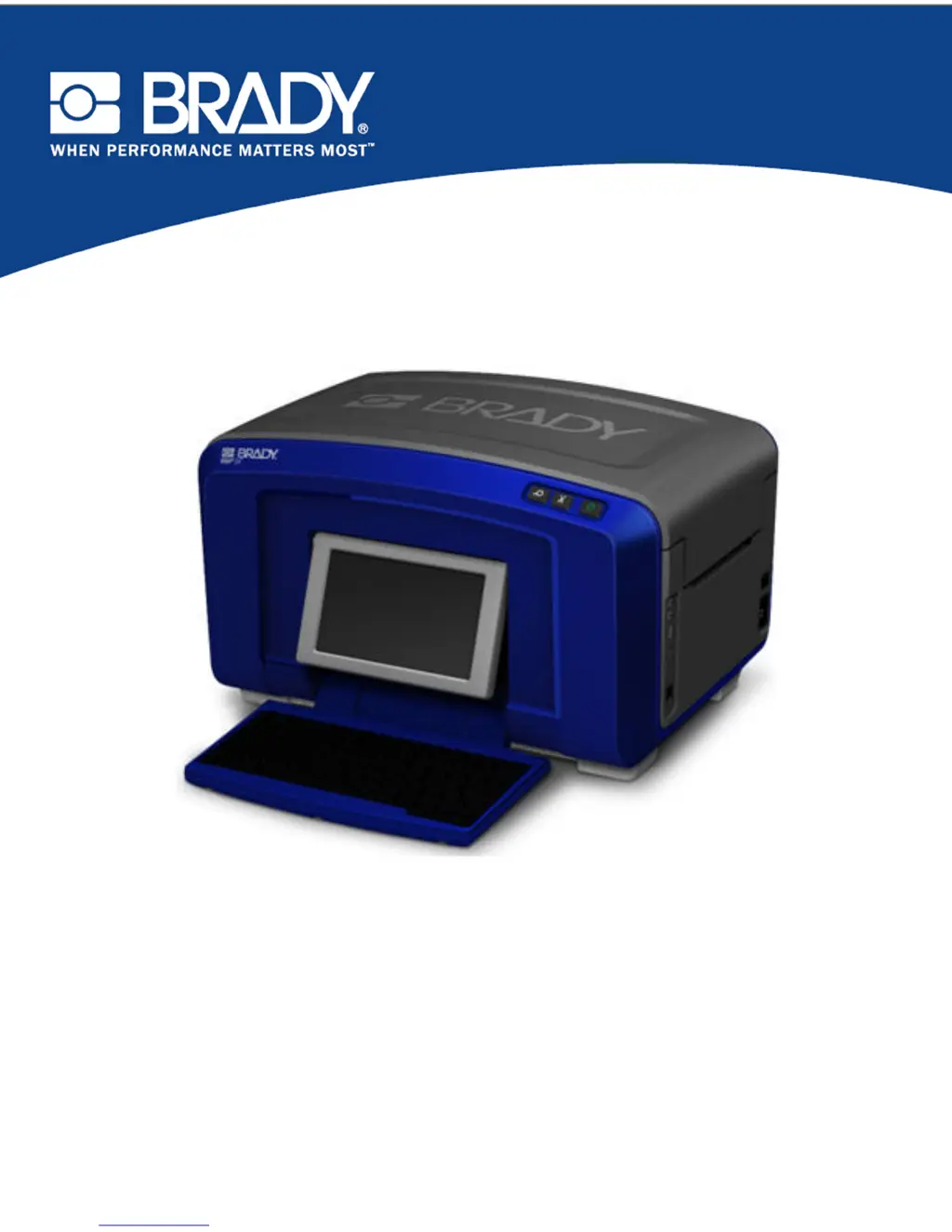
Brady BBP 35 - User Manual

Brady BBP 35
238 pages
Print Icon
To Next Page IconTo Next Page
Loading...
BBP
®
35/37
LABEL PRINTER
USER’S MANUAL

Table of Contents

Other manuals for Brady BBP 35

Questions and Answers

  • K
    Kimberly StuartAug 1, 2025
    What to do if Brady BBP 35 cutter is jammed? Error: 80
    • J
      jeffrey46Aug 1, 2025
      If your Brady Label Maker's cutter is jammed (Error 80), it indicates a jam in the shear cutter. You should remove the side panel and clear the jam. If the error persists after this, further assistance may be required.
  • W
    whaasAug 5, 2025
    Why is my Brady BBP 35 printing too warm? Error: 18
    • K
      Katherine SmithAug 5, 2025
      If your Brady Label Maker displays Error 18, it means the printhead is too hot and has reached its maximum operating temperature. Allow the printhead to cool down for about 10 minutes before re-initiating the print job.
  • J
    Jessica MurphyAug 10, 2025
    What to do if my Brady Label Maker printhead is not aligned? Error: 89
    • M
      mitchelllaurenAug 11, 2025
      If your Brady Label Maker shows Error 89, it means something is blocking the printhead from properly engaging with the tape. Open the cover and remove any foreign objects preventing the printhead from engaging correctly.
  • B
    Beth WhiteheadAug 16, 2025
    Why is my Brady BBP 35 printing too cold? Error: 20
    • D
      Daniel CuevasAug 16, 2025
      If your Brady Label Maker displays Error 20, it means the printhead hasn't reached the required operating temperature. Ensure the printer is within the normal operating range of 50-104° F (10-40° C) and allow it to warm up before printing.
  • M
    Marcia RiveraAug 21, 2025
    How to fix XY Cutter jammed error 92 on Brady Label Maker?
    • R
      richard09Aug 21, 2025
      If your Brady Label Maker displays error 92, it means the XY cutter is jammed. This is likely due to media or a foreign object preventing the cutter from moving. Open the cover and remove any obstructions. You may need to remove the cutter mechanism to access the jam.
  • A
    Antonio LaneAug 26, 2025
    What to do if Brady BBP 35 Label Maker keyboard works intermittently?
    • B
      Bobby RuizAug 26, 2025
      If the keyboard on your Brady Label Maker works intermittently, it could be due to a key being stuck. Check for any keys stuck in the down position, repress them to unstick them, and clean the keyboard.

Summary

Safety and Environment

Precautions

Essential safety guidelines to follow before operating the printer.

Getting Started

Printing a Label

Step-by-step guide on how to print a created label.

System Specifications (BBP35;37)

Setting Up the Printer

Connect Power

Step-by-step instructions for connecting the printer to a power source.

Install Ribbon Cartridge

Guide on how to correctly install the ribbon cartridge into the printer.

Install Label Media (Tape)

Instructions for loading the label media tape into the printer.

Resetting the Printer

Steps to reset the printer if the screen freezes or becomes unresponsive.

System Defaults

Clock Settings

How to configure printer clock settings, including date and time.

Language

How printer menus and data display vary by country or region.

Units of Measure

Setting default units (inches or millimeters) for label parameters.

Text Defaults

How to set default font, text units, and justification for labels.

Barcode Defaults

Setting default symbology, check digits, ratio, and density for barcodes.

Printing Defaults

How to set default printing options like auto-cut and supply saver.

Formatting a Label

Print;Cut

How to configure the printer for cutting out label text.

Add a Barcode

Steps to add a barcode element to a label.

File Management

Save

Procedure for saving label files internally or to an external device.

Open a File

Steps to recall and open previously saved label files.

Delete a File

Procedure for removing saved label files from the system.

Printing

Cancel a Print Job

How to cancel a print job that is in progress.

Advanced Settings

Accessing advanced printing configurations.

XY Cutting (BBP37 ONLY)

Using the XY Cutter

Instructions for using the XY cutter to cut out shapes or text.

Labels

Label Types

Application Label Types

Printer Maintenance

Cleaning the Printer

General procedures for cleaning the printer and keyboard.

Cleaning the Printhead

Instructions for cleaning the printer's printhead using the provided kit.

Upgrading Printer Firmware

Upgrade from a PC

Instructions for upgrading printer firmware from a connected PC.

Upgrade from USB Flash Drive

Instructions for upgrading printer firmware from a USB flash drive.

Troubleshooting

Hardware Errors

Common hardware issues and their corrective actions.

Media Errors

Troubleshooting common problems related to media loading and detection.

Ribbon Errors

Common errors related to ribbon installation, color, and type.

Power Errors

Steps to resolve issues when the printer does not power on.

Printing Errors

Common printing problems and their solutions.

Brady BBP 35 Specifications

General IconGeneral
Print TechnologyThermal Transfer
Print Resolution300 dpi
DisplayColor LCD
PC ConnectivityYes
Stand-Alone PrintingYes
ConnectivityUSB, Ethernet
Material CompatibilityPolyester, Polypropylene, Vinyl
Supported MaterialsPolyester, Polypropylene
ApplicationGeneral purpose label printing

Related product manuals