Label Types
Rev A 109 BBP
®
35/37 User’s Manual
Customizing the Home Page
Place the most often used label types in the Home Page control panel for easy access. To
customize your Home Page:
1. In the Home page control panel, touch More Label Types .
2. On the Label Types screen, touch Customize .
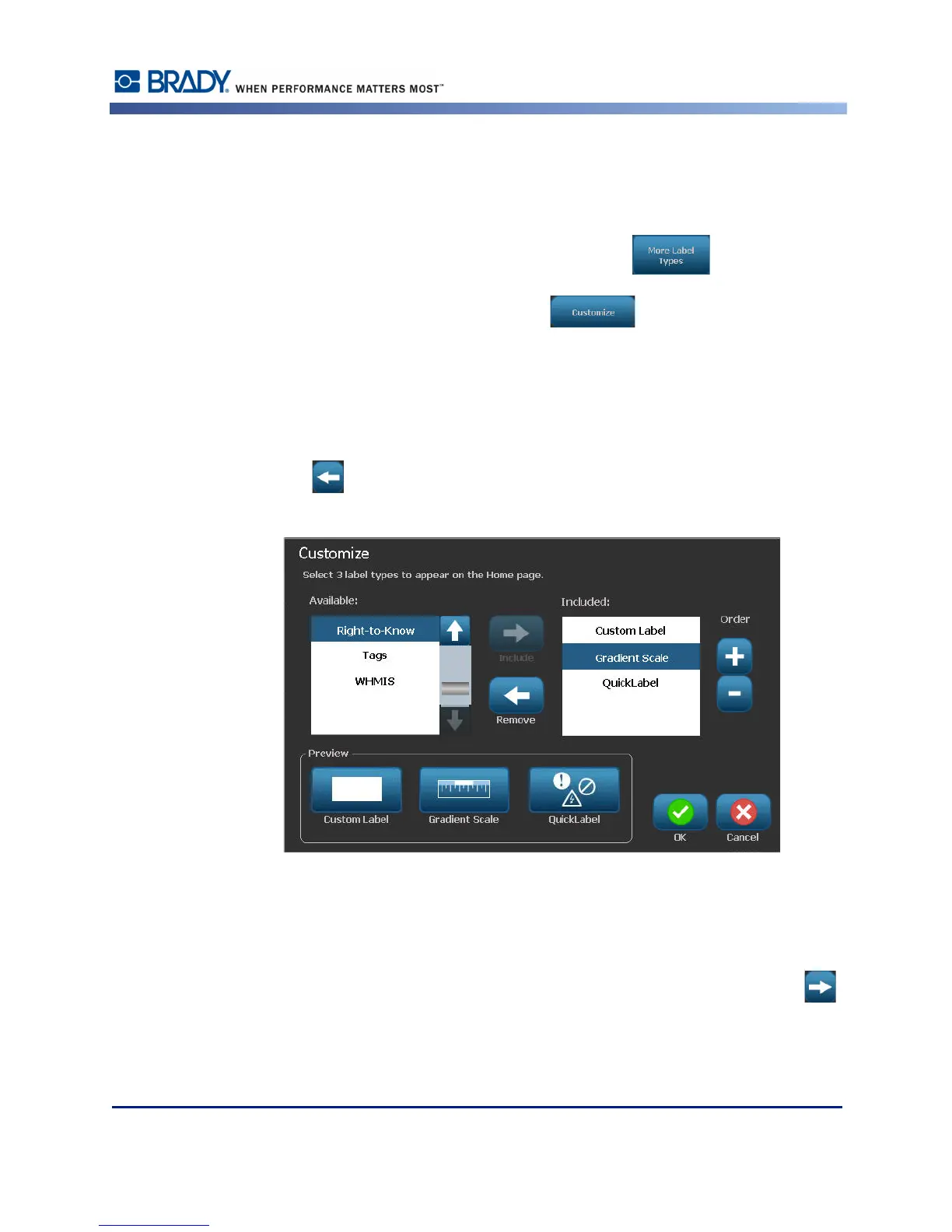
You can place three label types in the Home Page control panel. Before adding the frequently
used label types, you have to remove one, or all, of the default label types. The preview pane at
the bottom of the Customize screen displays the label types that are currently included in the
Home page contol panel. To remove a previously displayed label type from the control panel:
3. On the Customize screen, under Included, touch the label type to remove, then touch
Remove .
4. Repeat the above step for all label types you want to remove from the Home page control
panel.
To add a frequently used label type to the control panel:
5. Under Available, touch the label type to add to the control panel, then touch Include .



 To Next Page