Printing
BBP
®
35/37 User’s Manual 96 Rev A
Copies
You can print a number of copies of a single label or a range of labels in a multi-label (series)
file. The BBP
®
35/37 printer as a standalone printer does not support collating copies. Only
when attached to a PC can it print collated copies. The PC software determines how copies of
labels are printed.
To print a number of copies:
1. Touch Print .
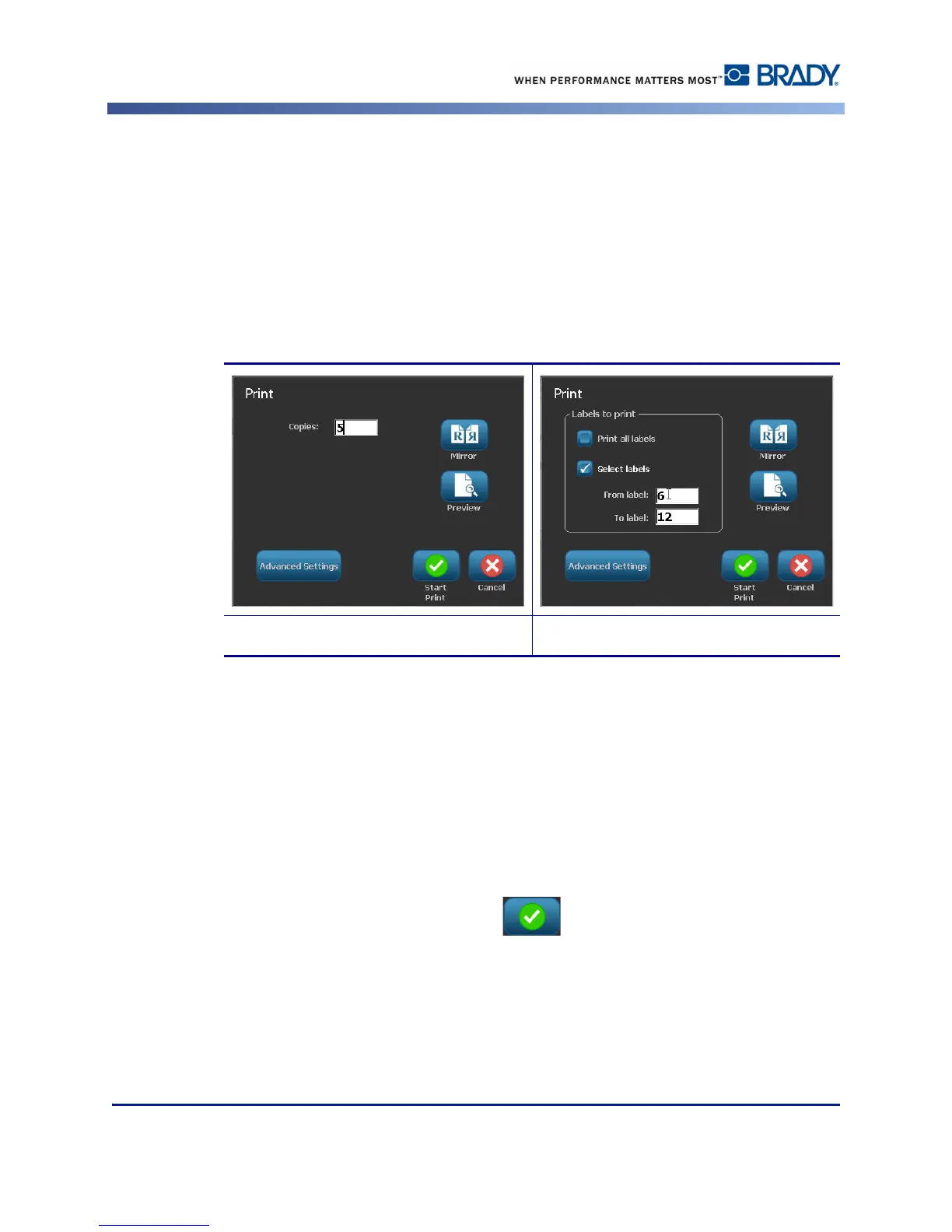
2. For a single label, in the Copies: field, enter the number of copies desired.
When printing serialized labels, you can either print one copy of ALL the labels in the series,
or you can print a sub-set (range) of the labels. When printing a range of labels in a series, use
the Select labels feature.
3. Touch Select Labels option box, to place a checkmark in the box.
4. Touch the From label: field and enter the number of the first label to be printed.
5. Touch the To label: field and enter the number of the last label to be printed.
6. When ready to print, touch Start Print .
Printing multiple copies of a label Printing a range of labels



 To Next Page