Formatting a Label
Rev A 61 BBP
®
35/37 User’s Manual
Expand/Condense
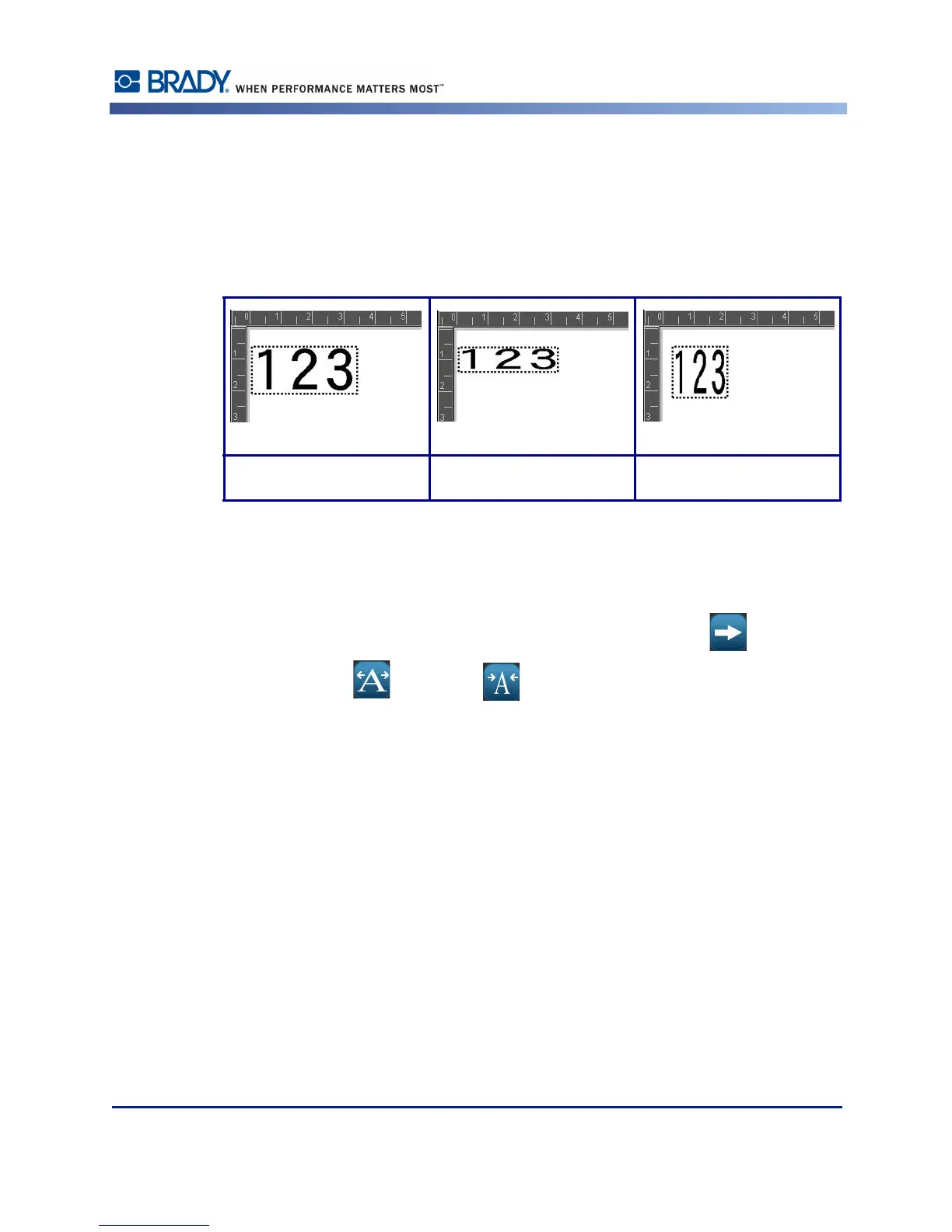
Expanding and condensing data affects character width and the spacing between characters in
a word. Data can be expanded or condensed according to predefined percentages, 50% to
200% in 10% increments. If the limits are reached, the Expand/Condense buttons have no
further effect.
Figure 9 • Expanded and condensed text
To Expand or Condense text:
1. Touch the text element you want to expand or condense.
2. In the Text Control Panel, above More Options, touch the right arrow .
3. Touch Expand or Condense ,as desired.
Each time Expand or Condense is touched, the data in the text element is expanded or
condensed incrementally. You may have to touch Expand or Condense a number of times to
achieve the desired size.
Standard Expanded Condensed



 To Next Page