Setting Up the Printer
BBP
®
35/37 User’s Manual 8 Rev A
Install Label Media (Tape)
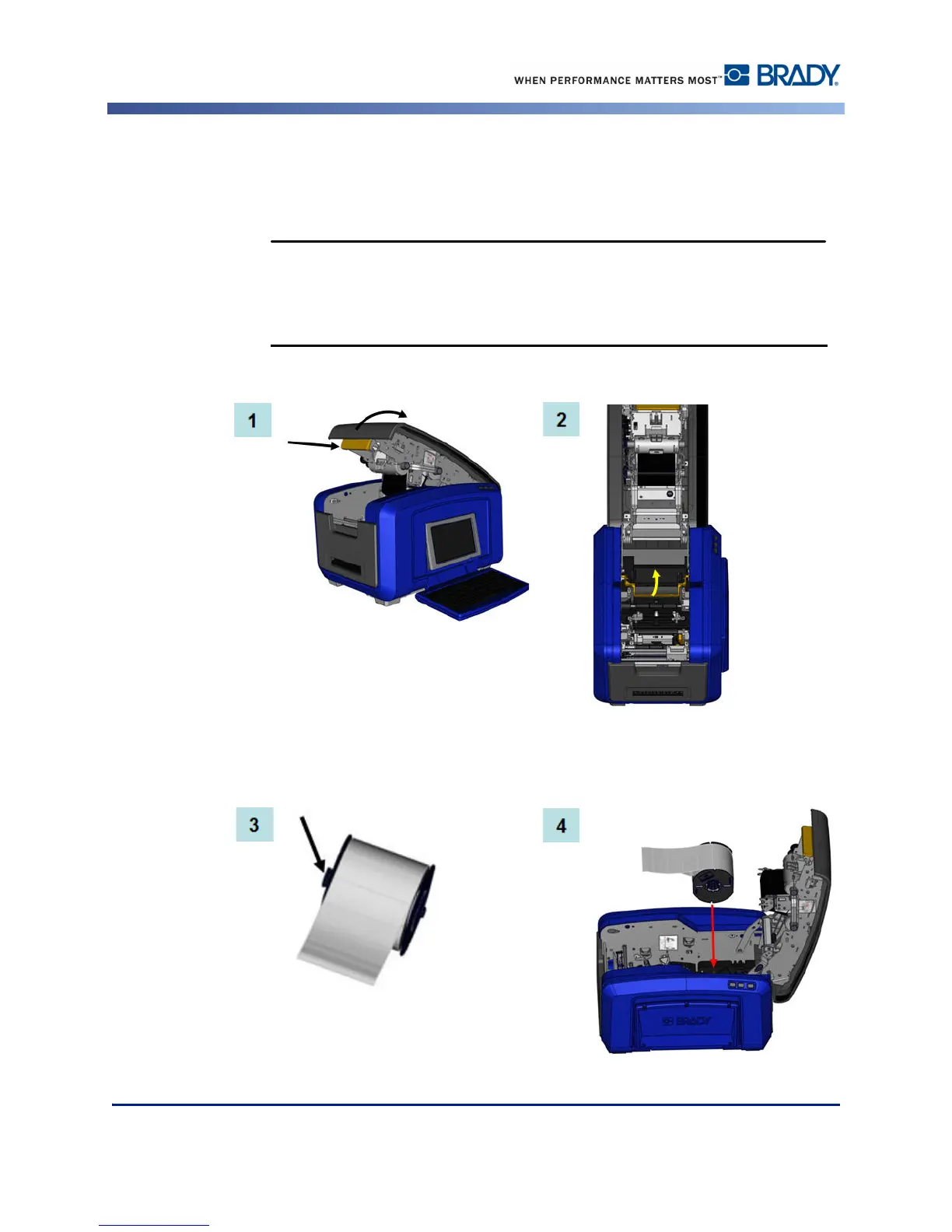
To install label media:
1. Open the cover by pulling up on the bottom of the yellow latch.
The cover pops open quickly. To ease the opening, place a hand on the
cover as you release the latch.
2. Swing the media wiper bar up, out of the tape well.
3. Grasp the tape roll with the tape coming off the top of the roll and the touch cell on the
left.
4. Drop the tape roll into the tape well, lining up the touch cell with the touch cell reader.



 To Next Page