Configuration
Control Panel Parameters
72
Y882746 BBP81 User Manual 5/13/08
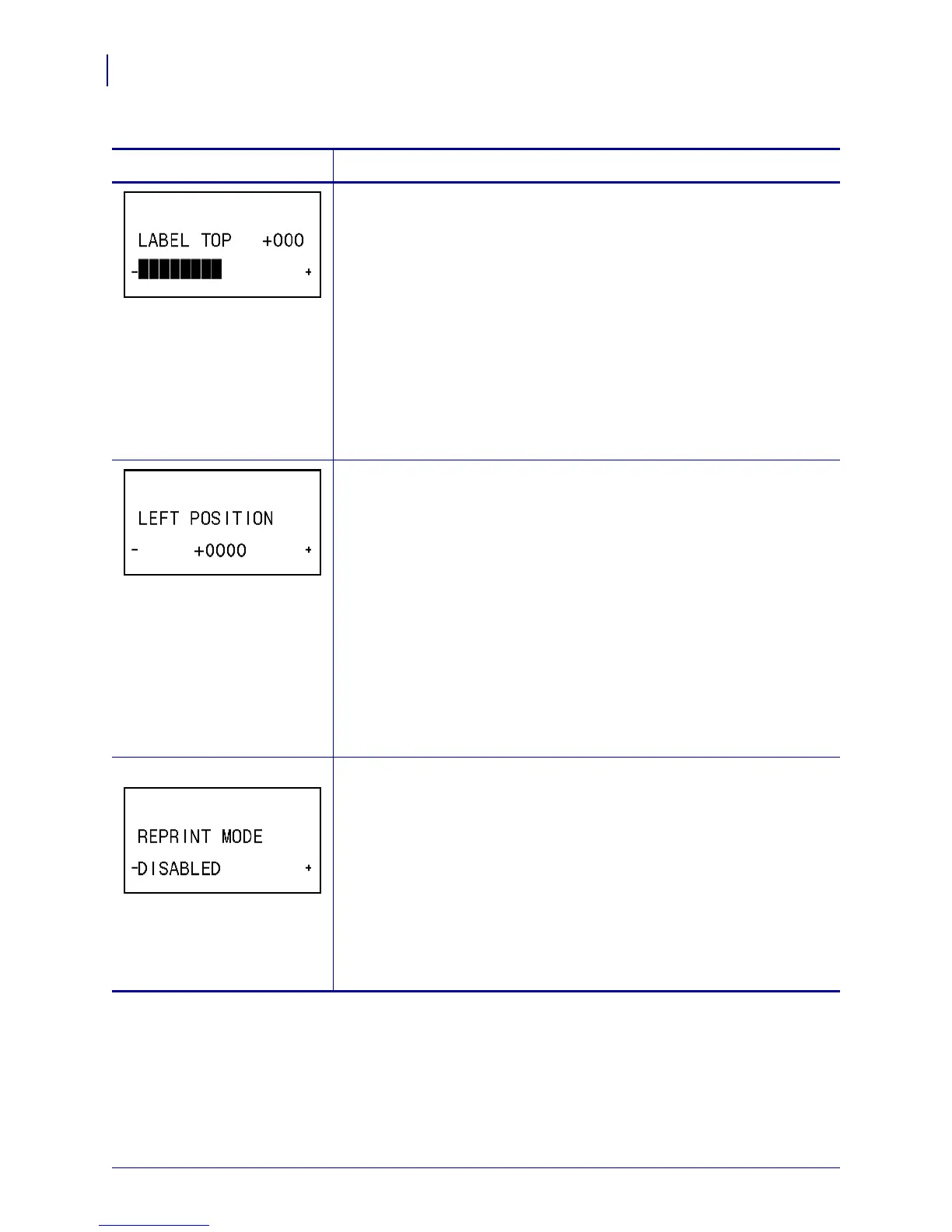
Adjust Label Top Position
This parameter adjusts the print position vertically on the label. Positive
numbers adjust the label top position farther down the label (away from the
printhead) by the specified number of dots. Negative numbers adjust the
position up the label (toward the printhead).
Default Value: +000
Range: –120 to +120 dots
To change the value shown:
1. Press SELECT to select the parameter.
2. Press
PLUS (+) to increase the value.
3. Press
MINUS (-) to decrease the value.
4. Press
SELECT to accept any changes and deselect the parameter.
Adjust Left Position
This parameter adjusts the print position horizontally on the label. Positive
numbers adjust printing to the left by the specified number of dots.
Negative numbers shift printing to the right.
Default Value: +0000
Range: –9999 to +9999 dots
To change the value shown:
1. Press SELECT to select the parameter.
2. Press
MINUS (-) to move the cursor.
3. Press
PLUS (+) to change between +/- and to increase the value of the
digit. For a negative value, enter the value before changing to the
minus sign.
4. Press
SELECT to accept any changes and deselect the parameter.
ZPL and XML only Set Reprint Mode
When reprint mode is enabled, you can reprint the last label printed either
by issuing the ~PR ZPL command or by pressing
MINUS (-) on the control
panel.
Default Value: DISABLED
Selections: ENABLED, DISABLED
To change the value shown:
1. Press SELECT to select the parameter.
2. Press
PLUS (+) or MINUS (-) to toggle between the options.
3. Press
SELECT to accept any changes and deselect the parameter.
Table 12 • Printer Parameters (Page 19 of 22)
Parameter
Action/Explanation



 To Next Page