English Navigation and Editing Keys 9
11/10/09 BMP71 Quick Start Guide
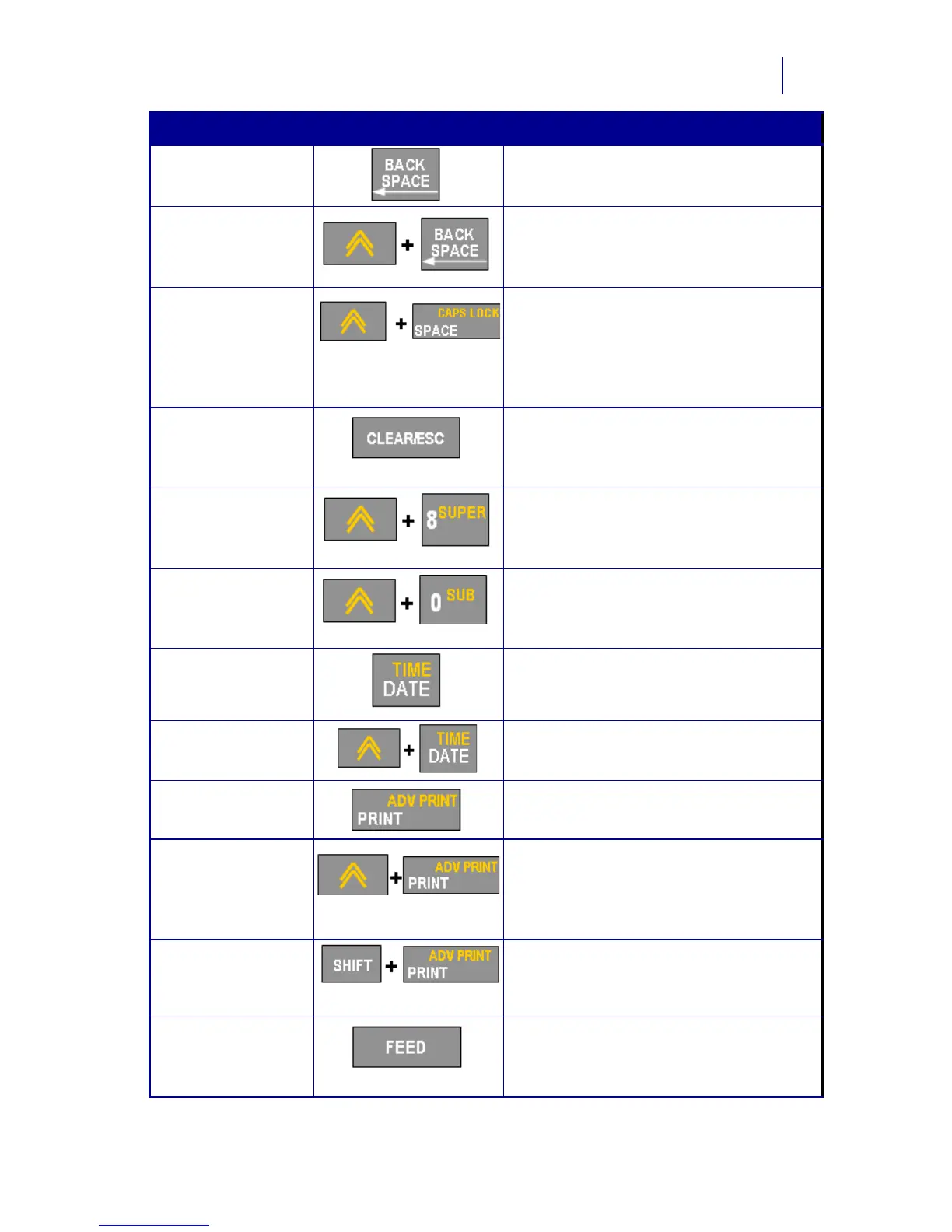
Backspace Key Removes characters one at a time,
moving to the left.
Delete Key Removes characters one at a time,
moving to the right.
Caps Lock Key
(except for
QWERTY
Americas)
Acts as a toggle to lock text into upper- or
lowercase as data is entered.
NOTE: Because text defaults to
uppercase, use the Caps Lock to switch
to lowercase.
Clear/Esc Key • Clears data from the screen.
• Cancels menu options and
functions.
Superscript Key Places the next typed character in
superscript format, displaying slightly
above the line of text.
Subscript Key Places the next typed character in
subscript format, displaying slightly below
the line of text.
Date Key Inserts the current date, as set on the
printer.
Time Key Inserts the current time, as set on the
printer.
Print Key Prints all labels in a label file.
Adv Print Key Brings up options to set various print
parameters (such as number of copies,
print range, and mirror print) before
printing.
Print Preview Key Previews the label as it will look when
printed.
Feed Key Feeds the media through the printer to
the next notch on the liner. (Feeds a full
label for die cut; .5-inch for continuous.)
Function Key Description



 To Next Page