8 Navigation and Editing Keys English
BMP71 Quick Start Guide 11/10/09
Navigation and Editing Keys
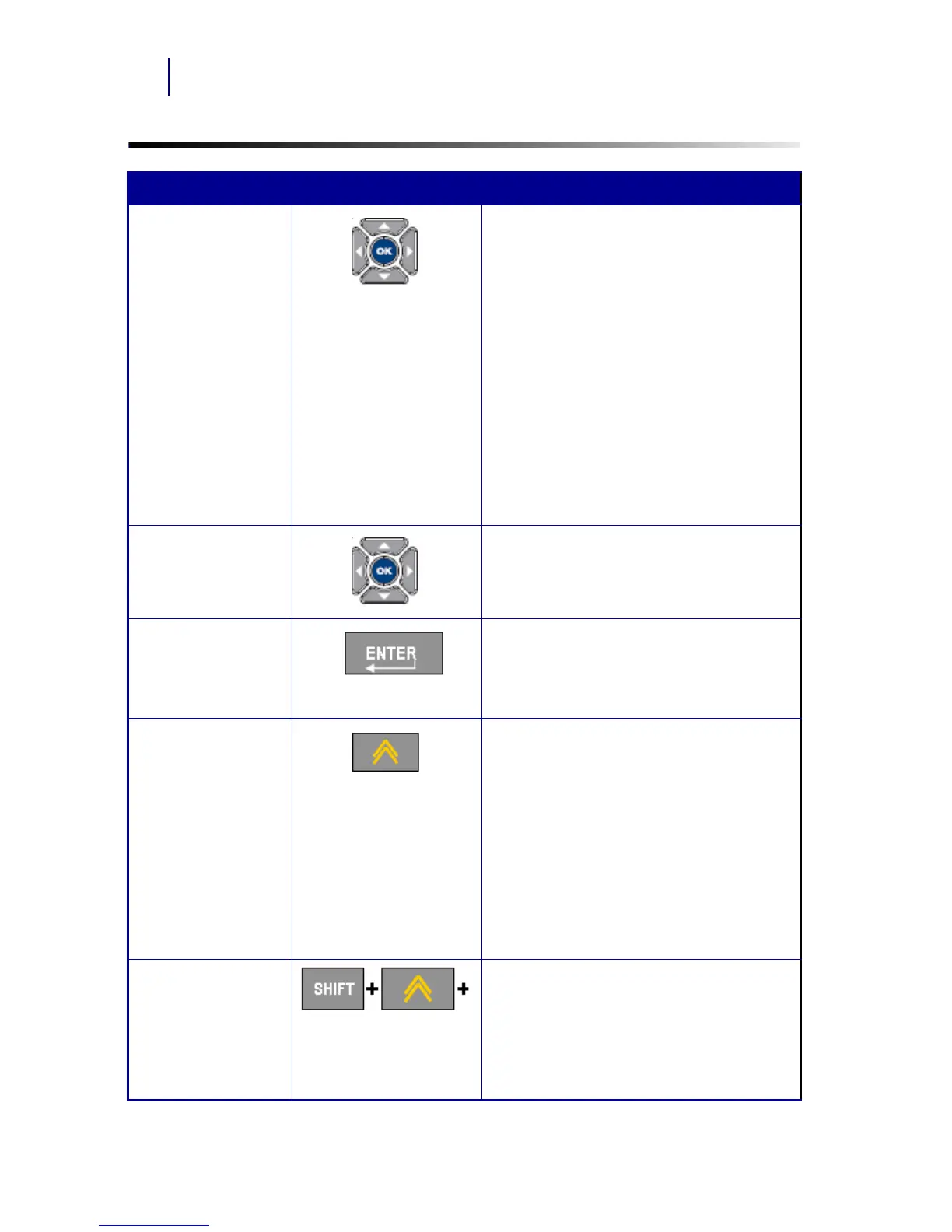
Function Key Description
Navigation Keys Navigation keys:
• In a line of text, move the cursor left
or right a character at a time, or up
and down a line at a time.
• In menus, move the selection left or
right in a primary menus; up or down
through a secondary, or sub-menu.
• In a dialog box, move up/down or
left/right through the fields. In a field
with a drop down list, after pressing
OK, moves the cursor up or down
through the list.
• In Print Preview, scrolls left or right
through a label, or up and down
through multiple labels.
OK Key Accepts menu items and attributes.
Enter Key • Adds a new blank line to a label.
• Also accepts menu items and
attributes. (Works the same as OK
key.)
Alt Key • Used in conjunction with the
alternate function (displayed in
yellow) on some of the keys. Hold
the Alt key while simultaneously
pressing the key that has the
alternate function.
• Used to access special characters
on the alphabetical keys.
Note: For accented letters, press
Alt+Special Character, then type the
letter.
Shift + Alt Key Used together with an alpha key to
access the top special character when
two special characters exist on the key.
Note: For accented letters, press
Shift+Alt+Special Character, then type
the letter.



 To Next Page