4 Setting Up the Printer English
BMP71 Quick Start Guide 11/10/09
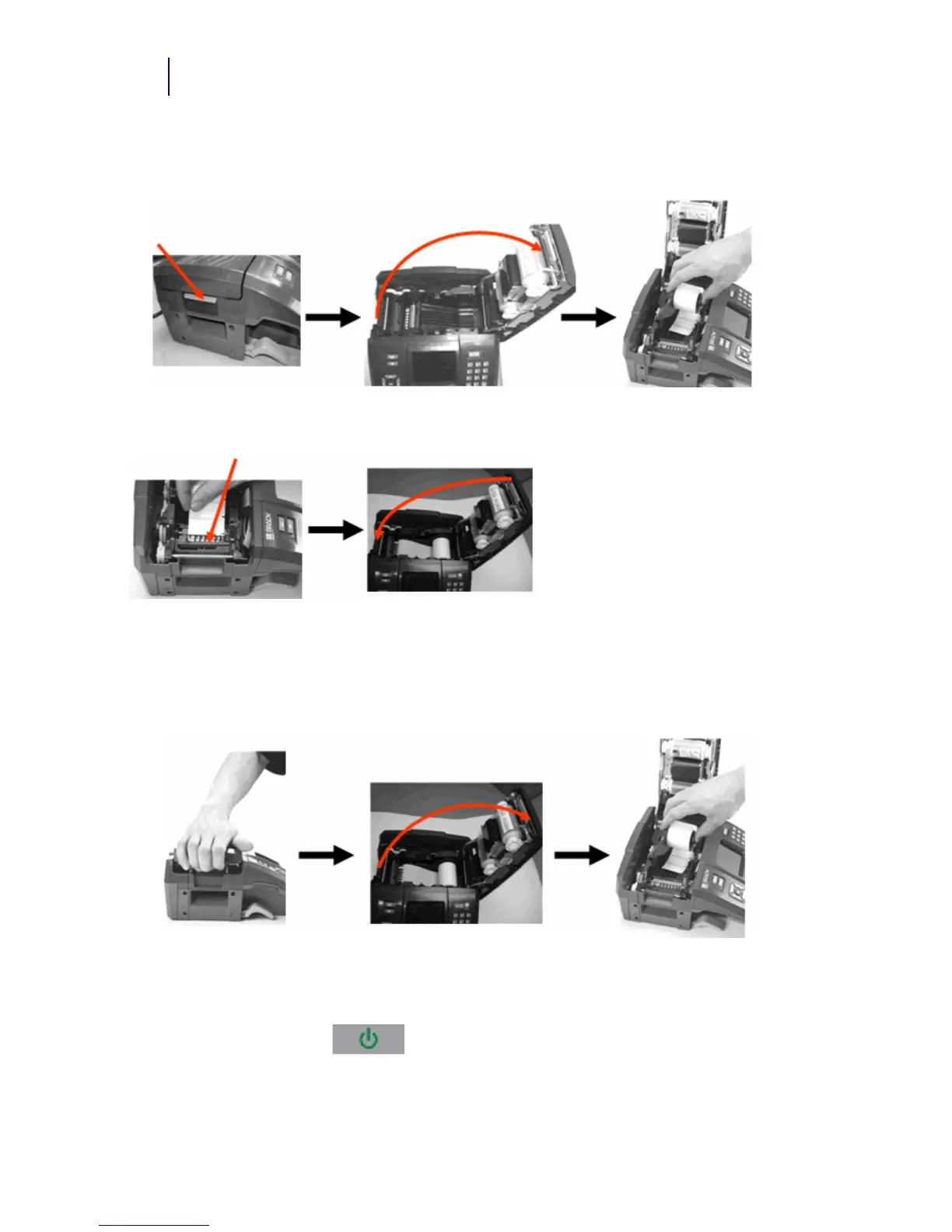
Load Labels
Unload Labels
Power On
To turn the printer on or off:
1. Press Power On/Off .
1. Pull up on cover latch. 2. Open the cover. 3. Grasping label spool, drop
into compartment.
4. Insert label end up to
black line under ribs.
5. Close the cover until latched.
1. Pull up on cover latch. 2. Open the cover. 3. Grasp label spool and pull
up.



 To Next Page