2 Setting Up the Printer English
BMP71 Quick Start Guide 11/10/09
Setting Up the Printer
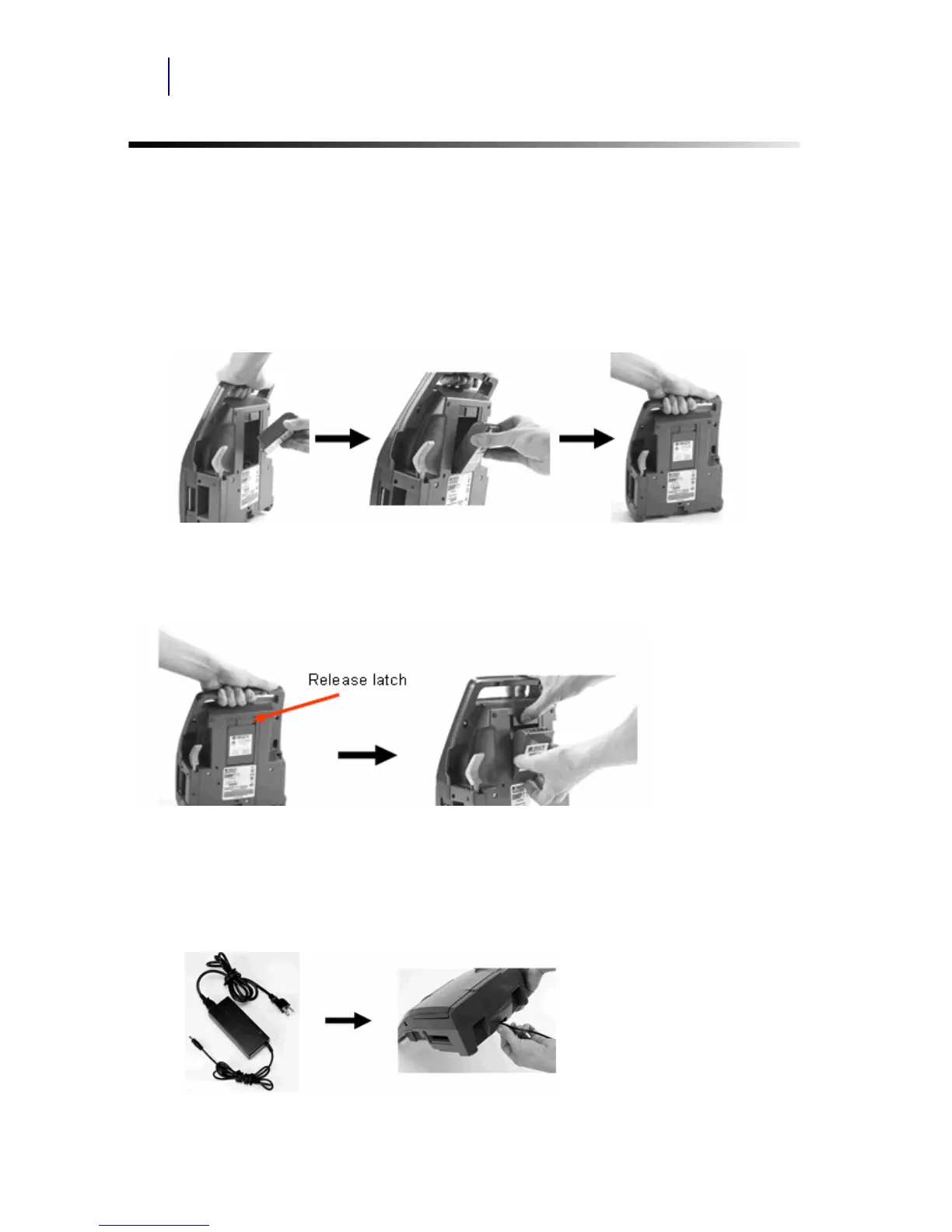
Power is supplied to the BMP71 printer through a battery or through an AC power adapter
(included).
Loading the Battery
Adapter
The printer can be powered through an AC power adapter (included). When the adapter is
plugged in, it is also charging the battery.
1. Holding the printer by the
handle, tip it onto the back
side.
2. With the battery label
facing outward, insert
battery tabs into bottom
of battery compartment.
3. Pivot the battery
backward until it snaps
into place.
Unloading the Battery
1. Tip the printer onto its
back side.
2. With one hand over the battery to ease its release, use
your other hand to slide the release latch to the right.
1. Insert the round end of
the adapter cable...
2. ...into the plug-in port on the back of the printer. Plug the
other end of the cord into an electrical outlet.



 To Next Page