M511 User Manual 10
Setup
Power and Battery
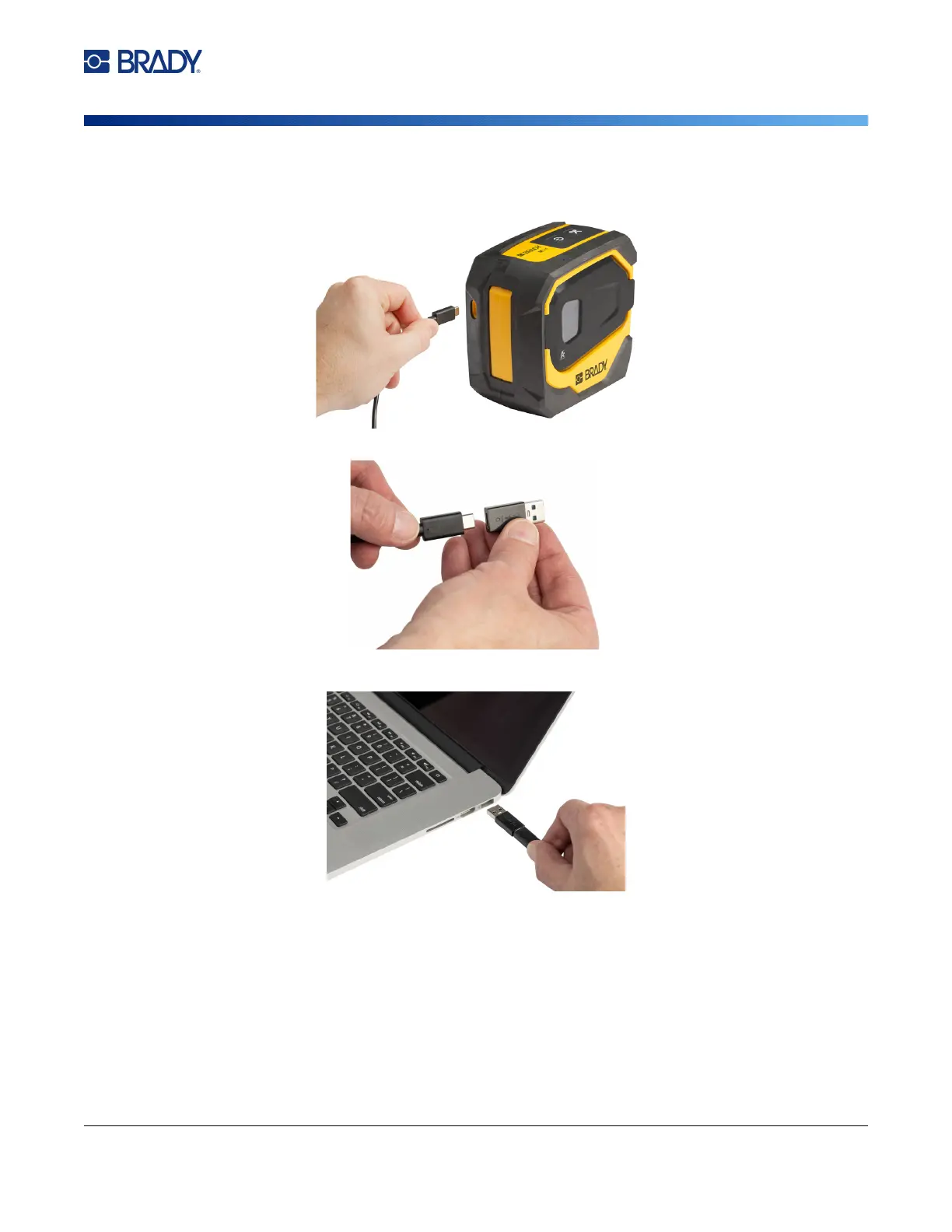
To plug the printer in to a USB-A port:
1. Insert one end of the USB-C cable into the USB port on the printer.
2. Insert the other end of the USB-C cable into the USB-C port on the USB-C to A coupler.
3. Plug the USB coupler into a USB-A port on a computer or in a vehicle.
Before Initial Use
Fully charge the internal lithium ion battery before running the printer on battery.
1. Plug the printer into a power outlet. (For details see “To plug the printer in to an electrical
outlet:” on page 9.)



 To Next Page