M511 User Manual 17
Setup
Recycling the Cartridge
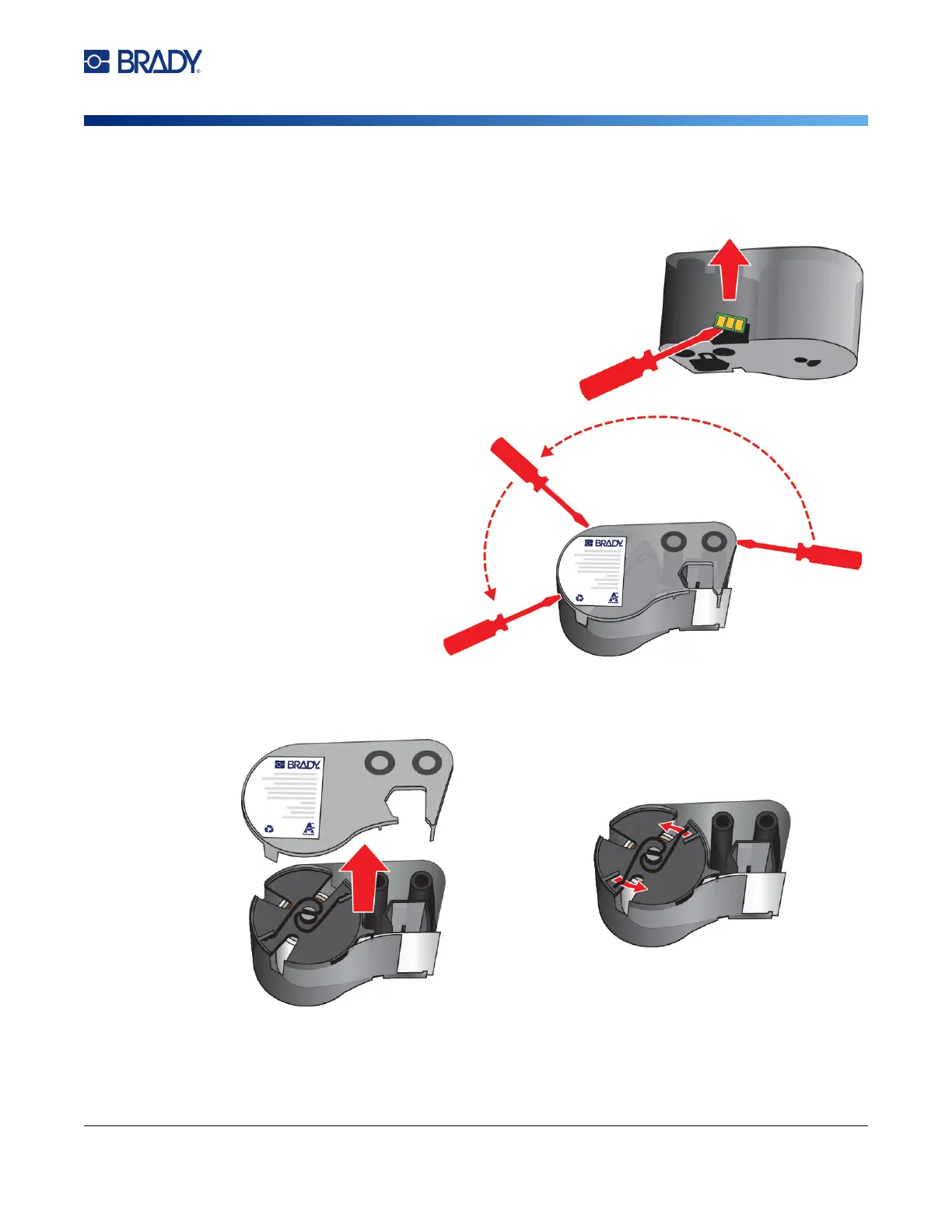
Dismantling the Cartridge
To dismantle the cartridge:
1. Using the flathead screwdriver, pry off the smart
cell on the bottom of the cartridge by placing the
screwdriver blade under a corner of the smart cell
and lifting up.
The chip is glued on and should release fairly
easy.
2. Starting at the narrow end of
the cartridge, insert the
flathead screwdriver into the
seam of the cartridge, then
twist the screwdriver slightly
to loosen the two outside
pieces of housing. Repeat at
various points around the
seam.
3. Separate the top of the housing from the base. Pry one leg of the metal spring on top of the
disk out from the clip. The spring and disk will pop out of the housing.



 To Next Page