DIGIMIC®
DCen mini
Copyright by BRÄHLER ICS AG 11
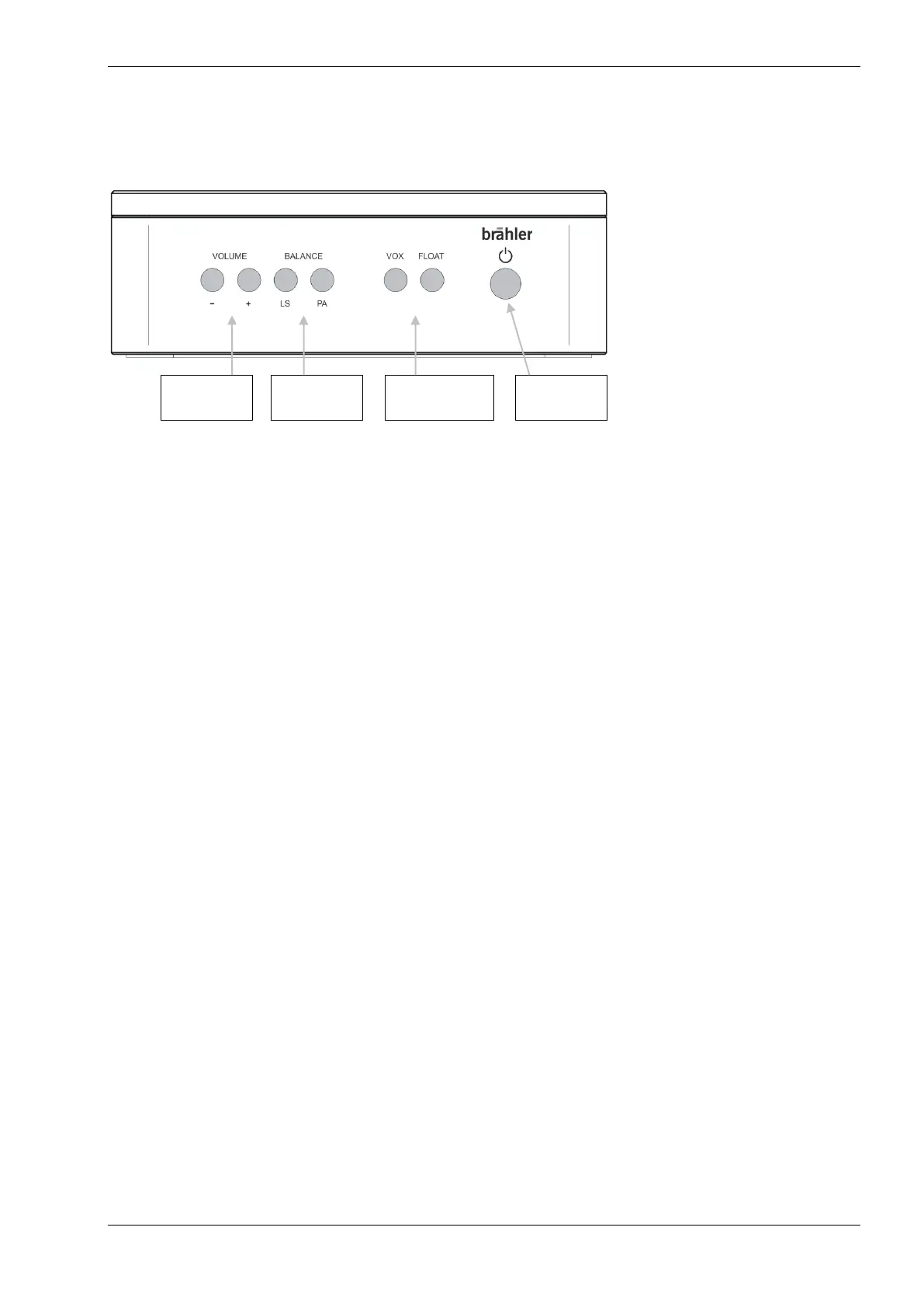
Controls (front side)
The panel has seven backlit buttons, which are explained below.
8. VOLUME
With the buttons Volume – (down) und Volume + (up) the volume is adjusted or changed. This relates to the
LS of the units and the PA-OUT. To set the key equivalent to, if necessary pressed several times.
Button “-“ decreases the volume level
Button “+” increases the volume level
While pressing the button the brightness changes corresponding to the selected volume.
9. BALANCE
With the two buttons LS and PA the ratio of the volume between the internal speakers of the units (LS) and
the externally supplied source (PA) is set.
The illumination of the buttons changes according to the duration of pressing.
10. Operating modes VOX and FLOAT
Select the conference mode with these two buttons. The corresponding button is lit for the selected mode.
If no button is pressed the automatic mode is set. Automatic mode is also set by pressing both buttons
simultaneously.
AUT3 push to talk up to 3 delegates. Further requests are rejected. Participants can switch off or on their
microphones at all times.
VOX limited: voice activation for up to 3 activated microphone units.
AUTFloat AUTF3, the first of three speakers will be replaced by the last speaker (FIFO = First In First Out).
Several participants can be active simultaneously up to a set limit. If another microphone is switched
on, the microphone was turned on first, is switched off.
11. ON / OFF Switch
Pressing this button about 3 sec the DCen mini is switched on and off. When switched on, the button is
illuminated.


 To Next Page