DCen mini
DIGIMIC®
12 Copyright by BRÄHLER ICS AG
Setup
The build-up is done according to the block diagrams in the next section.
Place the central unit to the designated location and distribute the microphone consoles in an appropriate
manner in the room. Observe the safety instructions.
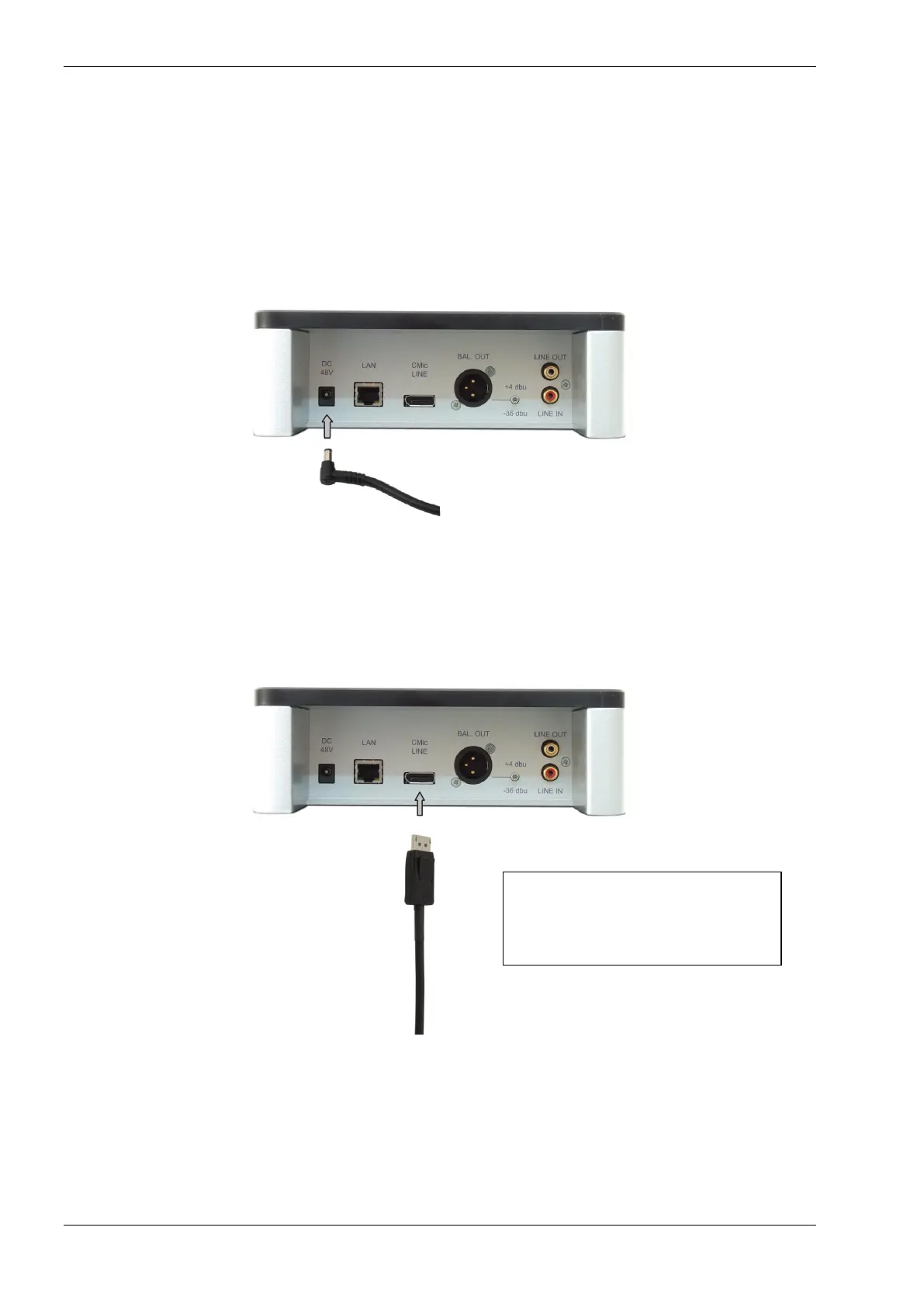
First insert the small plug of the AC adapter into the socket marked with "48VDC ".
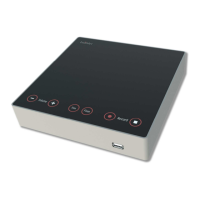
Connect the first microphone unit of the chain by plugging in the connector (DisplayPort ®) of the
unit into the socket marked with "CMic LINE" until it locks.
For use with units of the Pro Series
(DMic / DChair) the adapter cable is
inserted in the same way into the
socket marked with " CMic LINE”.


 To Next Page