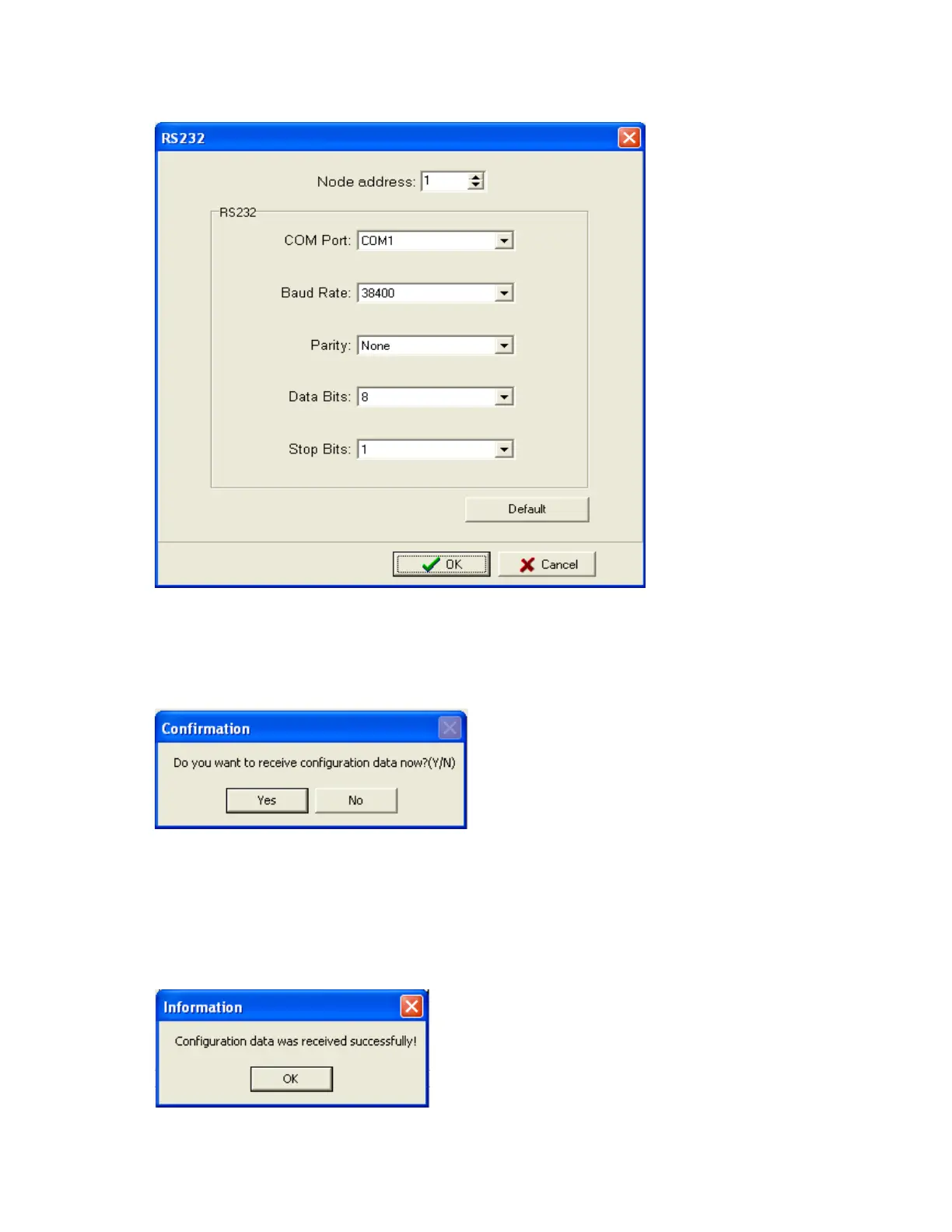
8. Set communication parameters for RS 232 communication at PC.
9. Click on OK after setting all above details. By default Node address is 1. If any change is there for
the node address, then it should be set at recorder manually then enter the same node address in
the above configuration.
10. Click on “Yes” to upload the recorder configurations to PC.
11. If Upload is successful, it shows message as “Configuration successful” and all the configuration
settings of VR06 recorder now available at PC. The information includes all channel details of
Input/Output cards as per Jumper/switch settings.



 To Next Page