2.3 Setup input, output & 24VDC power supply cards
Analog input cards ( part numbers AI181, AI182, AI183 )
AI181, AI182, AI183 are analog input cards in 1, 2, 3 channels respectively. Each card includes universal
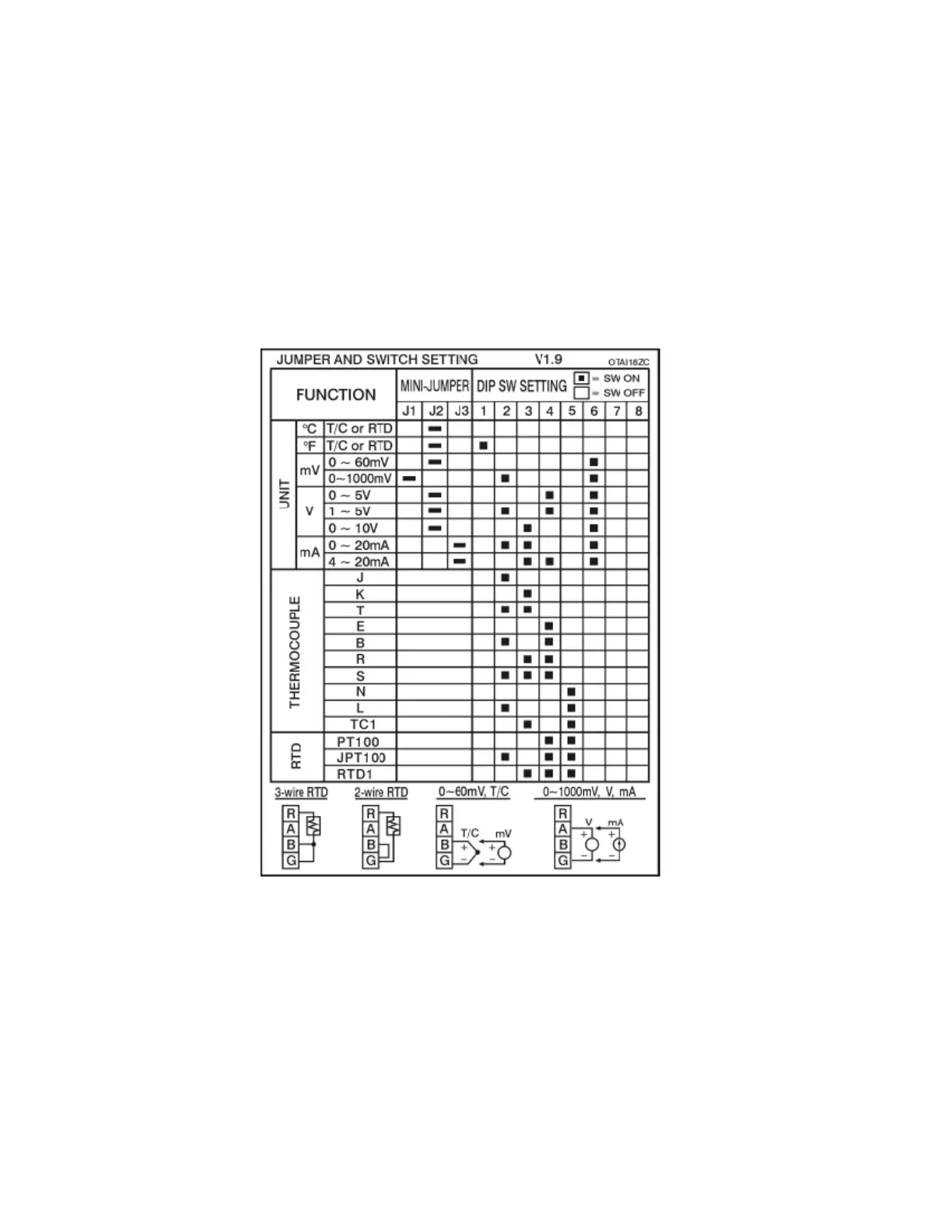
input of TC ( J, K, T, E, B, R, S, N, L ), PT100, mV, mA, V. To select a specific input, first set jumpers
and switches according to the sticker information on the card as Figure 2–15, and plug it into the rear slot
then power on. The recorder will automatically detect the card and display the specific input type, then
show its source of a specific slot in Configuration Mode. All inputs were initially set for 4-20mA from the
factory.
Figure 2 – 15



 To Next Page