4.2 Display
Press the Back key to return to the beginning of the Configuration mode. Select Display and press Enter
key to get into Display mode. Display may have a maximum 6 Pages and each Page may display
maximum 6 channels.
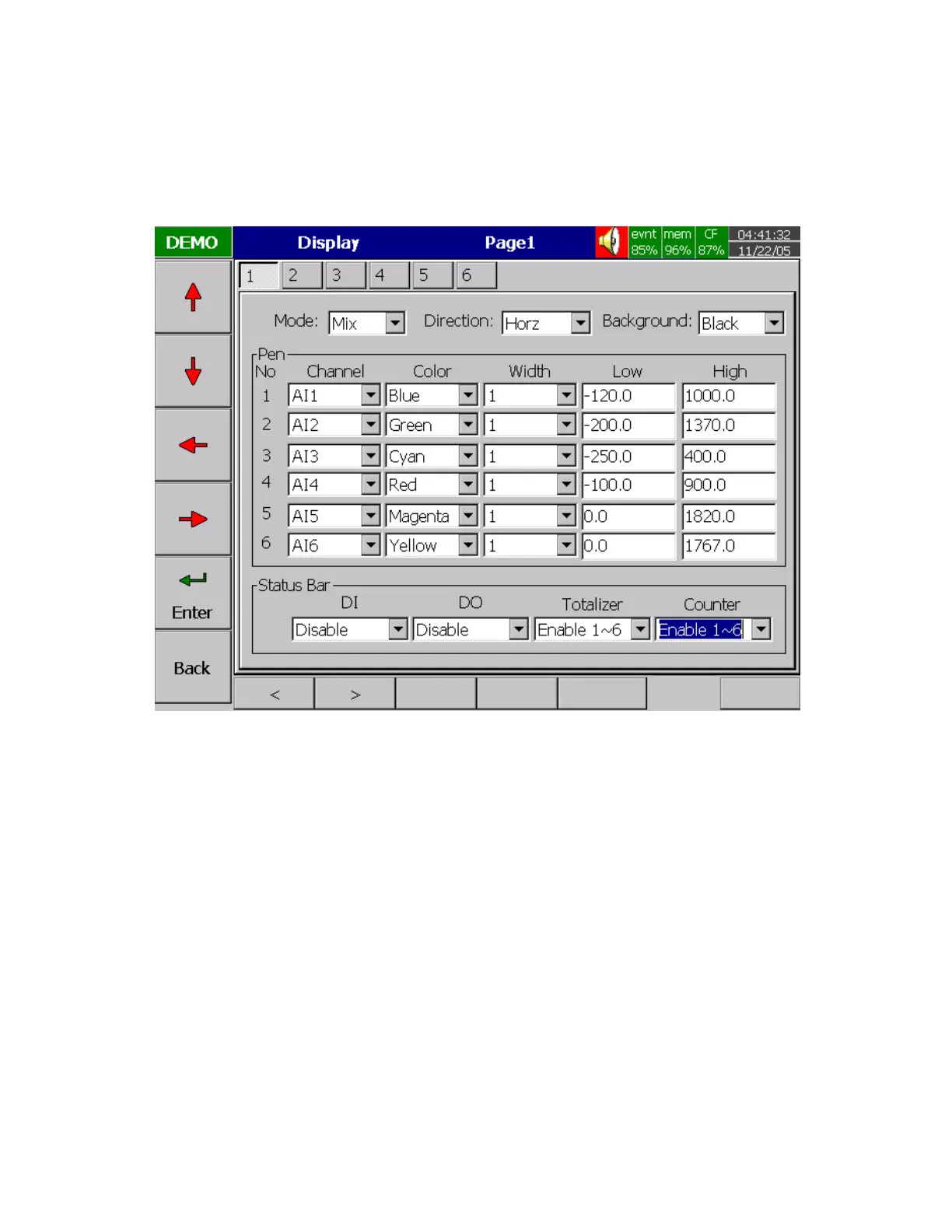
Figure 4 – 4
Mode: Defines the method of displaying data. Options are: Mix , Trend, Bar or Digital modes.
Direction: Selects the trend direction horizontal or vertical.
Background: Defines the background color of Trend mode in black or white
Pen: Defines a specific channel as a drawing pen, its color, width, DisplayHi and DisplayLo.
Channel: Selects a specific analog input AI or Mathematics Math, or selects Disable if a specific channel
is not required.
Color: Selects the color for each pen.
Width: Selects the width of trend, 1-thin, 2-medium, 3-wide.
Low: Defines the low scale for a pen on the display.
High: Defines the high scale for a pen on the display.



 To Next Page