EasyManua.ls Logo

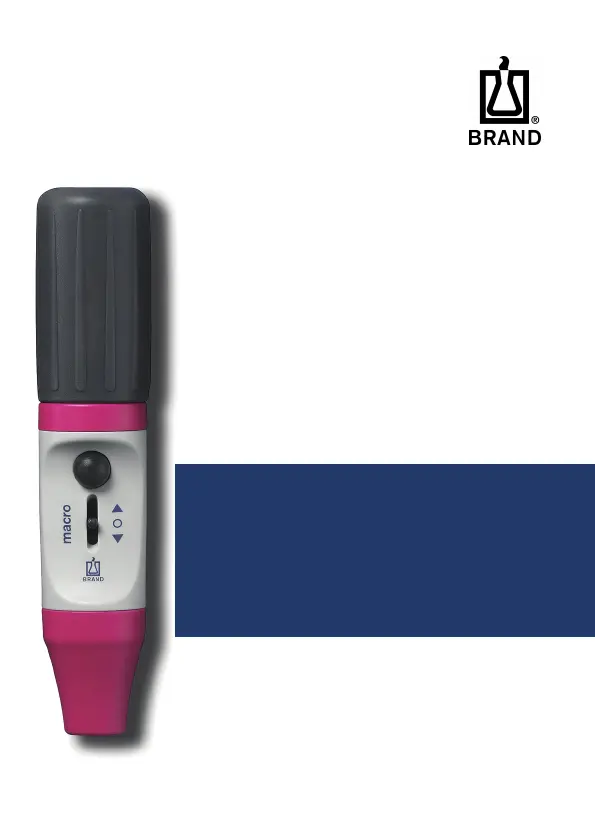
BRAND macro - User Manual

BRAND macro
172 pages
Go to English
Print Icon
To Next Page IconTo Next Page
Loading...
macro
Pipettierhelfer | Pipetting aids
Gebrauchsanleitung | Operating manual |
Mode d'emploi | Instrucciones de manejo |
Istruzione | Instruções | 操作手册
®

Table of Contents

Questions and Answers

  • M
    Matthew Boyd IVJul 27, 2025
    What to do if my BRAND macro pipette drips?
    • B
      Benjamin MartinezJul 27, 2025
      If your pipette drips, it could be that the filter is not properly positioned or the valve system is damaged. Ensure the filter is correctly inserted, or replace the valve system.
  • M
    Mrs. Isabella JohnsonJul 31, 2025
    What to do if compressed suction bellows take in air automatically in BRAND macro?
    • C
      Craig RaymondJul 31, 2025
      If the compressed suction bellows are automatically taking in air, the suction bellows or valve system may be damaged. Replace the locking ring with the suction bellows or the valve system.
  • C
    Cynthia HendrixAug 4, 2025
    How to fix a BRAND macro Laboratory Equipment pipette that is not held properly?
    • I
      Ivan RushAug 4, 2025
      If the pipette is not being held properly, the silicone adapter might be damaged. Unscrew the adapter support of the instrument and replace the silicone adapter.
  • M
    Mark BlackAug 8, 2025
    How to fix impaired suction capacity on a BRAND Controller?
    • C
      Charles RamosAug 8, 2025
      If the BRAND Controller's suction capacity is impaired, the filter might be dirty, or the valve system could be damaged. Replace the filter to resolve this.
  • J
    Jennifer TaylorAug 12, 2025
    Why is my BRAND Controller pipette dripping?
    • E
      Erin McdonaldAug 13, 2025
      If your BRAND Controller's pipette drips, it might be that the filter is not properly positioned, or the valve system is damaged. Make sure the filter is correctly inserted, or replace the valve system.
  • J
    Joseph StokesAug 17, 2025
    What to do if the BRAND Controller pipette is not held properly?
    • L
      lvelasquezAug 17, 2025
      If the BRAND Controller's pipette is not held properly, the silicone adapter might be damaged. To fix this, unscrew the adapter support of the instrument and replace the silicone adapter.
  • M
    Mary WeaverAug 21, 2025
    What to do if compressed suction bellows take in air automatically in BRAND Controller?
    • B
      Brian CarterAug 22, 2025
      If the compressed suction bellows of your BRAND Controller take in air automatically, it's possible that the suction bellows or valve system is damaged. You should replace the looking ring with the suction bellows or the valve system.

Summary

Terms of Use and Manual Conventions

Hazard Level Definitions

Explains signal words like DANGER, WARNING, CAUTION, NOTICE for hazard identification.

Operating Manual Symbols Guide

Defines common symbols used in the manual for safety and instructions.

Document Formatting Standards

Describes the conventions for tasks, steps, conditions, and results in the manual.

Product Safety and Operational Guidelines

Device Functionality Overview

Details the primary purpose and capabilities of the pipetting aid.

Usage Limitations and Restrictions

Lists physical limitations and excluded liquids for safe and proper operation.

Storage and Handling Recommendations

Provides guidelines for storing and handling the device and its accessories.

Device Components and Pipetting Process

Functional Parts and Materials Identification

Identifies and describes the main components and materials used in the device.

Pipetting: Preparation and Attachment

Steps for preparing the suction bellows and securely attaching a pipette.

Pipetting: Filling and Volume Adjustment

Procedure for filling the pipette and accurately adjusting the liquid volume.

Pipetting: Dispensing and Removal

Instructions for dispensing the liquid and safely removing the pipette.

Cleaning, Maintenance, and Repair

Autoclaving Sterilization Procedure

Detailed steps for sterilizing the device via autoclaving at 121°C.

Filter Replacement and Adapter Cleaning

Guide for replacing the membrane filter and cleaning the adapter for optimal performance.

Valve System Replacement Instructions

Step-by-step guide for replacing the internal valve system of the device.

Device Tightness Verification

Procedure to check the device's seals for leaks after maintenance or use.

Sending Device for Professional Repair

Instructions for preparing and shipping the device for repair, including safety declarations.

Troubleshooting, Parts, and Warranty

Troubleshooting Common Malfunctions

Addresses common issues like impaired suction and dripping, providing solutions.

Product Identification Markings

Explains symbols, warnings, and batch numbers for product identification.

Ordering Information for Pipetting Aids

Details on ordering the macro pipetting aid, including color options and order numbers.

Available Spare Parts Catalog

Lists spare parts such as adapter housing, suction bellows, and filters with order numbers.

Product Warranty Terms and Conditions

Information on warranty coverage and limitations, excluding wear and misuse.

Product Disposal Procedures

BRAND macro Specifications

General IconGeneral
BrandBRAND
Modelmacro
CategoryLaboratory Equipment
LanguageEnglish

Related product manuals