3.6.3
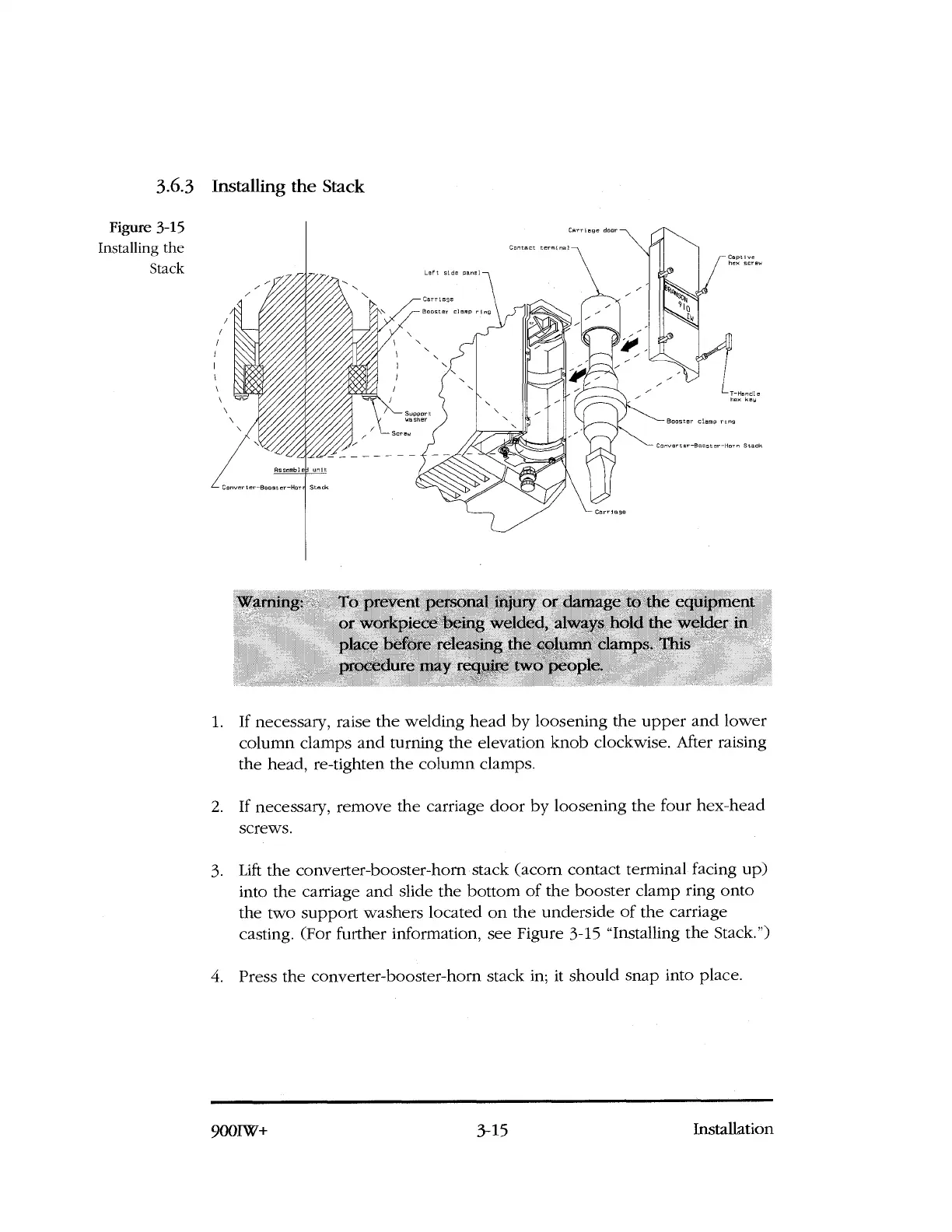
Figure 3-15
Installing the
Stack
Installing the Stack
Warning
To prevent personal injury or damage to the equipment
or workpiece being welded, always hold the welder in
place before releasing the column clamps. This
procedure may require two people.
1.
If necessary, raise the welding head by loosening the upper and lower
column clamps and turning the elevation knob clockwise. After raising
the head, re-tighten the column clamps.
2.
If necessary, remove the carriage door by loosening the four hex-head
screws.
3.
Lift the converter-booster-horn stack (acorn contact terminal facing up)
into the carriage and slide the bottom of the booster clamp ring onto
the two support washers located on the underside of the carriage
casting. (For further information, see Figure 3-15 "Installing the Stack.")
4.
Press the converter-booster-horn stack in; it should snap into place.
900IW+
3-15
Installation



 To Next Page