4.2.4 Recalling Parameter Values
a. Recalling predefined parameter values
To recall predefined parameters, as opposed to setting your own exact
setting, sit in front of the welder and press the switch of the parameter
(not
MODE)
that you are modifying as follows:
•
press
two times
consecutively to set the parameter to the
minimum value that may be used for that parameter
•
press
three times
to set the parameter to 25% of full scale for that
parameter. (This option is not available for weld time, collapse
or absolute distance.)
•
press
four times
to disable the parameter (if the parameter can
be disabled) or to set the parameter to its minimum value, if it
cannot be disabled
•
press
five times
to set the parameter to its minimum value, if the
parameter
can
be disabled
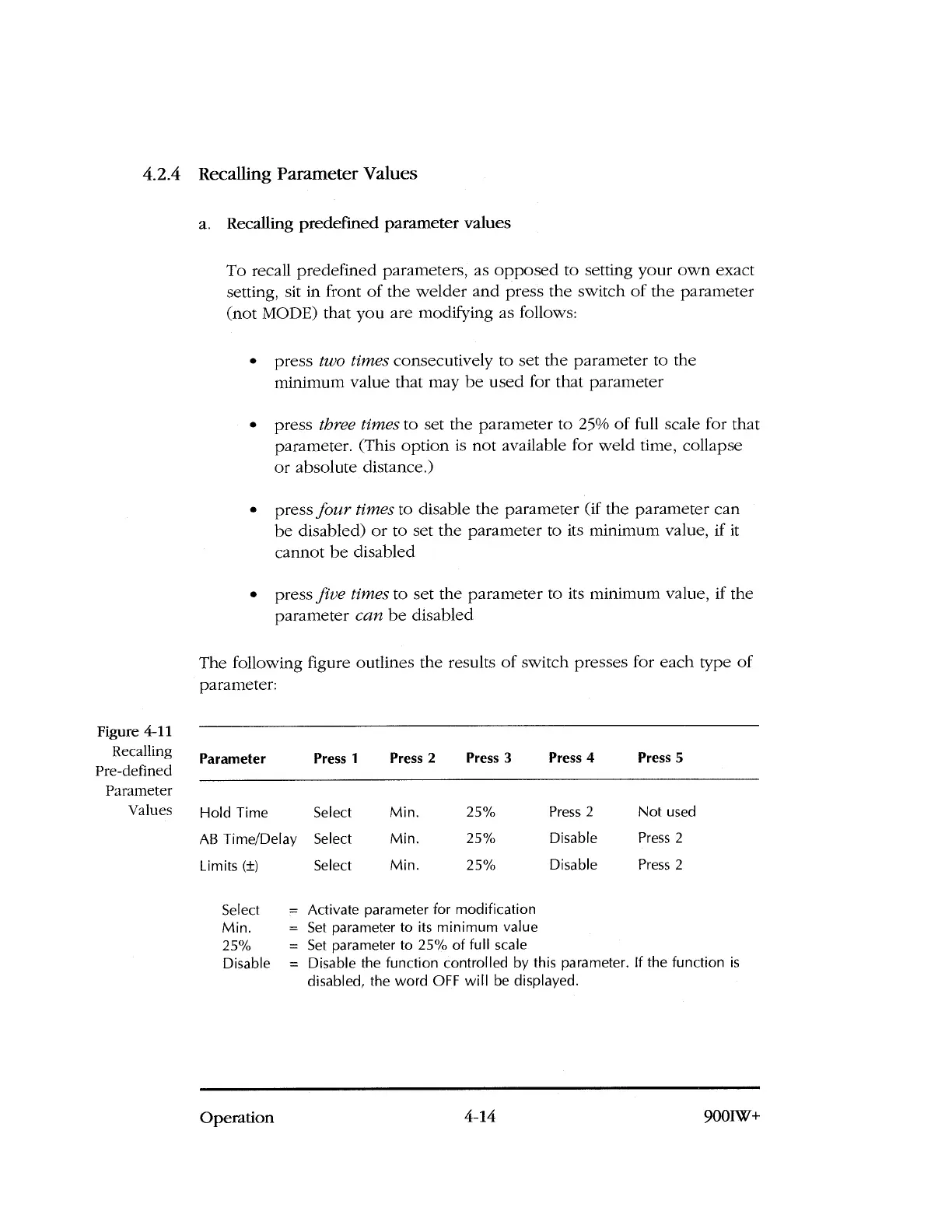
The following figure outlines the results of switch presses for each type of
parameter:
Figure 4-11
Recalling
Pre-defined
Parameter
Values
Parameter
Press 1
Press 2
Press 3
Press 4
Press 5
Hold Time
AB Time/Delay
Limits (±)
Select
Select
Select
Min.
Min.
Min.
25%
25%
25%
Press 2
Disable
Disable
Not used
Press 2
Press 2
Select
= Activate parameter for modification
Min.
= Set parameter to its minimum value
25%
= Set parameter to 25% of full scale
Disable = Disable the function controlled by this parameter. If the function is
disabled, the word OFF will be displayed.
Operation
4-14
9001W+



 To Next Page