2.1.2 Front Panel Displays
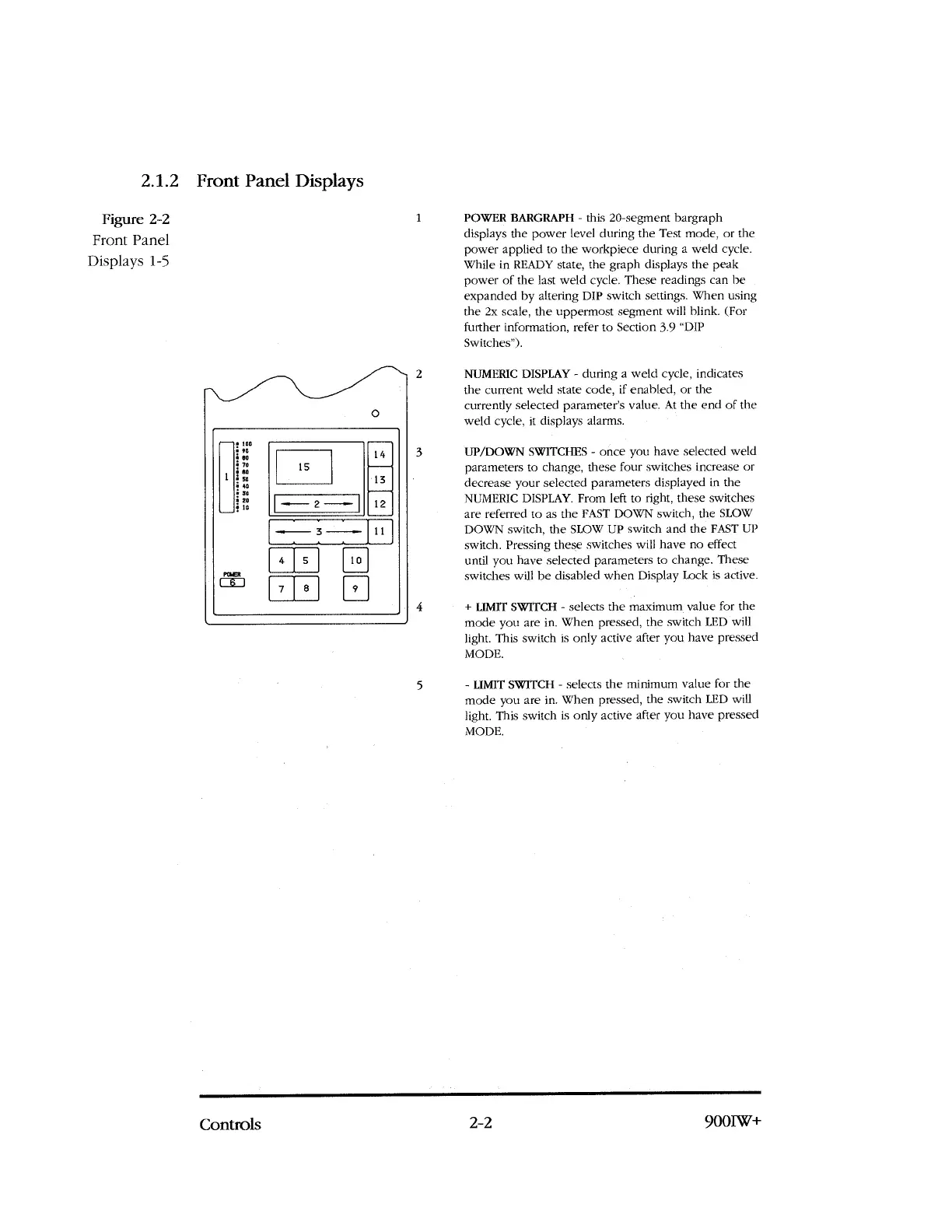
POWER BARGRAPH - this 20-segment bargraph
displays the power level during the Test mode, or the
power applied to the workpiece during a weld cycle.
While in READY state, the graph displays the peak
power of the last weld cycle. These readings can be
expanded by altering DIP switch settings. When using
the 2x scale, the uppermost segment will blink. (For
further information, refer to Section 3.9 "DIP
Switches").
NUMERIC DISPLAY - during a weld cycle, indicates
the current weld state code, if enabled, or the
currently selected parameter's value. At the end of the
weld cycle, it displays alarms.
UP/DOWN SWITCHES - once you have selected weld
parameters to change, these four switches increase or
decrease your selected parameters displayed in the
NUMERIC DISPLAY. From left to right, these switches
are referred to as the FAST DOWN switch, the SLOW
DOWN switch, the SLOW UP switch and the FAST UP
switch. Pressing these switches will have no effect
until you have selected parameters to change. These
switches will be disabled when Display Lock is active.
+ LIMIT SWITCH - selects the maximum value for the
mode you are in. When pressed, the switch LED will
light. This switch is only active after you have pressed
MODE.
Figure 2-2
1
Front Panel
Displays 1-5
5
- LIMIT SWITCH - selects the minimum value for the
mode you are in. When pressed, the switch LED will
light. This switch is only active after you have pressed
MODE.
Controls
2-2
900IW+



 To Next Page