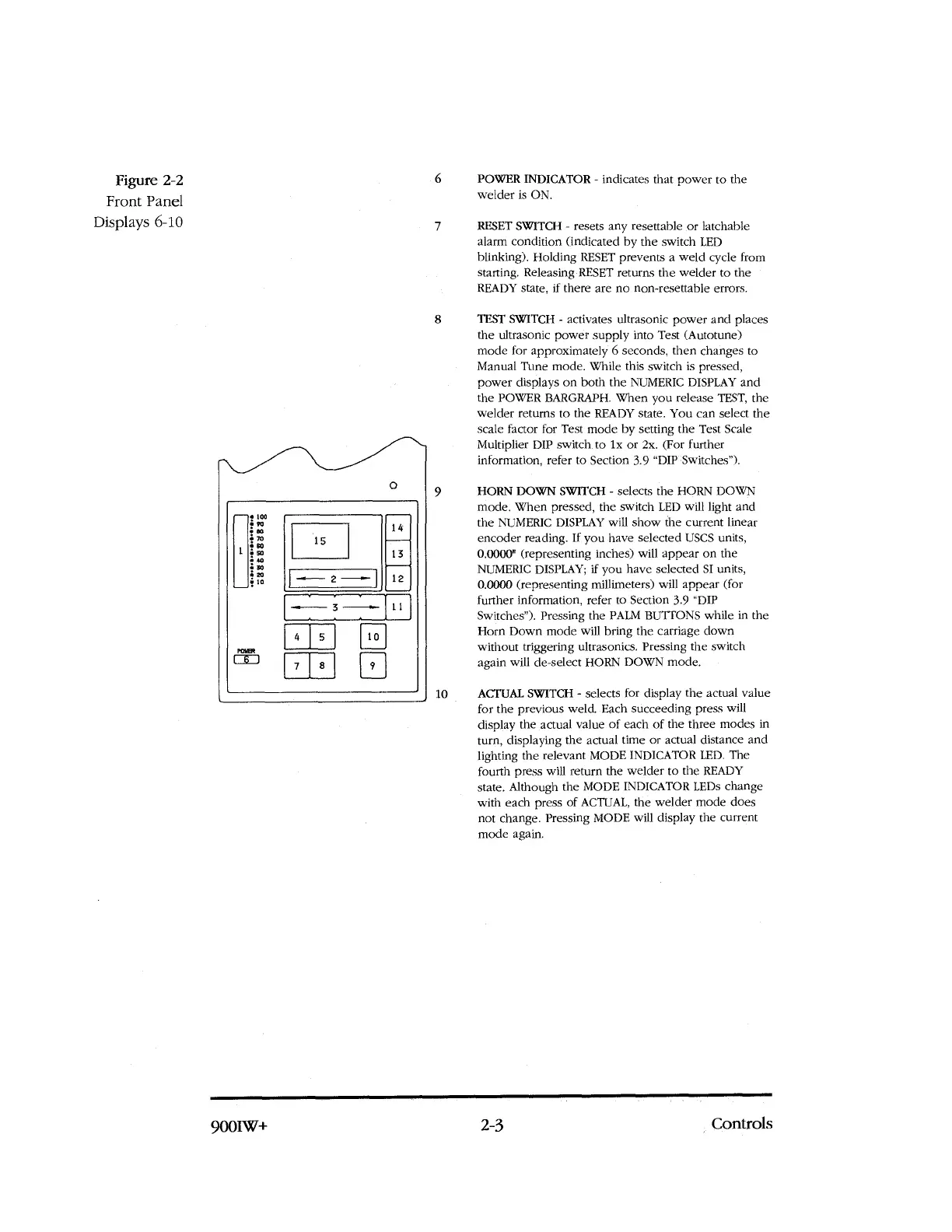
Figure 2-2
6
Front Panel
Displays 6-10
7
8
POWER INDICATOR - indicates that power to the
welder is ON.
RESET SWITCH - resets any resettable or latchable
alarm condition (indicated by the switch LED
blinking). Holding RESET prevents a weld cycle from
starting. Releasing RESET returns the welder to the
READY state, if there are no non-resettable errors.
TEST SWITCH - activates ultrasonic power and places
the ultrasonic power supply into Test (Autotune)
mode for approximately 6 seconds, then changes to
Manual Tune mode. While this switch is pressed,
power displays on both the NUMERIC DISPLAY and
the POWER BARGRAPH. When you release TEST, the
welder returns to the READY state. You can select the
scale factor for Test mode by setting the Test Scale
Multiplier
DIP
switch to lx or 2x. (For further
information, refer to Section 3.9
"DIP
Switches").
HORN DOWN SWITCH - selects the HORN DOWN
mode. When pressed, the switch LED will light and
the NUMERIC DISPLAY will show the current linear
encoder reading. If you have selected USCS units,
0.0000" (representing inches) will appear on the
NUMERIC DISPLAY; if you have selected SI units,
0.0000 (representing millimeters) will appear (for
further information, refer to Section 3.9 "DIP
Switches"). Pressing the PALM BUTTONS while in the
Horn Down mode will bring the carriage down
without triggering ultrasonics. Pressing the switch
again will de-select HORN DOWN mode.
10
ACTUAL SWITCH - selects for display the actual value
for the previous weld. Each succeeding press will
display the actual value of each of the three modes in
turn, displaying the actual time or actual distance and
lighting the relevant MODE INDICATOR LED. The
fourth press will return the welder to the READY
state. Although the MODE INDICATOR LEDs change
with each press of ACTUAL, the welder mode does
not change. Pressing MODE will display the current
mode again.
•
--
1
100
90
07
70
SO
52
40
30
20
10
14
13
15
12
-w--
,
2 -...-
m
-.-- 3 --..-
11
4
5
10
9
7
8
9001W+
2-3
Controls



 To Next Page