32
6.2 For Weathercloud (WC)
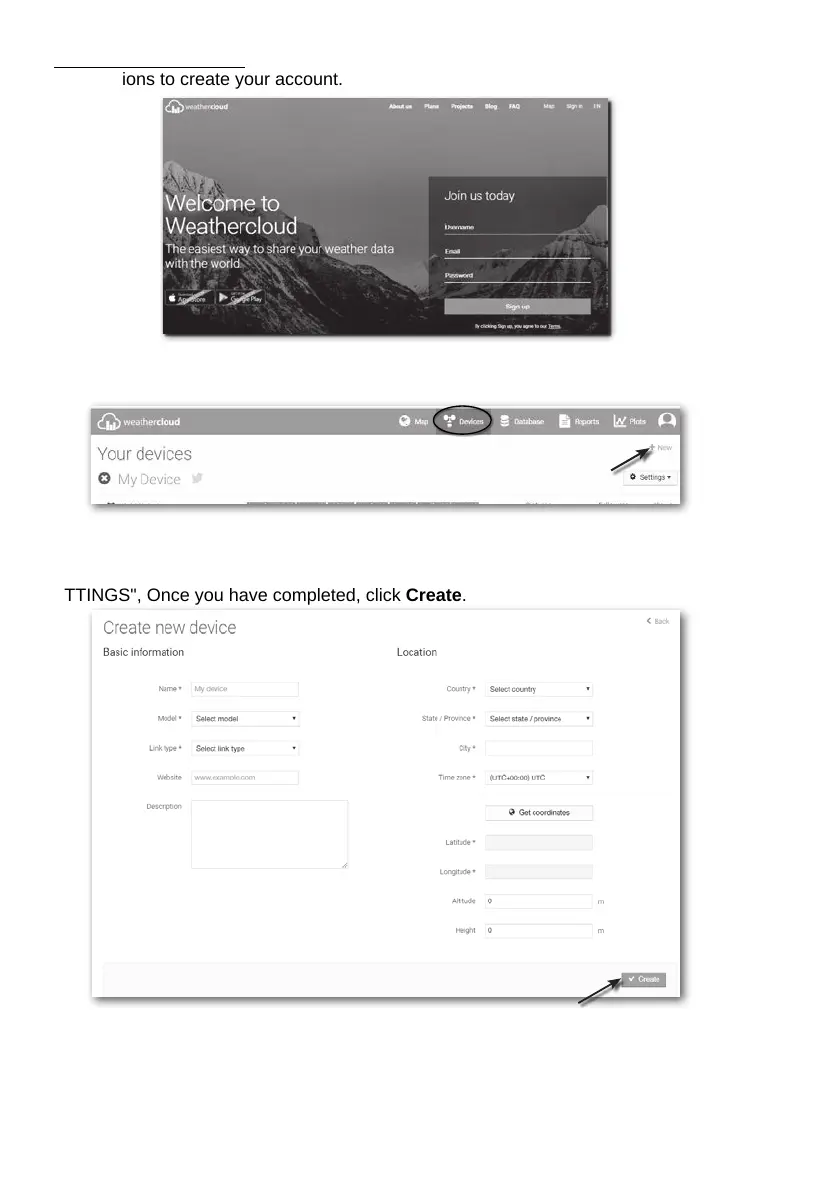
1. In https://weathercloud.net enter your information in "Join us today" section, then follow
the instructions to create your account.
2. Sign in Weathercloud and then you will go the "Devices" page, click "+ New" to create new
device.
3. Enter all the information in Create new device page, for the Model* selection box select
the "W100 Series" under "CCL" section. For the Link type* selection box select the
"SETTINGS", Once you have completed, click Create.







 To Next Page