12
5. Pouring a beer
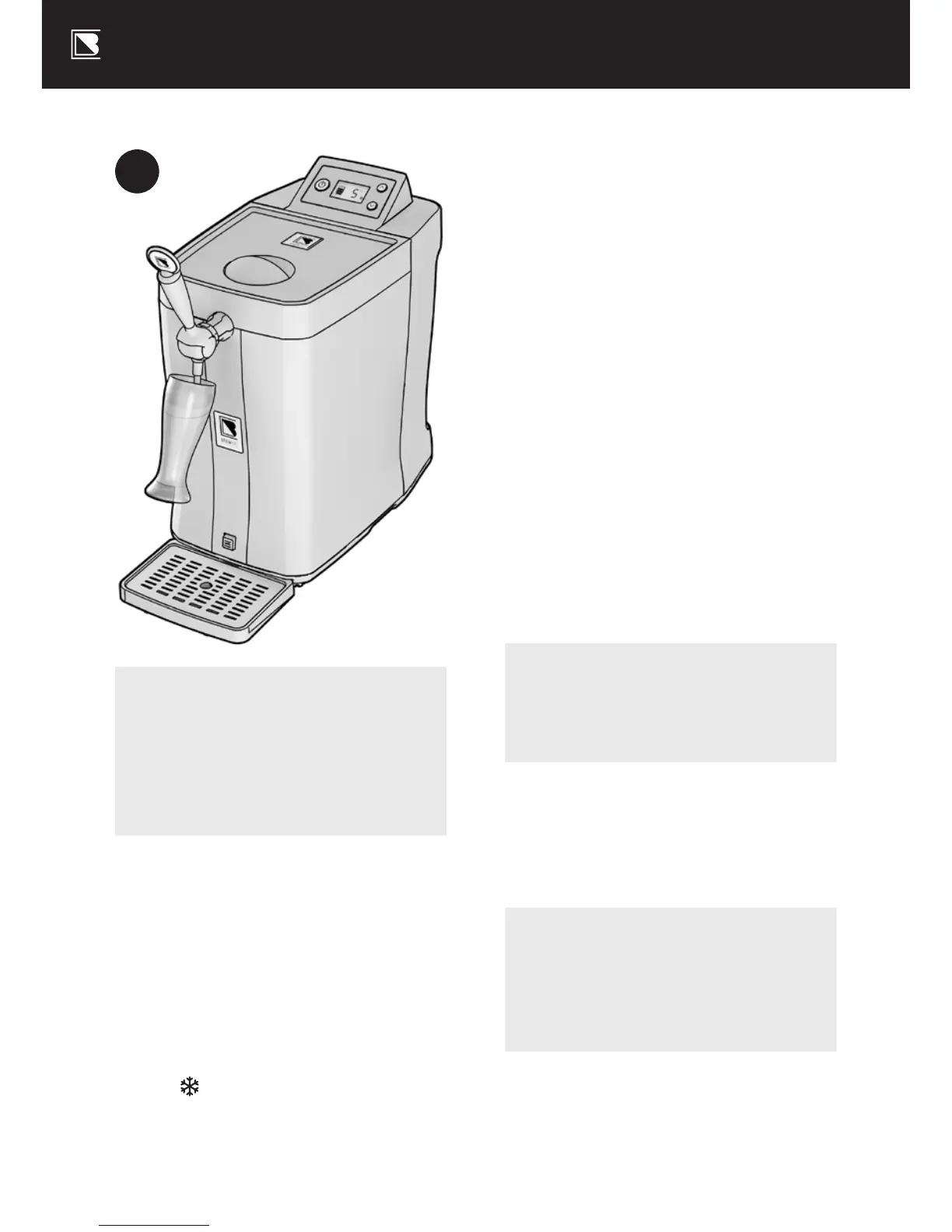
k When the beer is ready to pour,
place a clean glass on a slight
angle underneath the beer font
tap – see Diagram H – and
pull the font handle all the way
towards you in one smooth action.
Refer to brewart.com/101
k When a keg is first inserted there
will be additional foam in your first
pour. We recommend discarding
the first half a glass you pour.
k As it fills, straighten the glass
slowly until it is fully upright.
k When the beer head reaches
the rim of the glass, quickly
release the font handle to
return it to the o position.
Note
Do not immerse the font nozzle into
the beer or foam while pouring.
k The Beer Level Indicator on
the LCD screen will indicate
how much beer is le in the
keg. For shelf-life and expiry of
kegs, see brewart.com/101
Hint
The size of the head can be
controlled by adjusting the angle
and position of the glass.
H
Note
If your BrewFlo loses power
while in ON mode, it will
automatically return to ON
mode when power is restored.
k The beer level indicator should
display the approximate
beer level in the keg.
k The target temperature is displayed.
k Use the
and
arrows to
change the target temperature
k The BrewFlo will adjust the
temperature accordingly.
The icon will appear on
the display screen to indicate
the BrewFlo is cooling.


 To Next Page