8
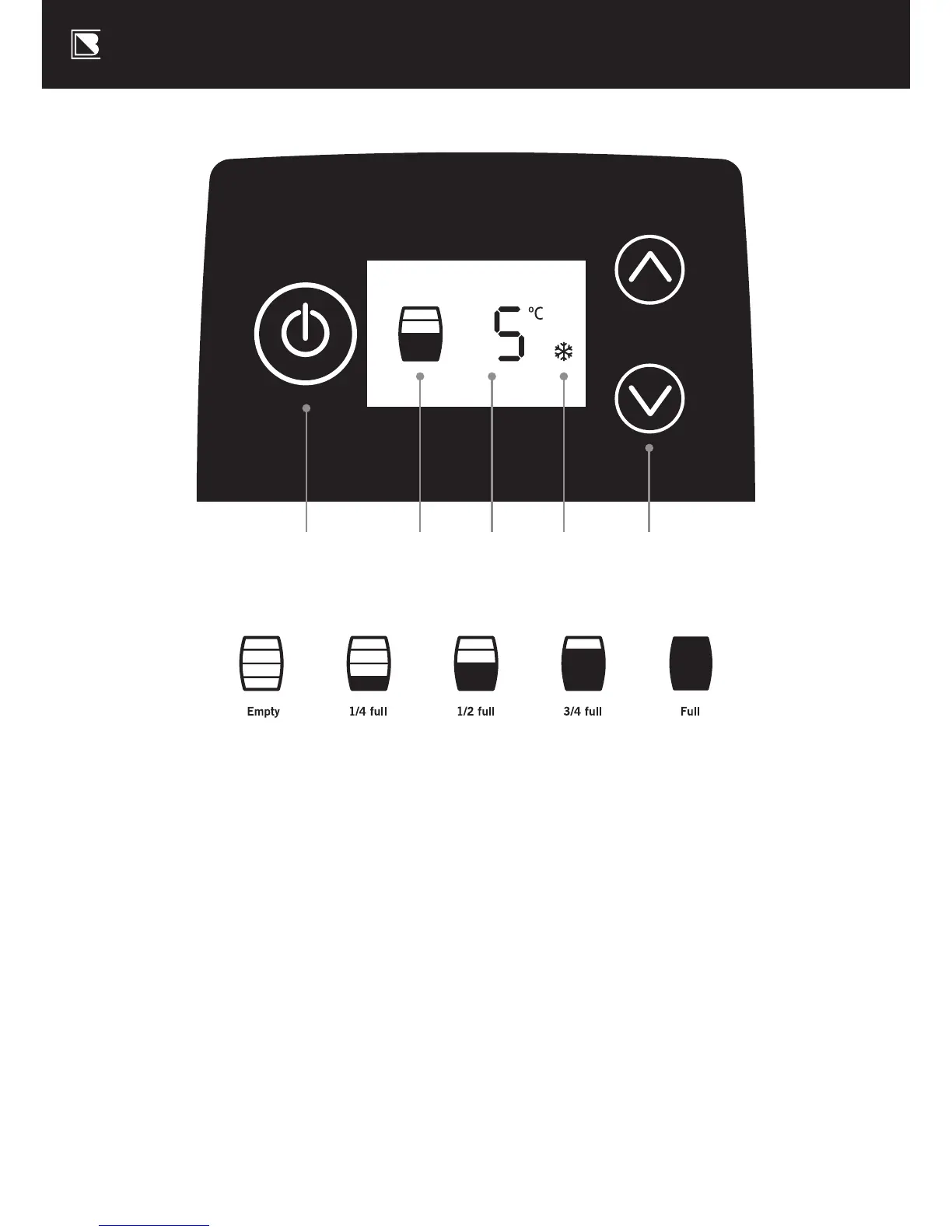
Control Panel with LCD Screen
M. On/Standby button:
Switches your BrewFlo between
ON and STANDBY mode
N. Beer level indicator:
Estimates the volume of
beer remaining in the keg,
to the nearest quarter
O. Target temperature:
Your Keg will be maintained
at this temperature
P. Cooling indicator:
Indicates the BrewFlo is cooling
Q. Temperature set buttons:
Use these buttons to set the Keg
target temperature. In standby
mode, these buttons can be used
to reset the Beer Level Indicator –
see Troubleshooting section.
M N O P Q


 To Next Page