86 Infotainment System
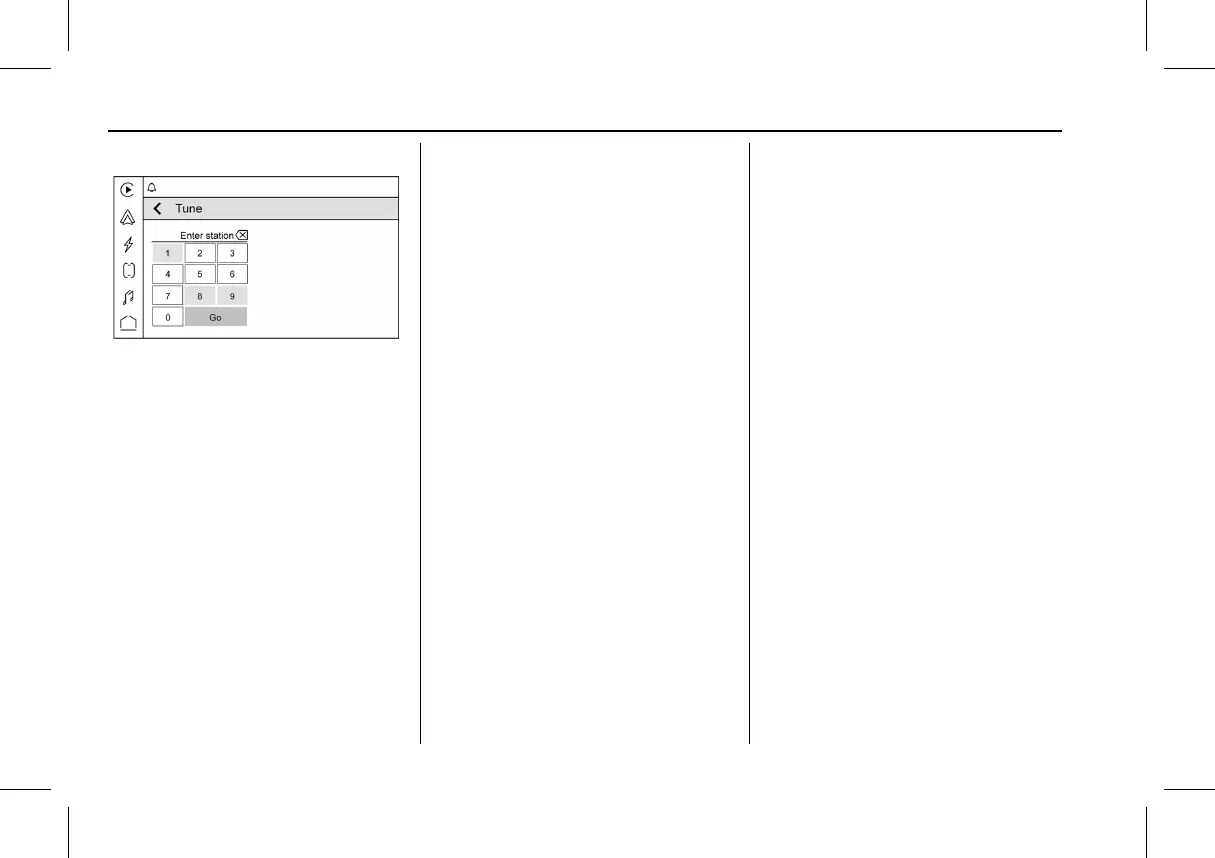
Tune
Touch Z on the infotainment display to
display the Tune screen. Enter a station
using the keypad.
The keypad will gray out entries that do not
contribute to a valid frequency and will
automatically place a decimal point within
the frequency number.
Touch
o to delete one number at a time.
Touch and hold
o to delete all numbers.
A valid AM or FM station will automatically
tune to the new frequency but not close the
Tune screen. Touch
S on the infotainment
display to exit.
The list of all available stations are on the
right side of the Tune display to browse.
Touch to go to that station or touch
H to
save the station as a favorite.
Storing Radio Station Favorites
Favorites show in the area at the bottom of
the display.
AM, FM, or SiriusXM : Favorites can be
stored by touching
H. This will highlight
red indicating that it is now saved as a
favorite.
The number of favorites is displayed
automatically.
Audio Settings
From the AM or FM screen, touch k to
display the following:
Equalizer : Touch to adjust Bass, Midrange,
or Treble using the options on the
infotainment display.
Fade/Balance : Touch to adjust by using the
controls on the infotainment display or by
tapping/dragging the crosshair.
Manage Favorites : Touch to display a list of
Audio favorites.
Favorites can be moved or deleted.
To move, touch and hold the move icon, and
then drag up or down to rearrange the
position.
Radio Text (RDS) : This allows the Radio
Data System (RDS) to be turned on or off.
Touch Off or On.
Radio Data System (RDS)
If equipped, RDS features are available for
use only on FM stations that broadcast RDS
information. With RDS, the radio can:
.
Group stations by Category (i.e., Program
Type) such as Rock, Jazz, Classical, etc.
.
Display messages from radio stations.
This system relies on receiving specific
information from these stations and only
works when the information is available.
It is possible that a radio station could
broadcast incorrect information that causes
the radio features to work improperly.
When information is broadcast from a RDS
station, the station name or call letters
display on the audio screen. Radio text
supporting the currently playing broadcast
may also appear.



 To Next Page