BrightDrop Zevo 600 Owner Manual (GMNA-Localizing-U.S./Canada-
16569273) - 2023 - CRC - 11/3/22
Keys, Doors, and Windows 11
When all additional remote keys are
programmed, press and hold POWER
O for
approximately 12 seconds to exit
programming mode.
Starting the Vehicle with a Low Remote
Key Battery
For improved vehicle security, the remote
key is equipped with a motion sensor. When
starting the vehicle, if the remote key has
been idle for an extended period of time,
the DIC may display KEY IN SLEEP MODE,
MOVE KEY, THEN START. Move the remote
key slightly and try starting the vehicle.
If the remote key battery is weak or if there
is interference with the signal, the DIC may
display NO KEY FOUND, REPLACE BATTERY IN
KEY or NO REMOTE KEY WAS DETECTED
PLACE KEY IN KEY POCKET THEN START YOUR
VEHICLE when starting the vehicle.
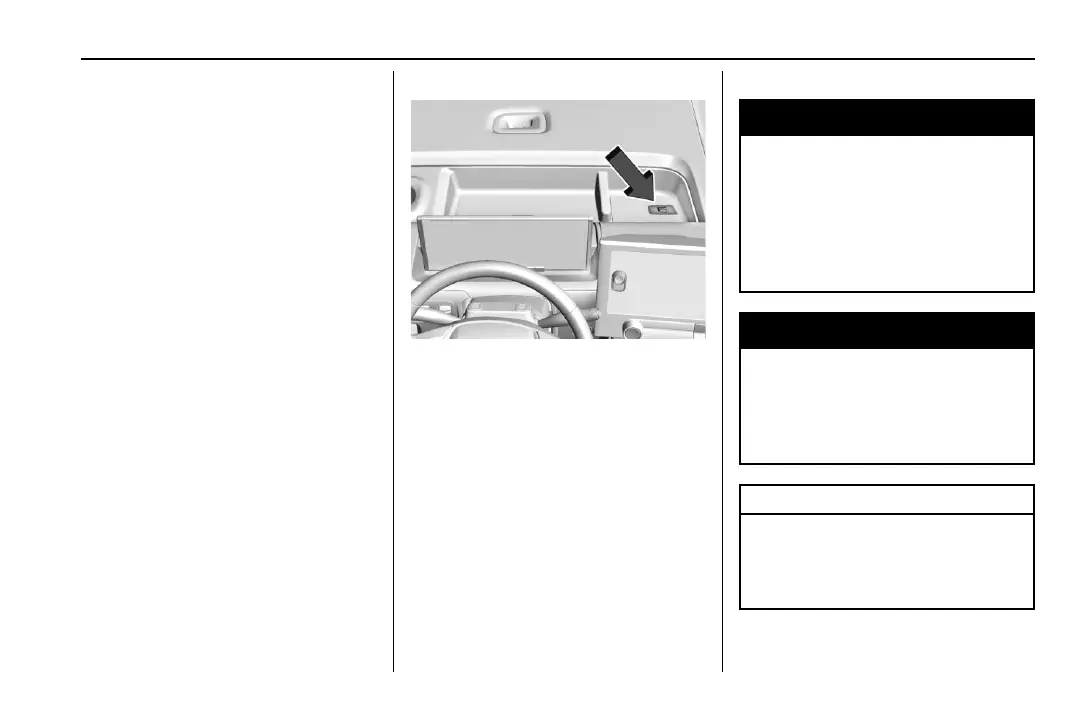
To start the vehicle:
1. Place the remote key in the storage
compartment above and behind the
infotainment display.
2. With the vehicle in P (Park) or N (Neutral)
press the brake pedal and POWER
O.
Replace the remote key battery as soon
as possible.
Battery Replacement
{
Warning
Never allow children to play with the
remote key. The remote key contains a
small battery, which can be a choking
hazard. If swallowed, internal burns can
occur, resulting in severe injury or death.
Seek medical attention immediately if a
battery is swallowed.
{
Warning
To avoid personal injury, do not touch
metal surfaces on the remote key when
it has been exposed to extreme heat.
These surfaces can be hot to the touch at
temperatures above 59 °C (138 °F).
Caution
When replacing the battery, do not touch
any of the circuitry on the remote key.
Static from your body could damage the
remote key.


 To Next Page