17
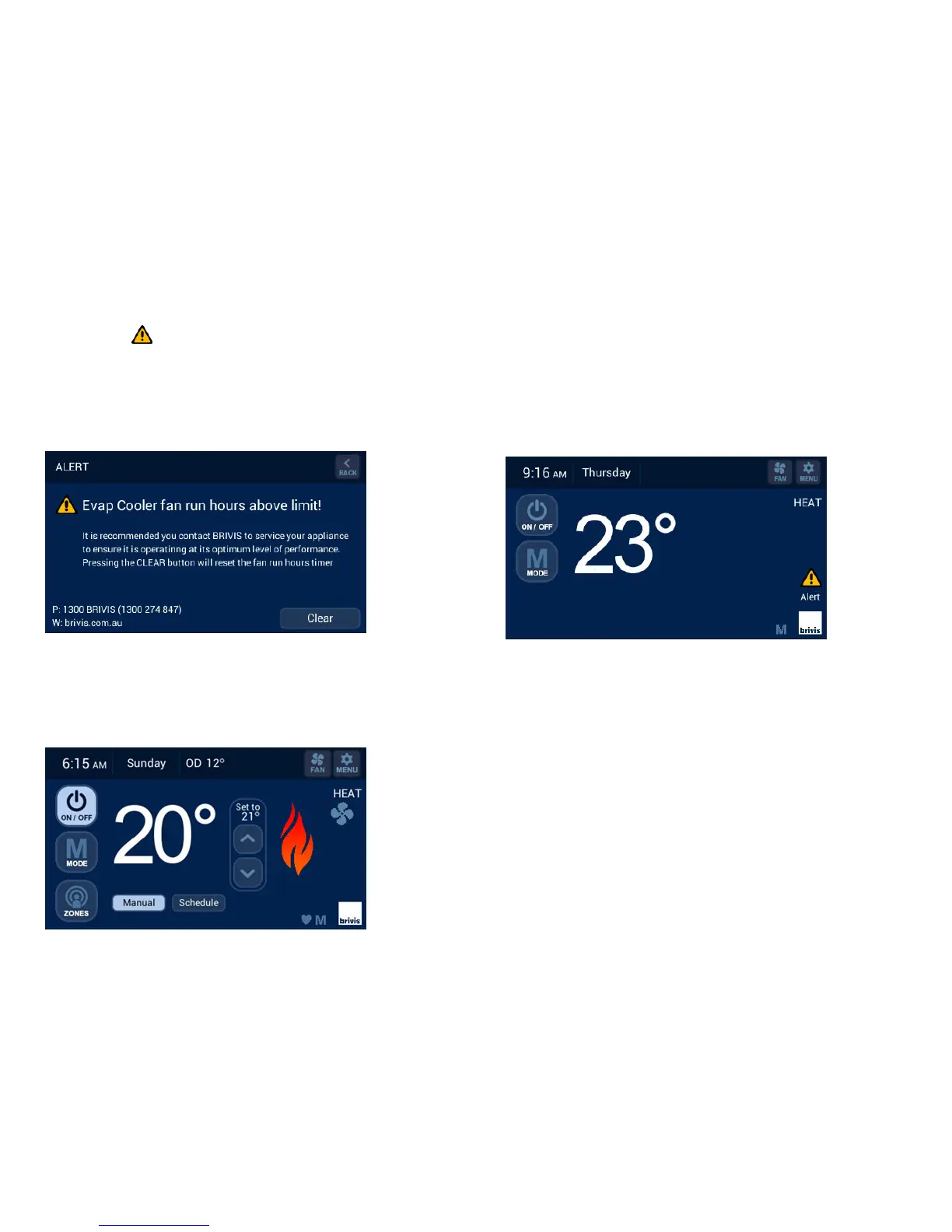
Pressing the “ ” icon will result in the following message being
displayed for either HEAT/COOL or EVAP fan run hours above the
preset limit. The system will continue to run with this message
displayed. You may book a service call or clear the Spanner and Alert
icon by pressing the “Clear” button, refer Diagram 35.
14.0 Outdoor Temperature Sensor (Optional)
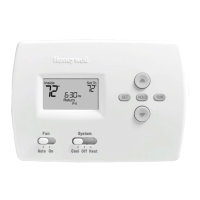
If you installed this option, the outdoor (ambient) temperature will be
displayed as indicated in Diagram 36. If “OD” does not appear next to
the day display on your screen, this feature is not enabled.
15.0 Error Messages
When your system is operating, the Brivis Touch Controller monitors and
controls every aspect of the system's performance. On-board diagnostics
help determine the source of any faults. If a lockout fault is detected, the
yellow “Alert” will flash, refer Diagram 36. Press the “Alert” icon to display
details of the fault, refer Diagram 37.
If the system turns off completely you may reset the system by pressing the
“Reset” button, refer Diagram 37.
If normal operation does not resume, please call Brivis Service for
assistance. Inform them of the nature of your problem, the relevant error
code, model and type of appliance so your issue can be remedied.
16.0 Power Outages
If power is restored within 10 minutes of a power outage, the Brivis Touch
will resume normal operation with the mode and settings immediately
before the outage.
When powered OFF, the Controller will retain its Day and Time setting for
up to 5 days.


 To Next Page