50
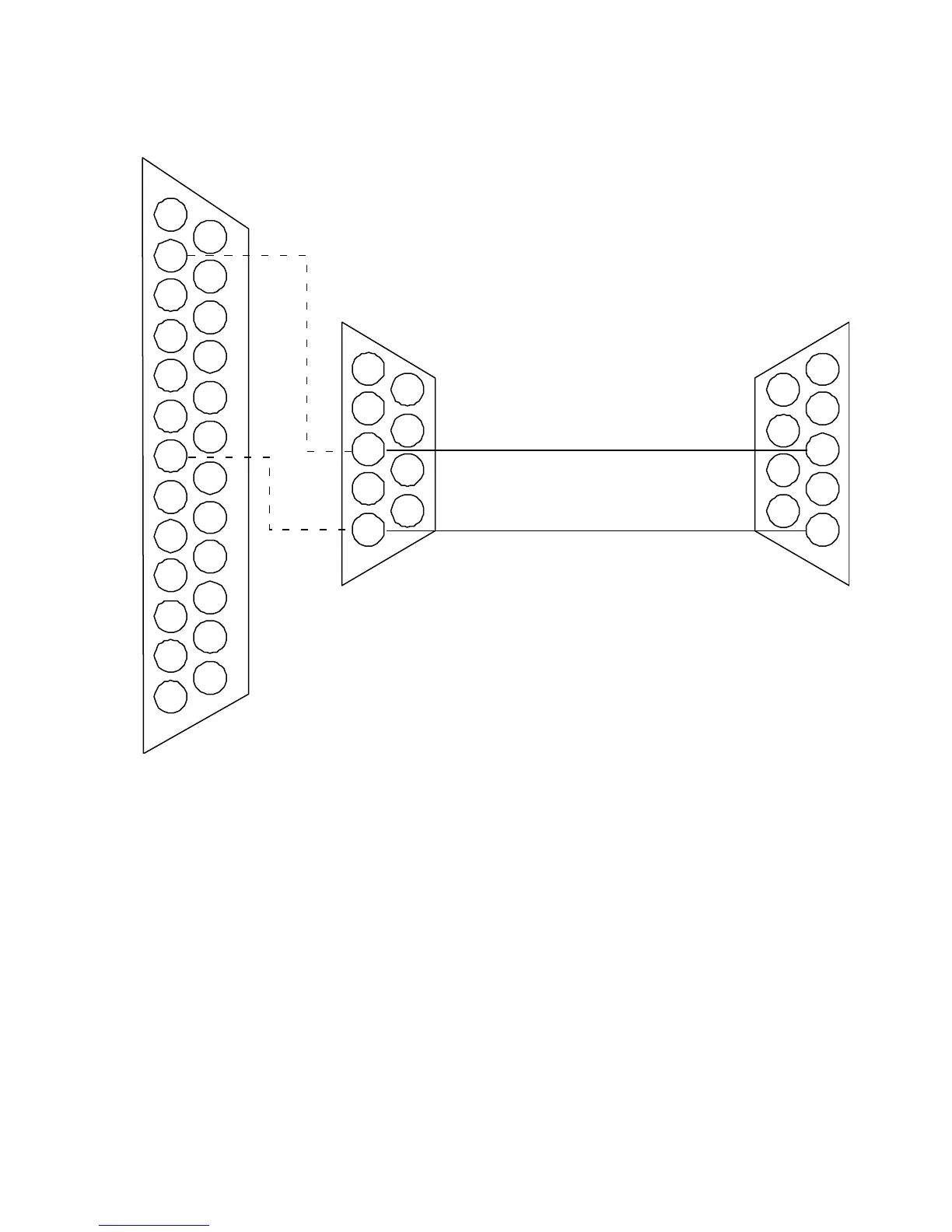
Figure 5-1: Computer Serial Port to ES-2200 Cable Assembly
RC-2000 Remote Control
The DPS RC-2000 desktop remote is capable of controlling up to thirty-two DPS Personal TBC IV, TBC III, TBC II,
MicroSYNC, and RS-2800 Personal Switcher card as well as a DPS Personal V-Scope. The RC-2000 takes the place of
the host computer’s serial port and connects directly to the DB-9 connector at the ES-2200 rear panel. An external AC
adapter provides power for the RC-2000.
All video proc amp, timing functions, and setup memories can be accessed via the RC-2000’s front panel controls.
When using an RC-2000, set the ES-2200 into remote control mode and ensure that the RC-2000 and the ES-2200 are
set to the same baud rate. Please refer to the RC-2000 instruction manual for specific instructions regarding its use. The
user must provide their own remote cable to connect the RC-2000 RS-232 port to the ES-2200 RS-232 remote control
port as shown in Figure 5-4.
1
14
2
15
3
16
4
17
5
18
6
19
7
20
8
21
9
22
10
23
11
24
12
25
13
1
6
2
7
3
8
4
9
5
1
6
2
7
3
8
4
9
5
CONNECT TO IBM PC
RS-232 PORT
DB-25F CONNECTOR
DB-9-F
CONNECTOR
DB-9-M
CONNECTOR
CONNECT TO ES-2200
RS-232 REMOTE
INPUT CABLE



 To Next Page