4 - GETTING TO KNOW YOUR
BROASTER
®
VF-2, VF-3i FRYER
4-1
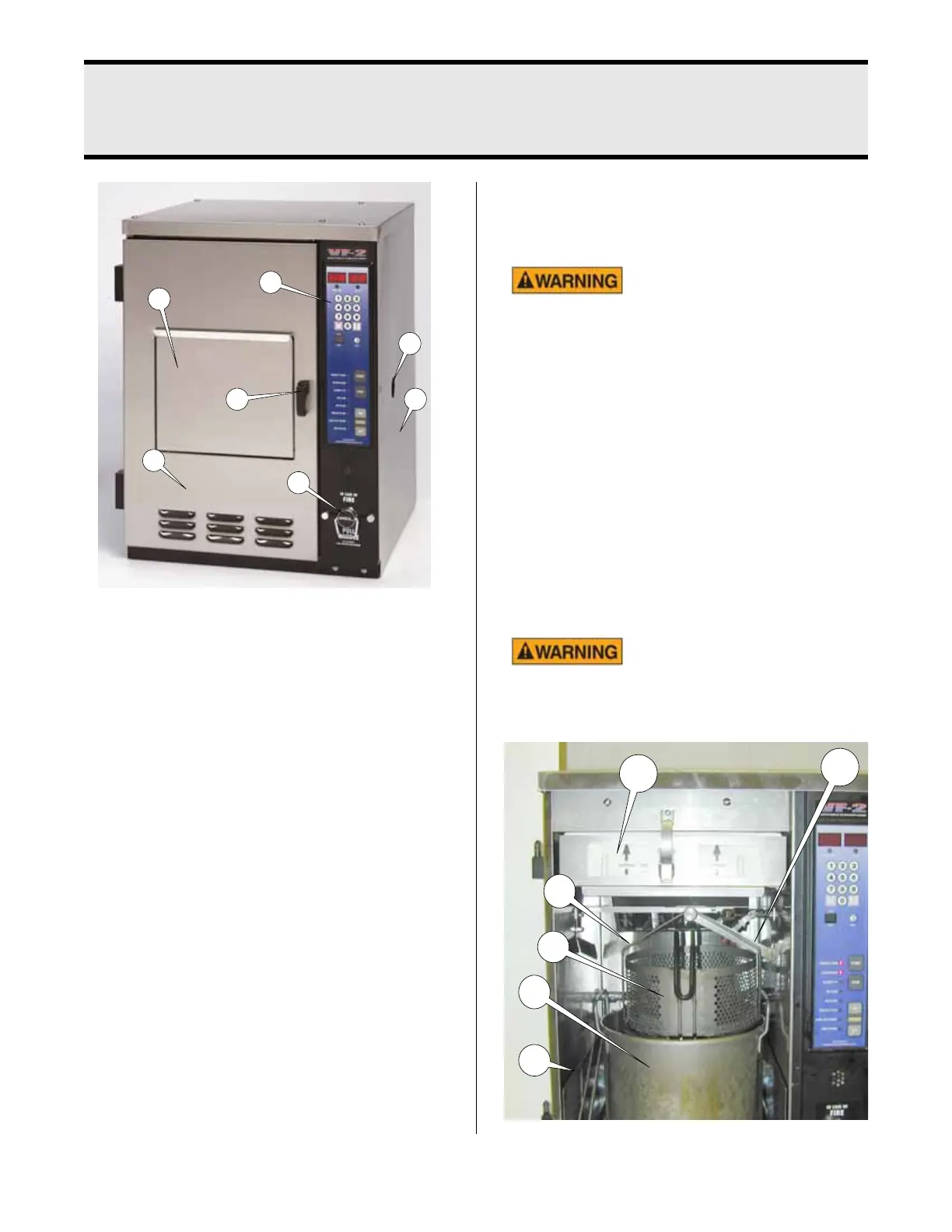
1. Product Door: Product is inserted and
removed through this opening.
2. Access Door: Provides access to fil-
ters and cooking area for cleaning and
maintenance.
3. Access Door Latch: Holds Access
Door closed during operation. Lift and
turn to open and close Access Door.
4. Control Panel: Operator interface that
controls cooking cycle. This will be dis-
cussed in detail in the CONTROL PANEL
section of this manual.
5. Fire Suppression Ring: Manually acti-
vates fire suppression system if the
system fails to operate automatically.
6. Fire Suppression Viewing Hole: Check
the status of the Fire suppression sys-
tem by looking through this hole.
7. Electrical Control Access Panel:
Removable panel to allow access to
unit control devices.
This panel should only be
removed by an authorized
Broaster Company representative. Electrical
hazard could result in serious injury or
death. Disconnect main power to unit before
removing.
8. Air Filter: Cleans air being drawn
through the cooking area. Installed in
filter tray (24)
NOTE: Replace Air Filter every 3
months. More frequently for units expe-
riencing higher volume.
9. Cooking Pot: Holds cooking oil.
Hot shortening! Hot short-
ening could splash causing
serious burns.
broaster.com Manual #16421 5/06 Rev 4/14
1
6
4
3
7
2
5
8
13
11
10
9



 To Next Page