AMETEK Brookeld Page 16 Manual No. M15-356-B0916
Note: The DVE will display the spindle entry code that was in use when the
power was turned off. Not all spindles have an entry code number that is
the same as the spindle number. For example: the spindle code entry for
spindle LV-1 is 61 and the spindle code for the UL Adapter is 00.
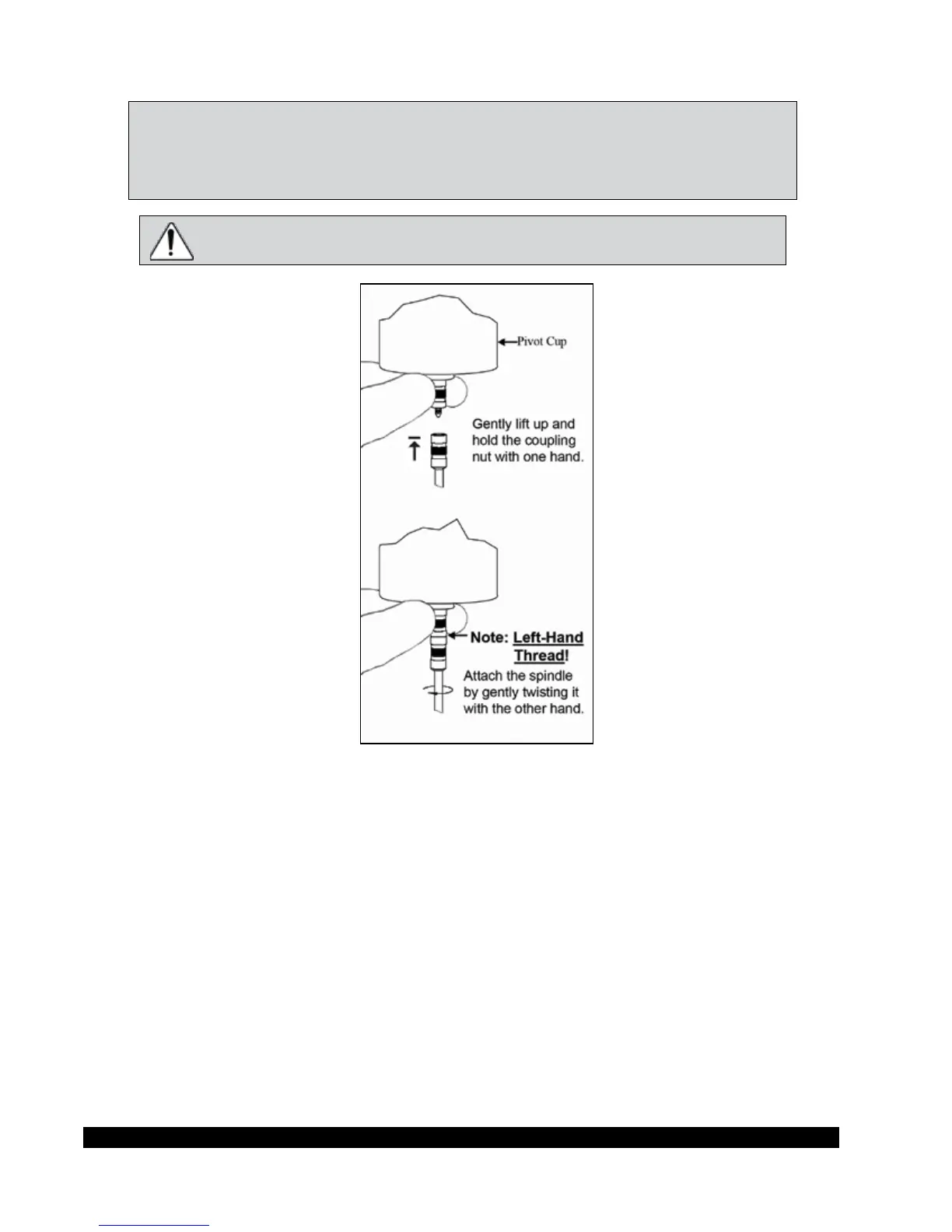
e motor should be OFF whenever spindles are being removed or attached.
Figure II-6
From the Default screen, press the SPINDLE arrow keys to scroll through the list of available spindles
until the correct spindle number is shown on the display.
e DVE will begin to calculate using the new spindle parameters aer the spindle number is shown
in the display. As the spindle number is changed, the Full Scale Range value will also change to
reect the new spindle number entered (refer to Section III.3).
Please see Brookeld publication, “More Solutions to Sticky Problems” (Chapter 3), for information
on how to select a spindle.













 To Next Page