Loading Documents with Facing Pages
file:///C|/Documents%20and%20Settings/mcampbell.AM/My%20Documents/ADS2000solutions/chapter1_5_5.html[3/11/2013 10:26:00 AM]
Loading Documents with Facing Pages
Make sure documents with ink or correction fluid are completely dry.
1
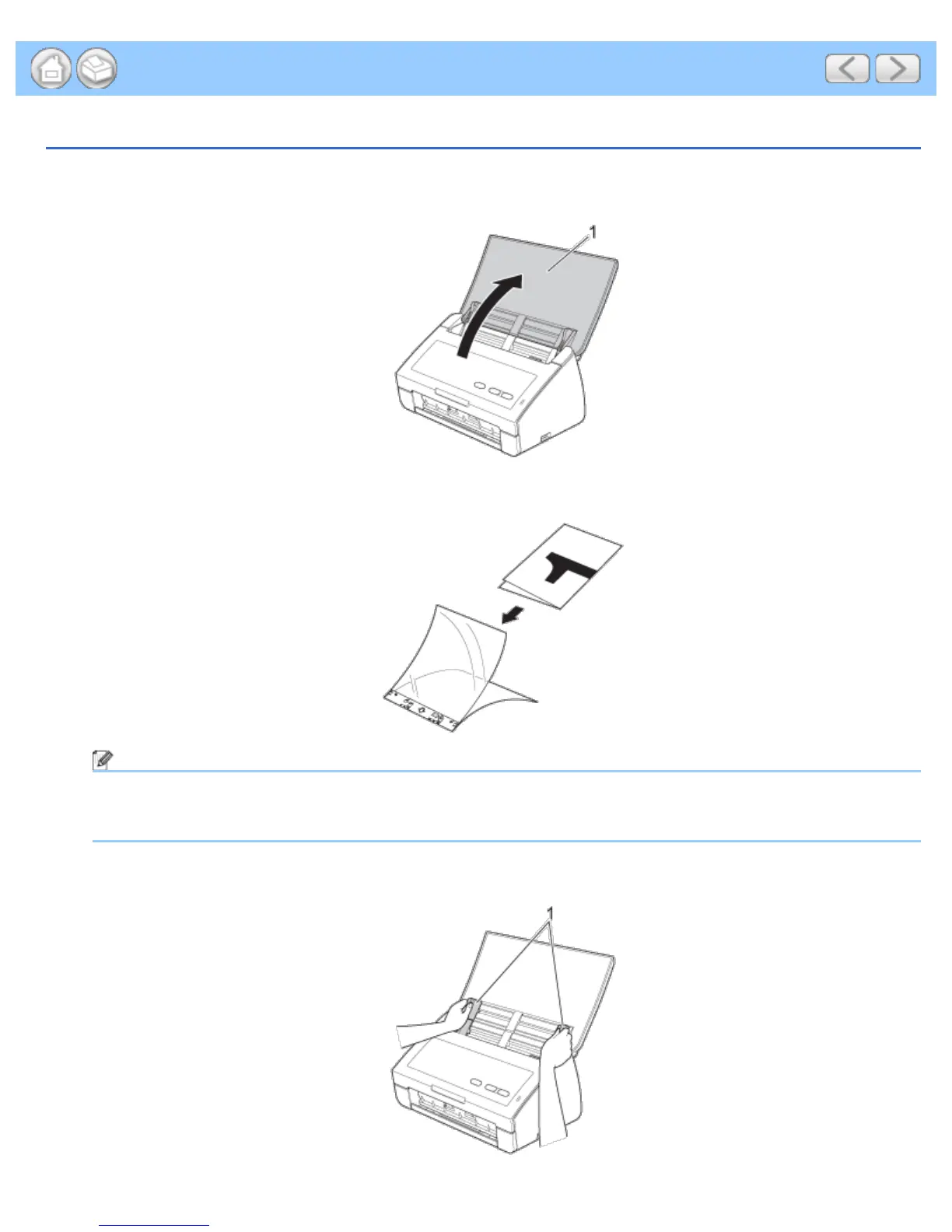
Open the Top Cover (1).
2
Fold your document in half and then insert the document into the Carrier Sheet.
Note
Set the document in the center of the Carrier Sheet and align the top of the document with the top of the
Carrier Sheet.
3
Adjust the Document Guides (1) to fit the width of the Carrier Sheet.











 To Next Page