Clean the Scanner
file:///C|/Documents%20and%20Settings/mcampbell.AM/My%20Documents/ADS2000solutions/chapter6_2.html[3/11/2013 10:23:46 AM]
Clean the Scanner
A spot of dirt or correction fluid on the glass strip may cause poor-quality scans. Clean the inside of the scanner if a
vertical line appears in the scanned data or if areas are missing in the scanned data.
1
Unplug the machine from the AC power outlet.
2
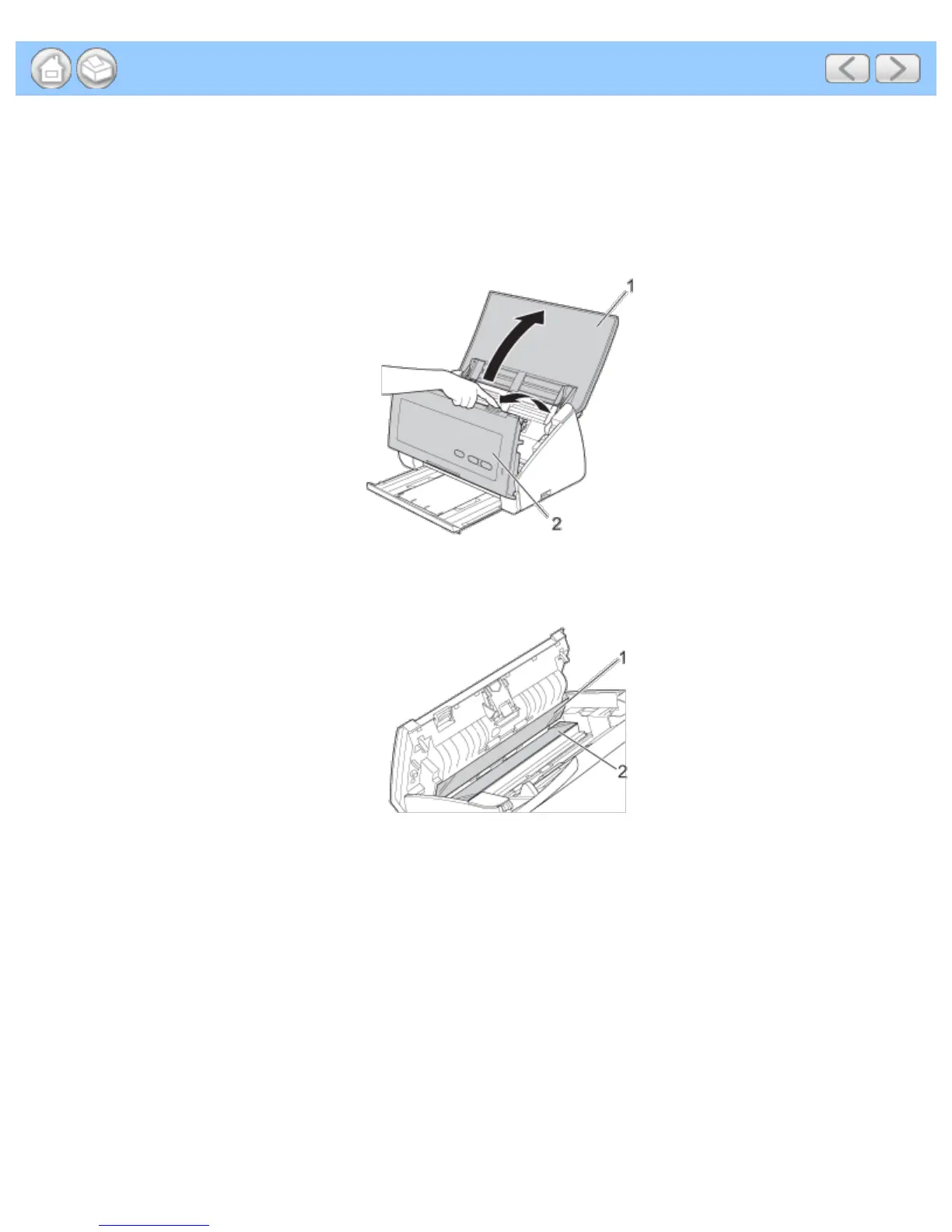
Open the Top Cover (1) and the Front Cover (2).
3
In the document feeder unit, clean the glass strips (1) (2) with a lint-free cloth moistened with a non-flammable
glass cleaner.
4
Press and hold the buttons (1) on the inside of the Front Cover and then pull the Separation Pad Cover (2)
down.











 To Next Page