Clean the Scanner
file:///C|/Documents%20and%20Settings/mcampbell.AM/My%20Documents/ADS2000solutions/chapter6_2.html[3/11/2013 10:23:46 AM]
5
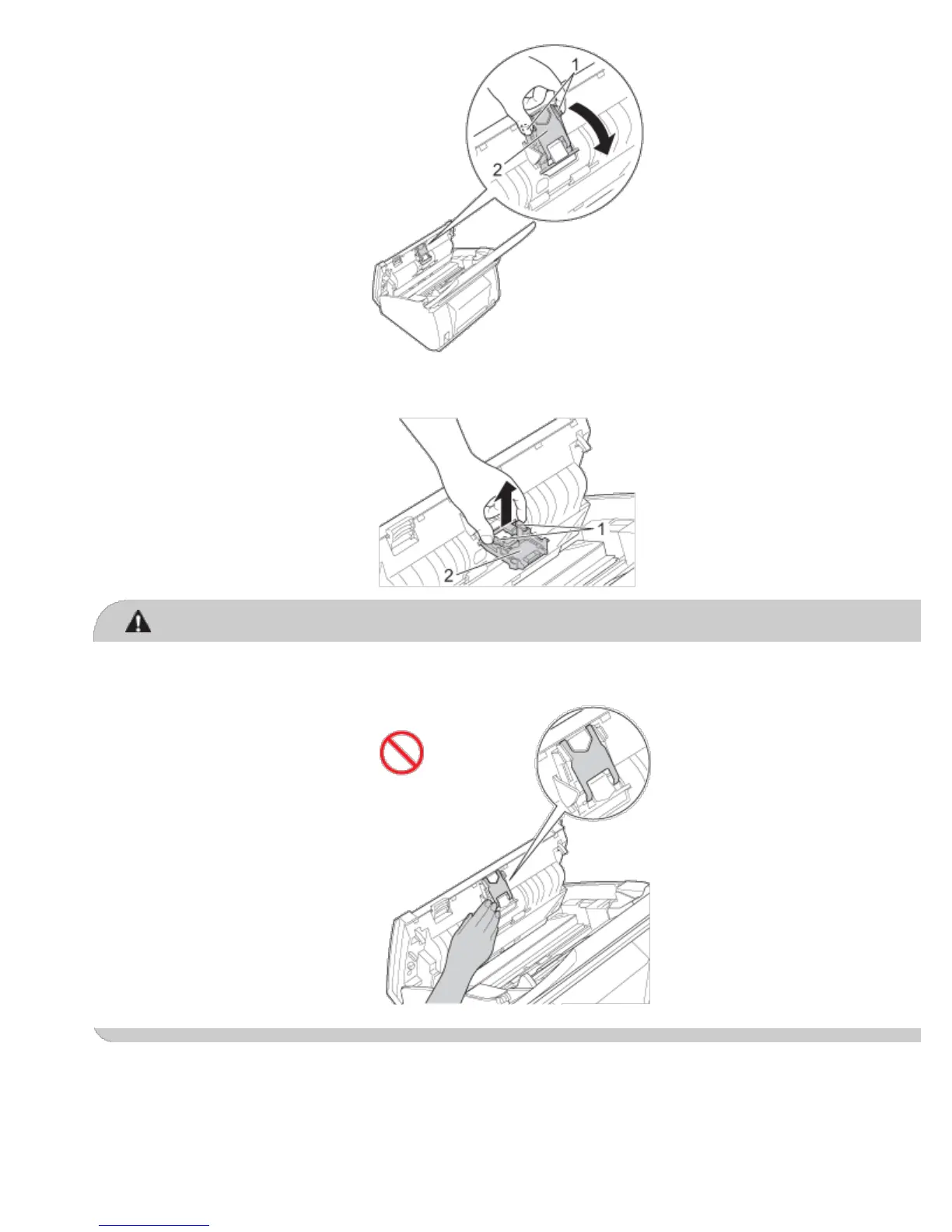
Press and hold the green buttons (1) of the Separation Pad and then pull the Separation Pad (2) upward.
CAUTION
DO NOT touch the metal part of the Separation Pad Cover. Doing this may cause injury to you and serious
damage to the machine.
6
Clean the Separation Pad with a lint-free cloth moistened with a nonflammable glass cleaner.
7
Attach the Separation Pad in the Separation Pad Cover.
8
Close the Separation Pad Cover until it clicks.











 To Next Page