Selecting embroidery patterns 131
4
— — — — — — — — — — — — — — — — — — — — — — — — — — — — — — — — — — — — — — — — — — — — — — — — — — — —
Memo
z The characters you entered can be stored for
later use. For details, refer to "Storing
characters" (page 139).
Selecting embroidery patterns
There are 70 embroidery patterns, such as fruit and
animals, stored in the machine's computer memory.
Memo
z Refer to "Embroidery Pattern Color Change
Table" in the Quick reference guide for
samples of completed patterns and the
thread used.
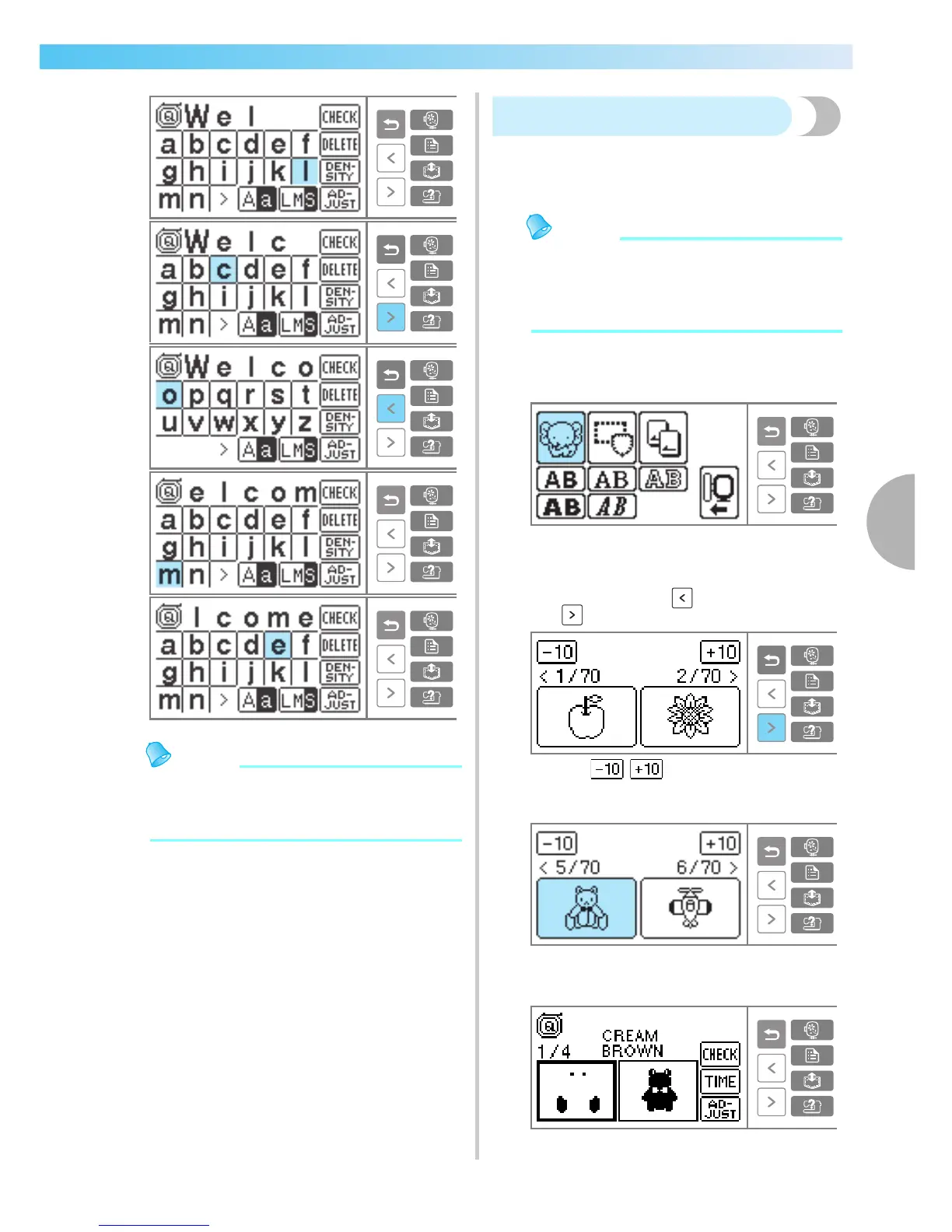
a
Press embroidery pattern.
X The pattern selection screen is displayed.
b
Select the pattern.
Switch screens using (Previous page key)
and (Next page key).
• When / is pressed, the display of
patterns moves backward/forward 10
patterns.
X If a pattern is selected, it can be
embroidered.











 To Next Page