136
EMBROIDERY — — — — — — — — — — — — — — — — — — — — — — — — — — — — — — — — — — — — — — — — — — — — —
Appliquéing
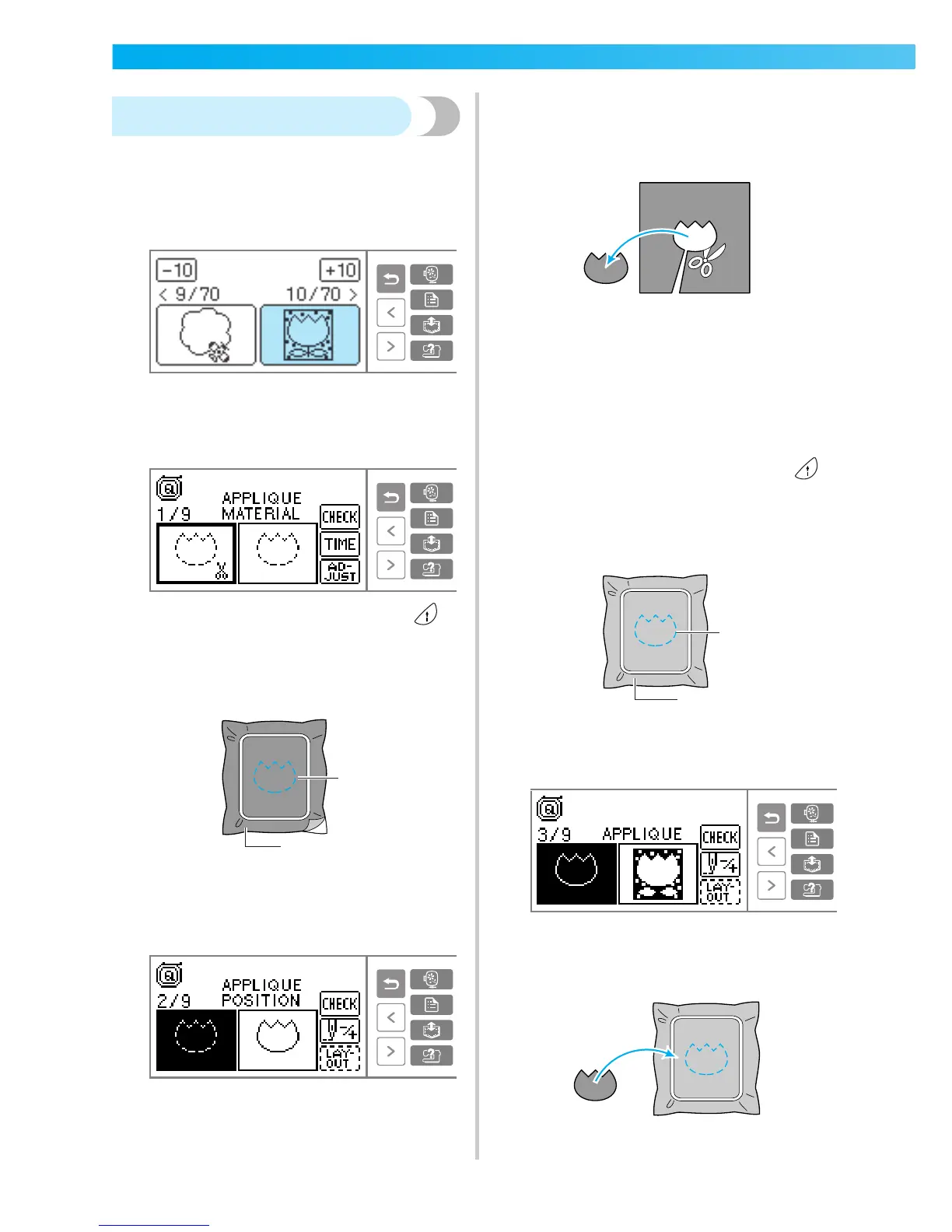
With embroidery patterns that display "APPLIQUE",
you can appliqué. Prepare the base fabric and the
appliqué fabric (appliqué piece).
a
Select an appliqué pattern.
b
When "APPLIQUE MATERIAL" is displayed on
the LCD, apply the stabilizer material to the
back of the appliqué piece fabric, and stretch
it on the embroidery frame.
c
Lower the presser foot lever, and press
(Start/stop button).
X The cut-out for the appliqué piece is sewn,
and the sewing machine stops.
a Cut-out line
b Appliqué piece fabric
X "APPLIQUE POSITION" will be displayed on
the LCD.
d
Remove the fabric from the embroidery frame,
and cut it out along the stitching.
Cut carefully along the stitching and remove
the thread.
• If it is not cut right on the stitching, it will not
be finished neatly.
e
Stretch the base fabric on the embroidery
frame.
f
Set up the thread for appliquéing.
g
Lower the presser foot lever, and press
(Start/stop button).
X The position for the appliqué is stitched, and
the sewing machine stops.
a Appliqué position
b Base fabric
X "APPLIQUE" will be displayed on the LCD.
h
Apply a thin layer of fabric glue or spray
adhesive to the back of the appliqué piece, and
attach it in the appliqué position.
1
2
1
2











 To Next Page