2
Adjusting the Thread Tension 53
— — — — — — — — — — — — — — — — — — — — — — — — — — — — — — — — — — — — — — — — — — — — — — — — — — — —
Changing the upper thread
tension
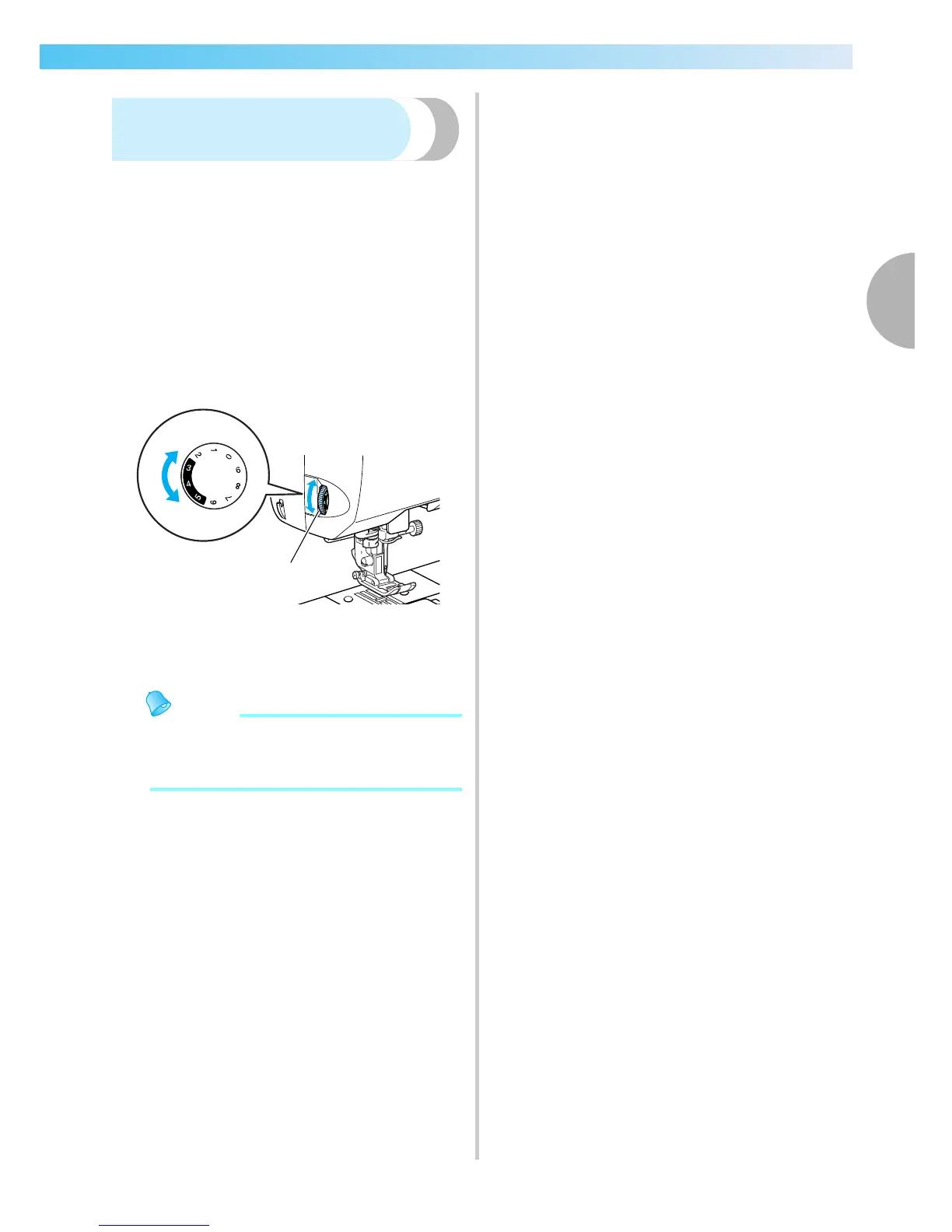
The tension is changed using the thread tension dial
on the left side of the sewing machine.
a
Test the stitching using a scrap of the actual
fabric to be used.
b
Referring to the illustration below, turn the
thread tension dial on the left side of the
sewing machine.
The larger the number is, the greater the upper
thread tension.
a Thread tension dial
c
Test it until the thread tension is suitable.
Memo
z Recommended tension setting for normal
stitching is 3-4-5 within the shaded area of
the upper tension dial.
1
Tight
Loose











 To Next Page