Convenient Functions 139
4
— — — — — — — — — — — — — — — — — — — — — — — — — — — — — — — — — — — — — — — — — — — — — — — — — — — —
CAUTION
d
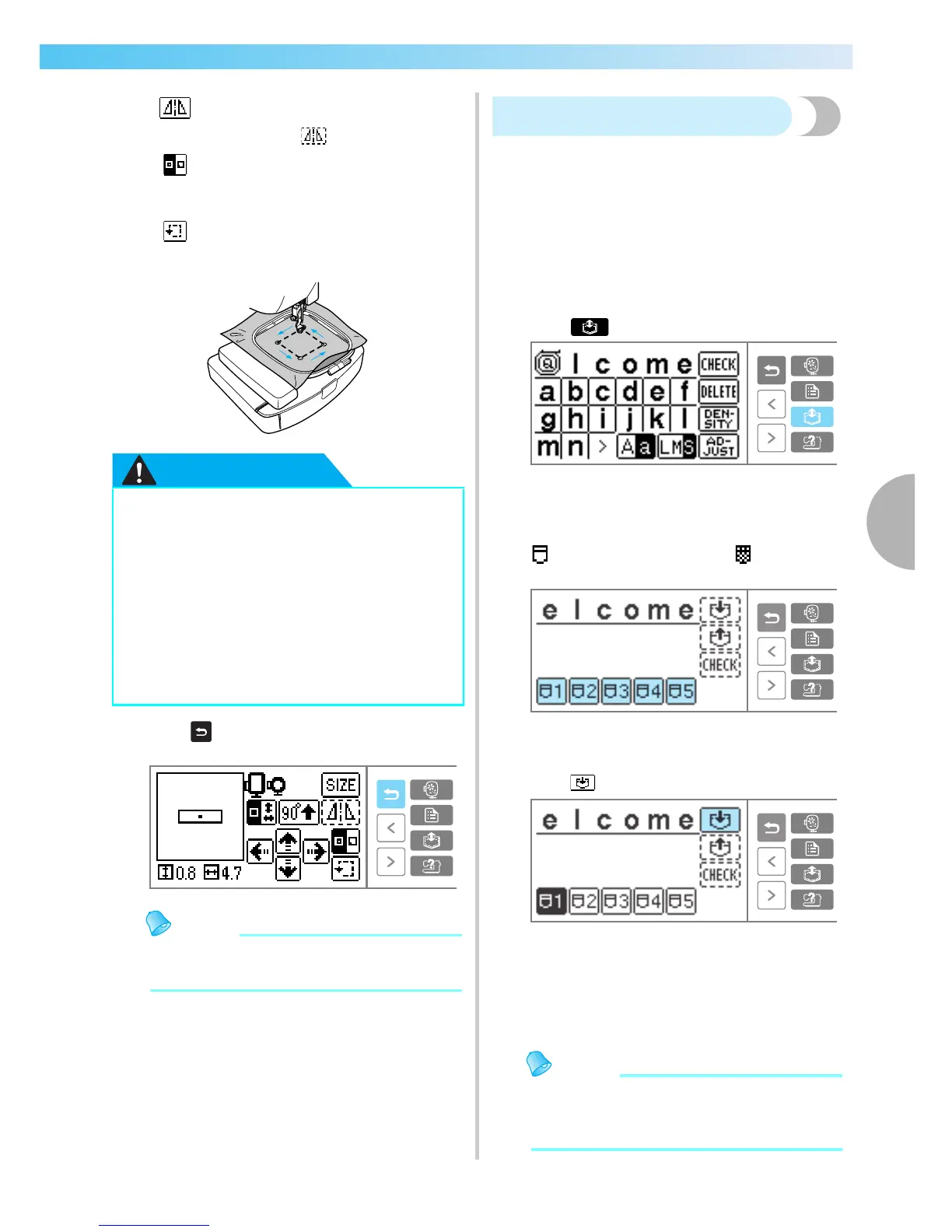
Press (Back key) to return to the original
screen.
Memo
z When the power is turned off, the layout
returns to the original setting.
Storing characters
The characters you entered can be stored in the
sewing machine memory.
Since the stored characters will not be erased when
the power is turned off, you can always recall them
for embroidery. This is convenient for storing names
and the like. You can store up to five groups.
■ Storing characters
a
After inputting the characters to be stored,
press (Memory key).
X The screen for selecting the storage location
(pocket) is displayed.
b
Select the pocket for storage from pockets 1 - 5.
indicates an empty pocket. indicates a
pocket where a character is already stored.
X The selected pocket is shown in reverse
highlighting.
c
Press .
X "Saving..." appears while the character is
being stored in the pocket.
• Do not turn off the sewing machine while a
character is being stored, otherwise the
character data may be lost.
Memo
z If new characters or blanks are saved to a
pocket where characters are already stored,
the previously stored characters are erased.
Horizontal mirror image key
Mirrors the embroidery left and right.
When it is , it cannot be used.
Stitch beginning key
Switches the position for beginning
stitching between center/lower left of
the design.
Trial key
Moves the embroidery unit carriage,
and checks the embroidery range.
● Never lower the needle when the
embroidery frame is moving. The needle
could be broken or bent.
● If the movement for the stitching position
exceeds the range where embroidery can
be done, you can not use that size
embroidery frame. Check the display for a
frame that can be used and use it. If a
frame other than the ones displayed is
used, it could result in injury.











 To Next Page