Convenient Functions 143
4
— — — — — — — — — — — — — — — — — — — — — — — — — — — — — — — — — — — — — — — — — — — — — — — — — — — —
d
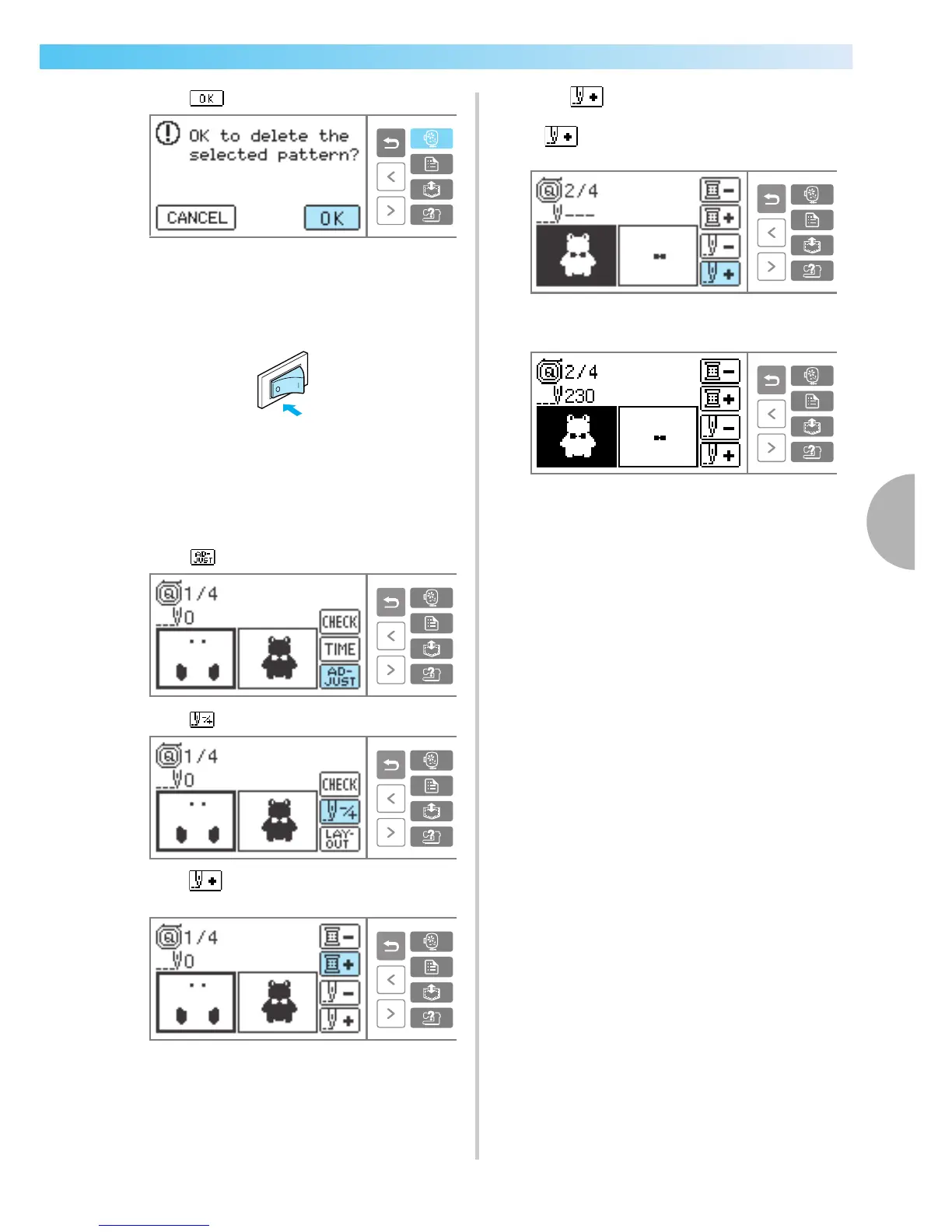
Press .
X The selected pattern is turned off, and it
returns to the initial embroidery screen.
e
Turn off the sewing machine.
• Always detach the embroidery unit when you
move the sewing machine.
f
Turn on the sewing machine and select the
pattern.
g
Press .
h
Press .
i
Press (Forward one color) to move to the
beginning of the color you want to sew.
j
Press (Forward one stitch) to increase
the needle count.
If is pressed continuously, it moves
forward 1 —> 9 —> 20 stitches.
Move forward to about ten stitches before the
total number of stitches confirmed in
b.
k
Restart the embroidery.











 To Next Page