GETTING READY — — — — — — — — — — — — — — — — — — — — — — — — — — — — — — — — — — — — — — — — — — — —
32
e
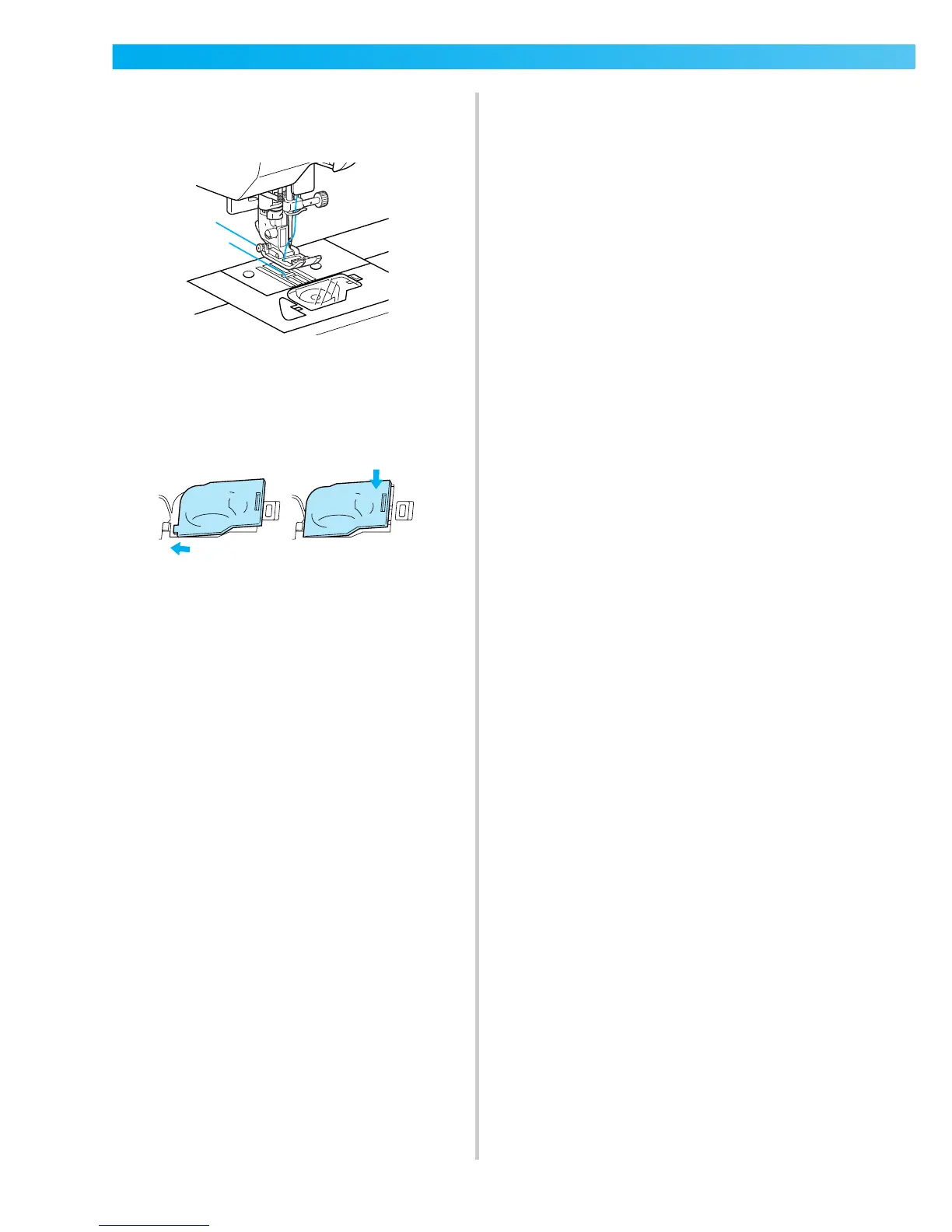
Pull out about 10-15 cm (4-5 inches) of the
bobbin thread under the presser foot toward
the rear of the machine.
f
Reattach the bobbin cover.
Insert the tab in the lower-left corner of the
bobbin cover, and then lightly press down on
the right side.
2
1











 To Next Page